
loading.. Please Wait
When registering standard prices and price seasons, you also set a minimum number of nights for the stay, and these settings apply to the entire season period.
To edit the minimum stay at a specific property, on selected dates, without changing the entire season setting or the default property price, go to the “Full Calendar” (or “Property Calendar”).
Important: These settings overlap all others (seasons, promotions, etc.).
There are three ways to access the Property Calendar:
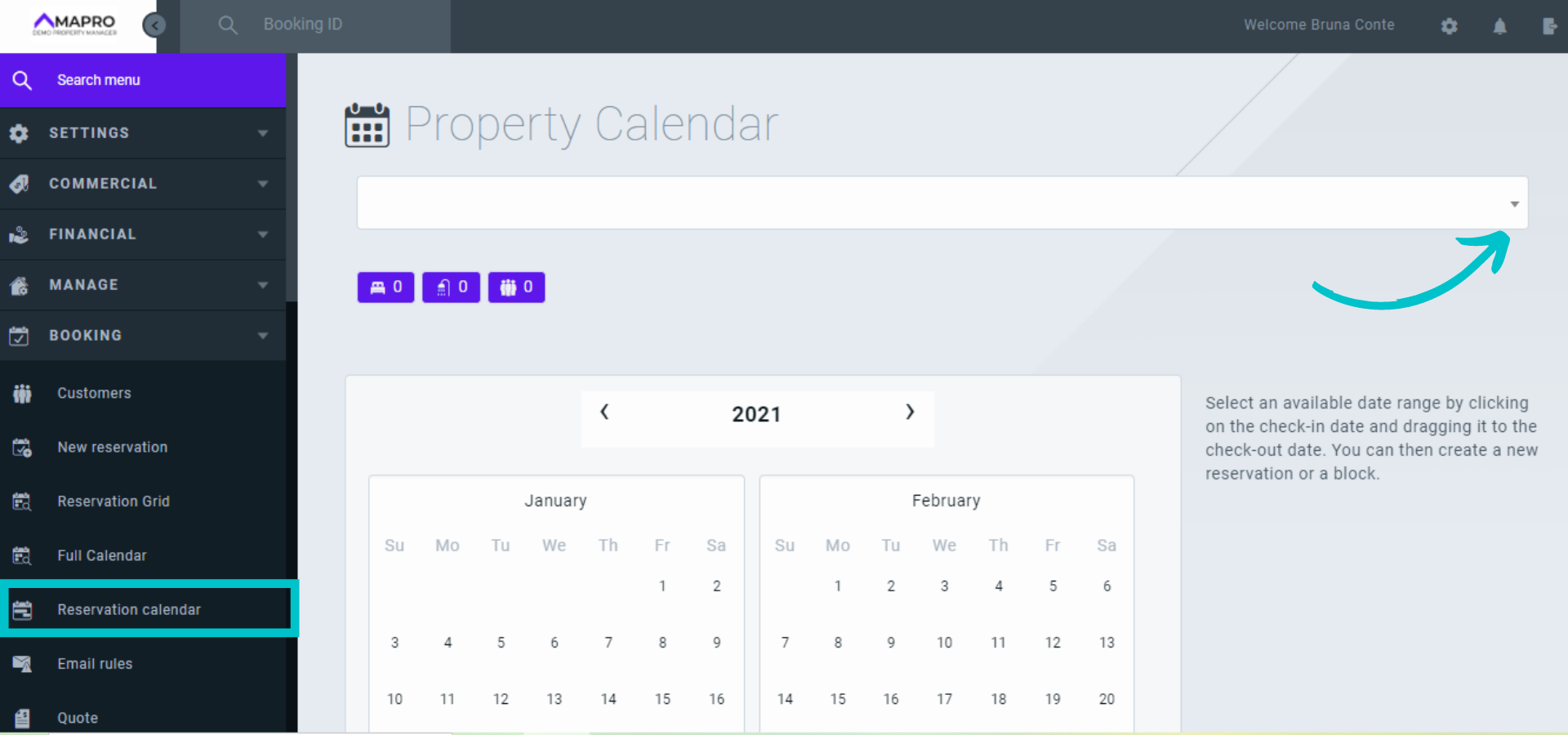
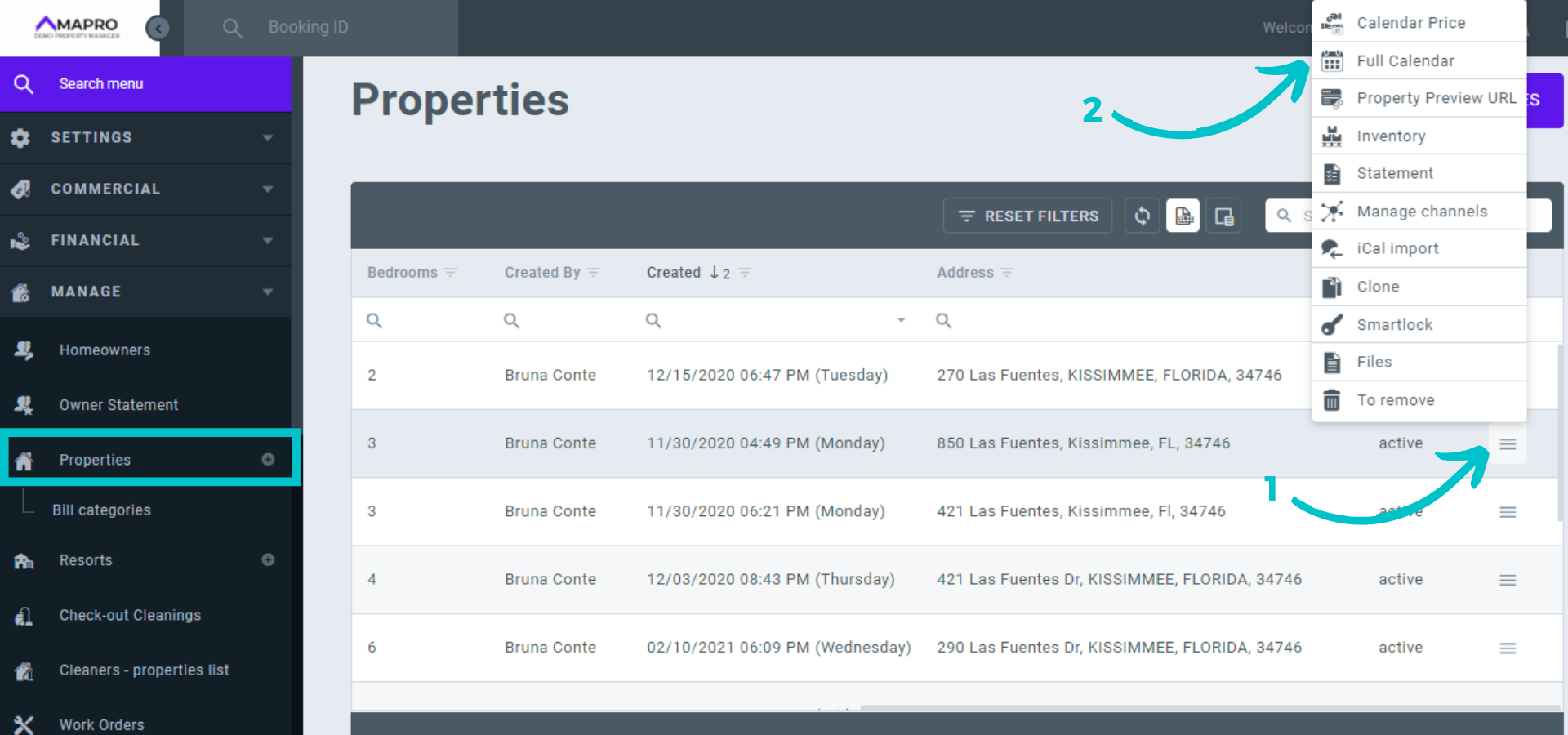
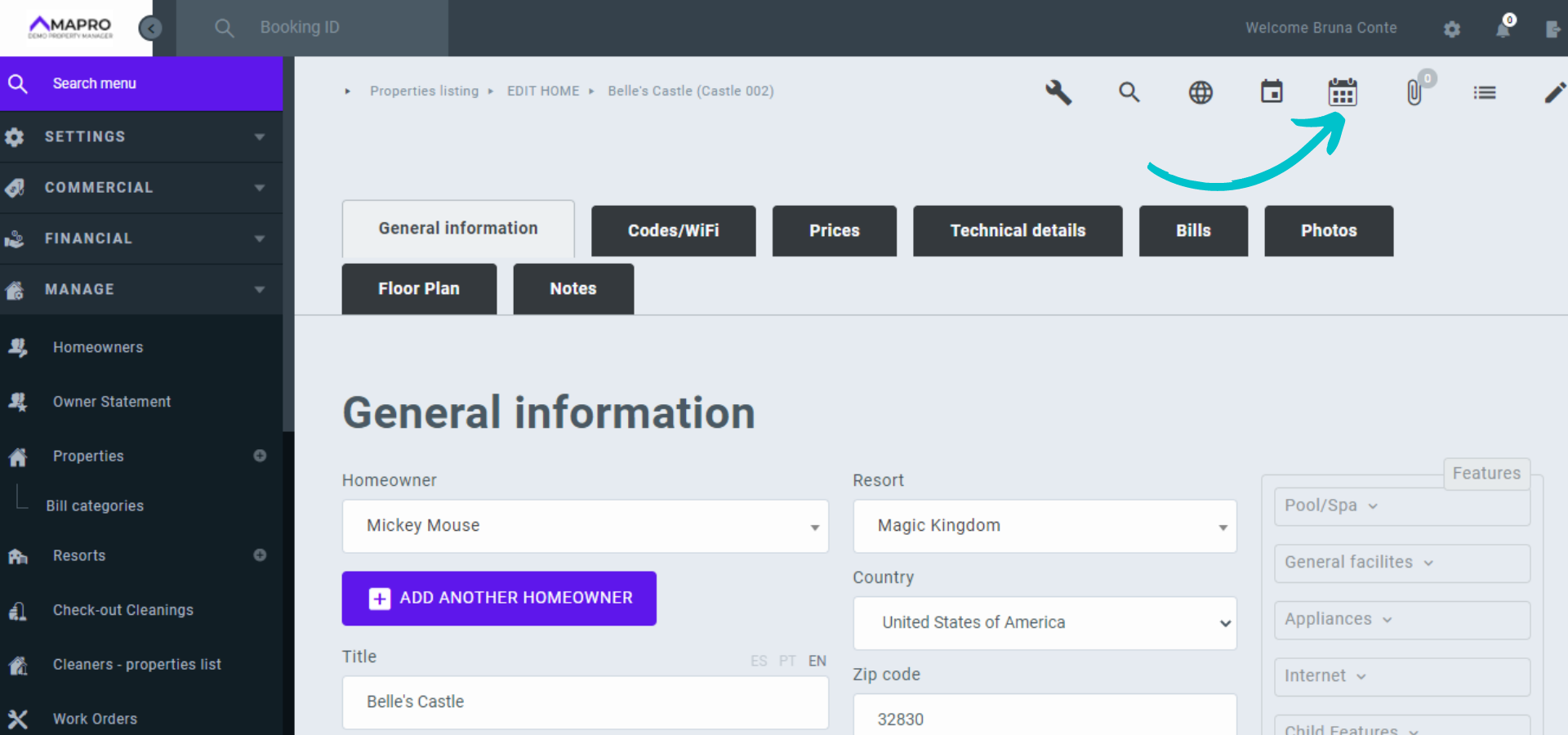
In the calendar, reservations will be marked with the color of the integrator that created the reservation, and dates marked in gray are blocked. You can hover over the reservation or block to see details, or click on them and see the information to the right of the calendar.
Blank dates are available, and each night's rate appears just below the date, next to the minimum stay.
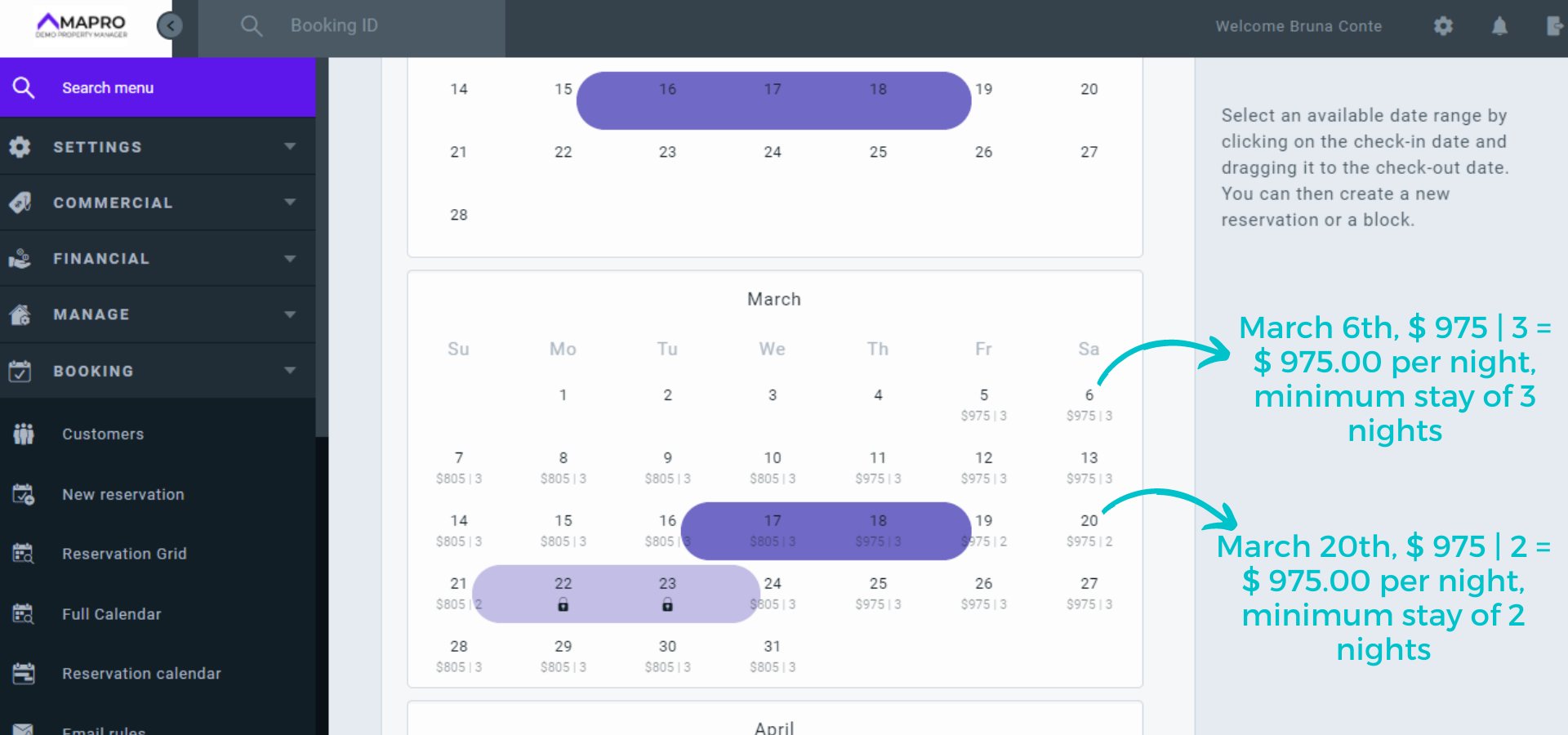
Click and drag the mouse to select the dates you want to edit - in the image below, we selected March 25th, 26th, and 27th. Note that a window opens on the right, displaying the information for the chosen dates (rates, fees, services, minimum stay, etc.).
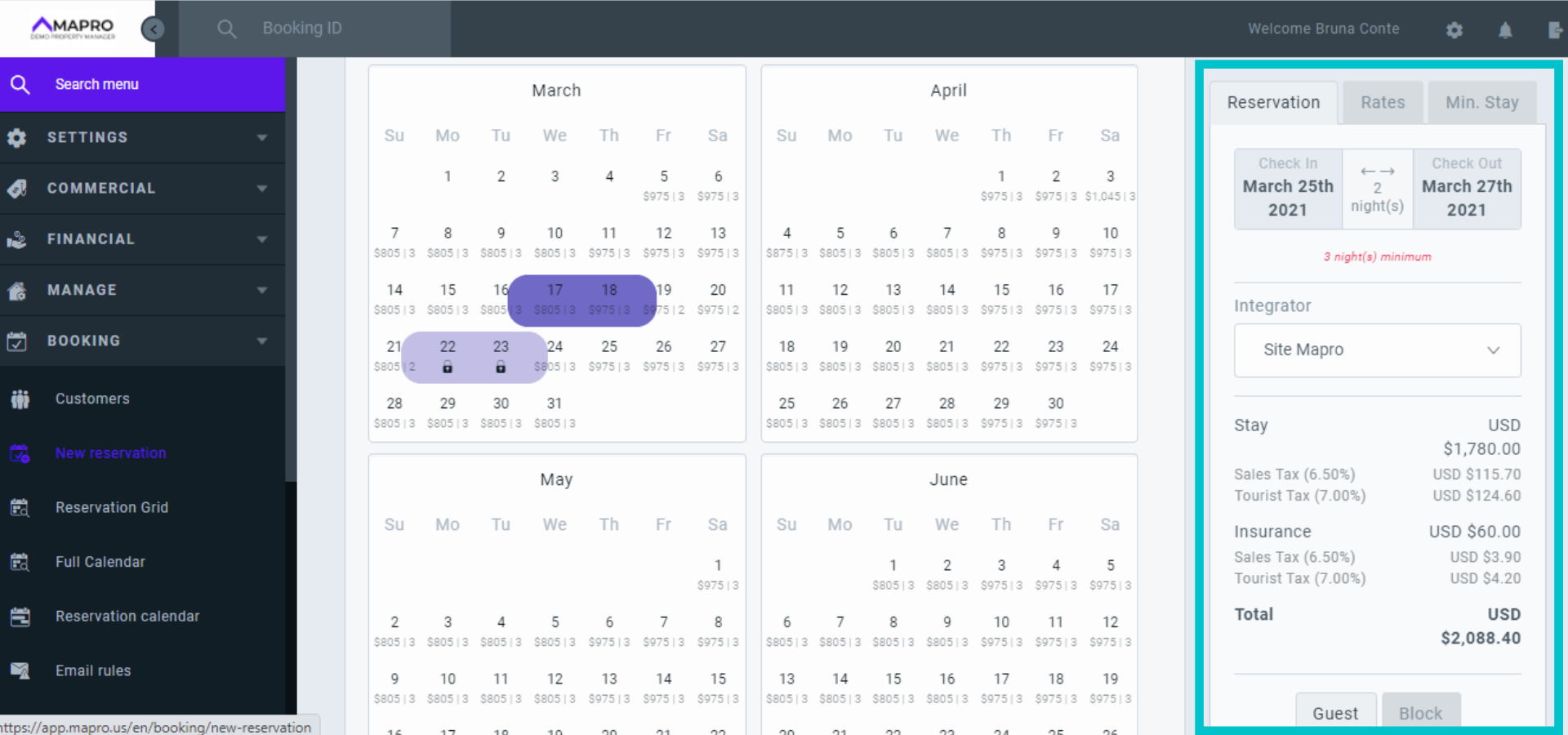
At the top of this new window, there are 3 tabs: Reservation (make a new reservation or block); Rates (change rates for selected dates); and Min. Stay (Change minimum nights for reservations on selected dates). Click "Min. Stay."
Enter the new minimum stay and click "Update".
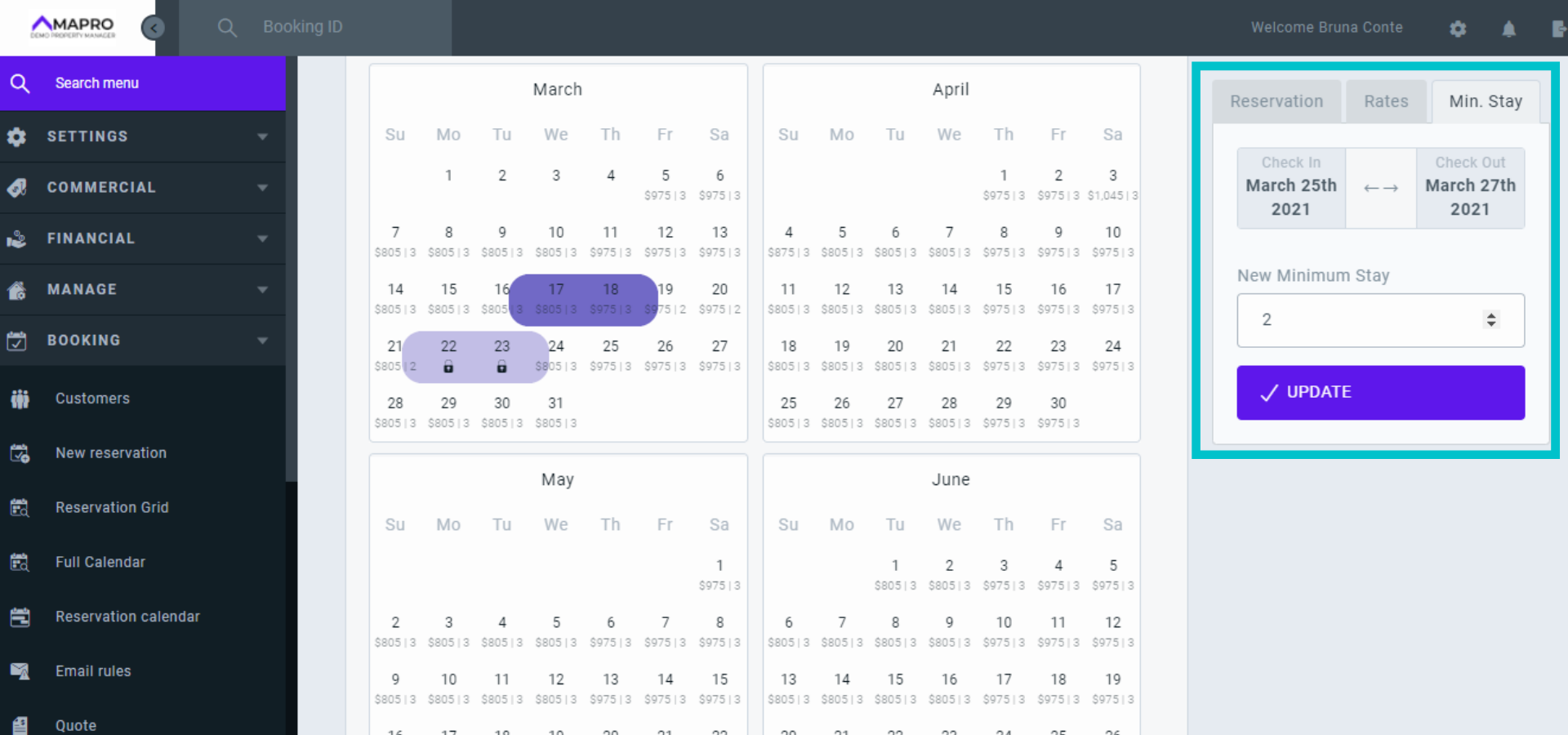
The new rules will already be in effect, only on the selected dates, without changing rates, standard prices, or seasons.
Learn more:
How the Full Calendar Works



