
loading.. Please Wait
You can add early check-in and late check-out to a single reservation (manually, option to block the day before/after); or all reservations to the same property (automatically, always blocks the day before/after).
Important: guests do NOT receive any information about early check-in and late check-out blocks. To allow the guest to enjoy this benefit and pay for it, you must add it to the reservation as a service.
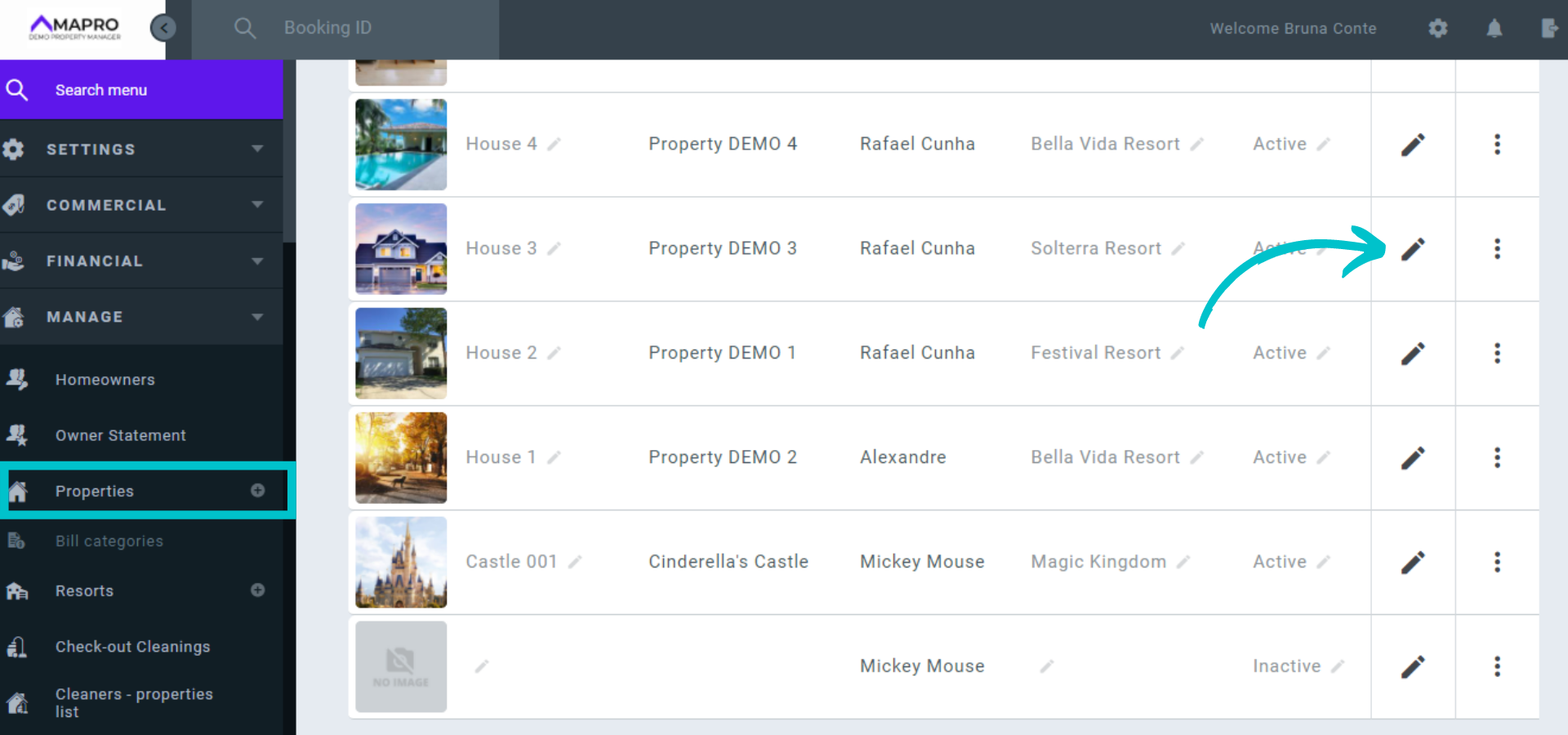
To automatically add an early check-in and/or a late check-out block to ALL reservations to the same property, go to MENU > MANAGE > PROPERTIES, select the property, and click on the pencil icon to edit it.
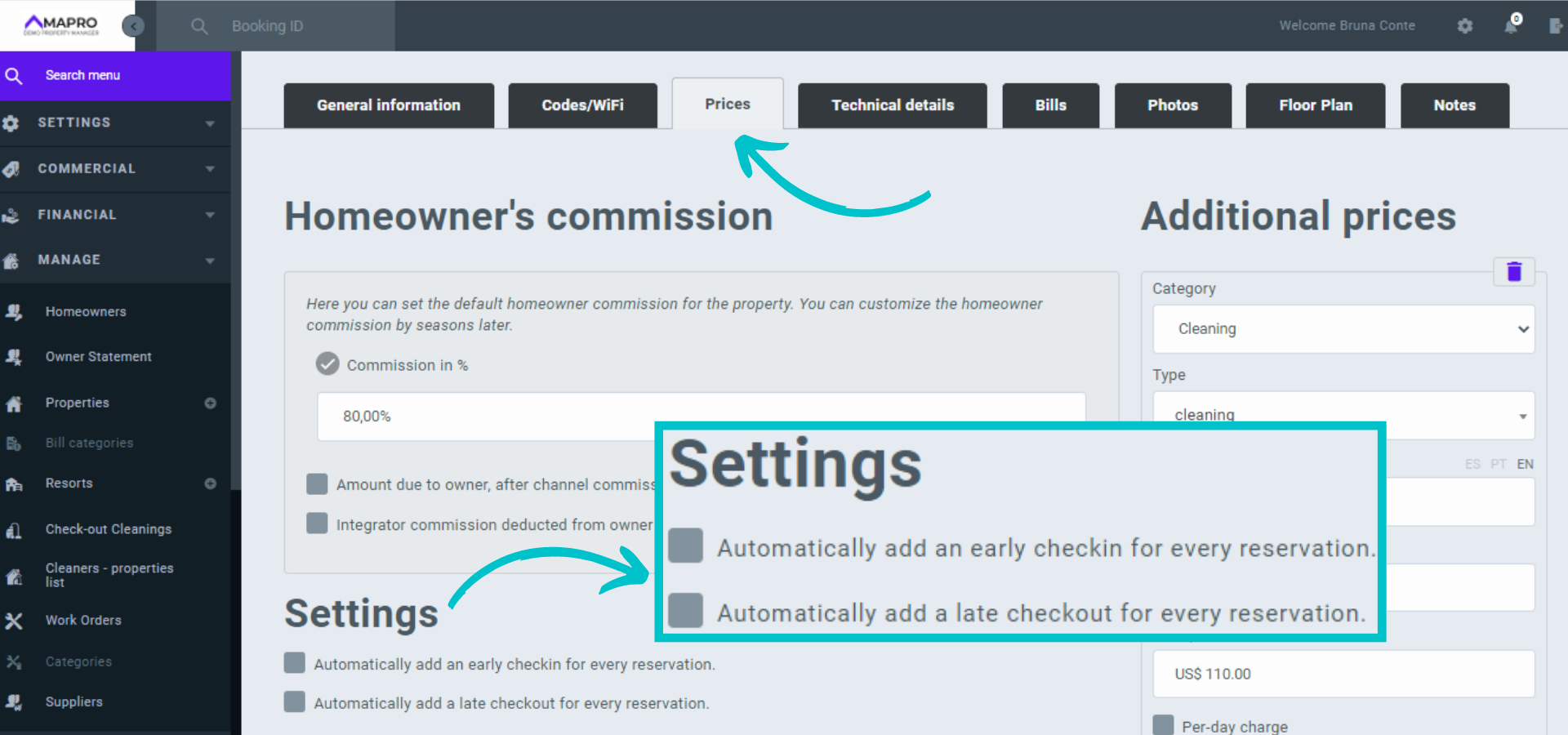
Click the "prices" tab, scroll down to "Configurations," and then check the boxes. If you select the “early check in” option, all reservations will have the day before check in blocked; if you select the “late check out” option, all reservations will have the day after check out blocked.
These rules will only apply to reservations CREATED AFTER you save the new settings.
Click on "Save" at the bottom of the page.
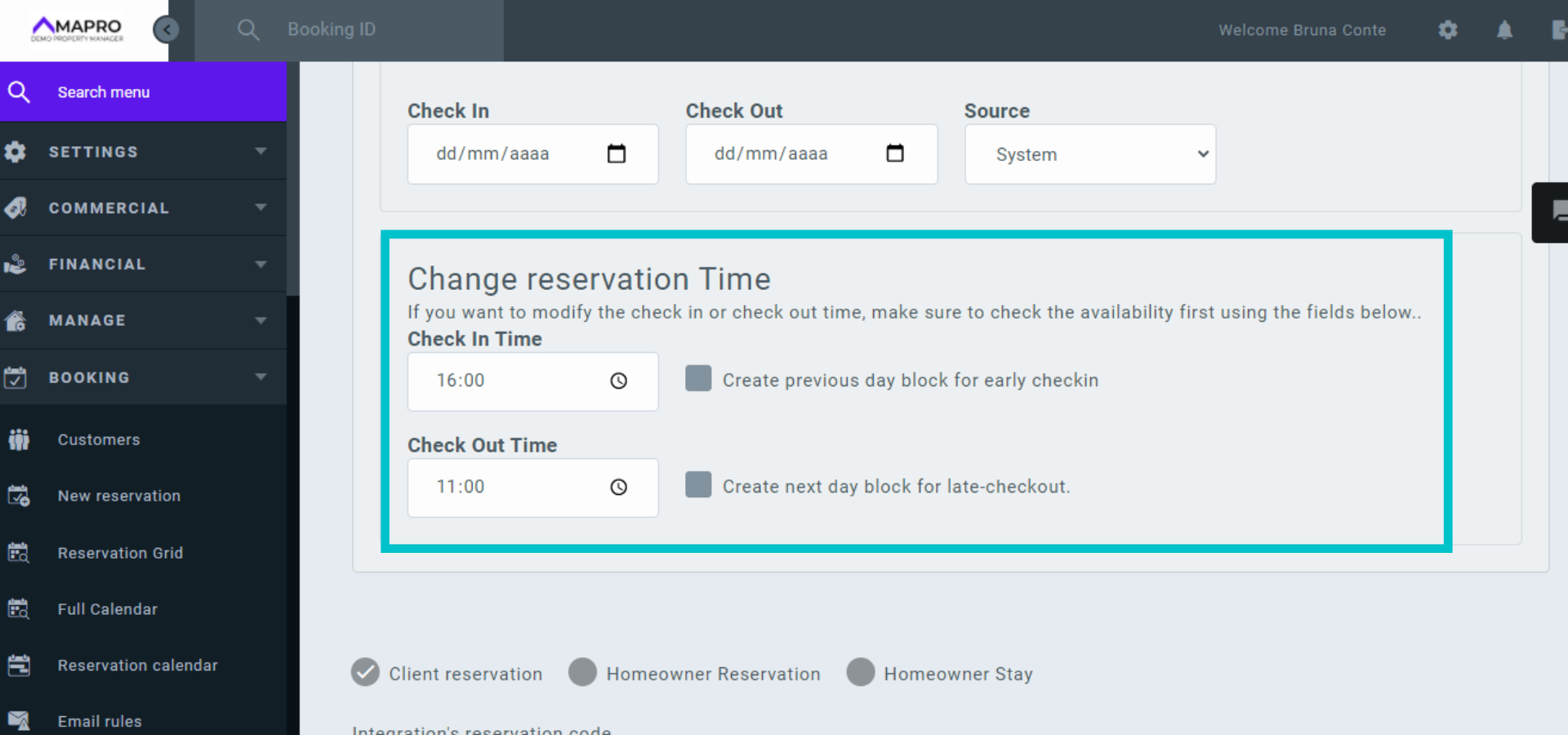
To add early check-in and/or late check-out to ONE reservation, open the reservation and scroll down to "Change Reservation Time," where you can edit this information and choose to block the day before or after the booked dates.
Learn more about how to manage reservations
Click on “Save” at the bottom of the page.
To change the check-in and check-out times in ALL reservations in ALL properties, go to USER'S MENU > SYSTEM SETTINGS and edit the property rules. These changes do NOT create automatic blocks, and the information is sent to the guest along with the cancelation policy and other rules.



