
loading.. Please Wait
This article describes the Tax Settings on Airbnb on the date it was published, intending to help Property Managers adjust MAPRO to the recent changes on their platform. Airbnb might change this at any time at its discretion.
CONTACT AN ACCOUNTANT OR SOMEONE YOU TRUST TO GET ADVICE ON THE CORRECT PERCENTAGES AND PAYMENT PROCEDURES. To adjust tax percentages in MAPRO, if necessary, go to MENU > FINANCIAL > TAX and click the pencil icon to edit the information in each County.
TO LEARN MORE ABOUT HOW EACH CHANNEL WORKS, reach out to their Help Center or their Support Service.
Find here:
How Tax Collection Works in Airbnb
How to Confirm Your Listing is Collecting and Remiting “Tourist Tax” in Airbnb Bookings
What You Should Do if You Have Listings in Osceola and Orange
The “Sales Tax” is collected and remitted by Airbnb: the platform collects the payment from the guest and pays the government on your behalf.
The “Tourist Tax” collection depends on the County in which your property is located.
In most Counties, if you want the guest to pay the “Tourist Tax”, you have to set an extra fee in each listing on Airbnb, and then the platform collects the percentage you informed and passes it on to you, so you can pay the County.
Polk, and recently Orange and Osceola, are exceptions: Airbnb collects and remits “Tourist Tax”, the same way it does with “Sales Tax”.
In MAPRO, when you open a reservation, you see the information we receive from the sales channels in a section with a dark background. If you find there the amount collected by Airbnb regarding “Tourist Tax”, but that amount is NOT in the total payout, it means Airbnb did NOT pass this amount on to you, but to the government.
Notice that in the image below, Airbnb reported the following: Cleaning = $ 200.00 + Stay = $ 137.60 - Channel Commission = $ 10.13 >> Total Host Payout = $ 327.47
The highlighted amounts in the first box are not in the $ 327.47 payout, so they were collected and remitted.
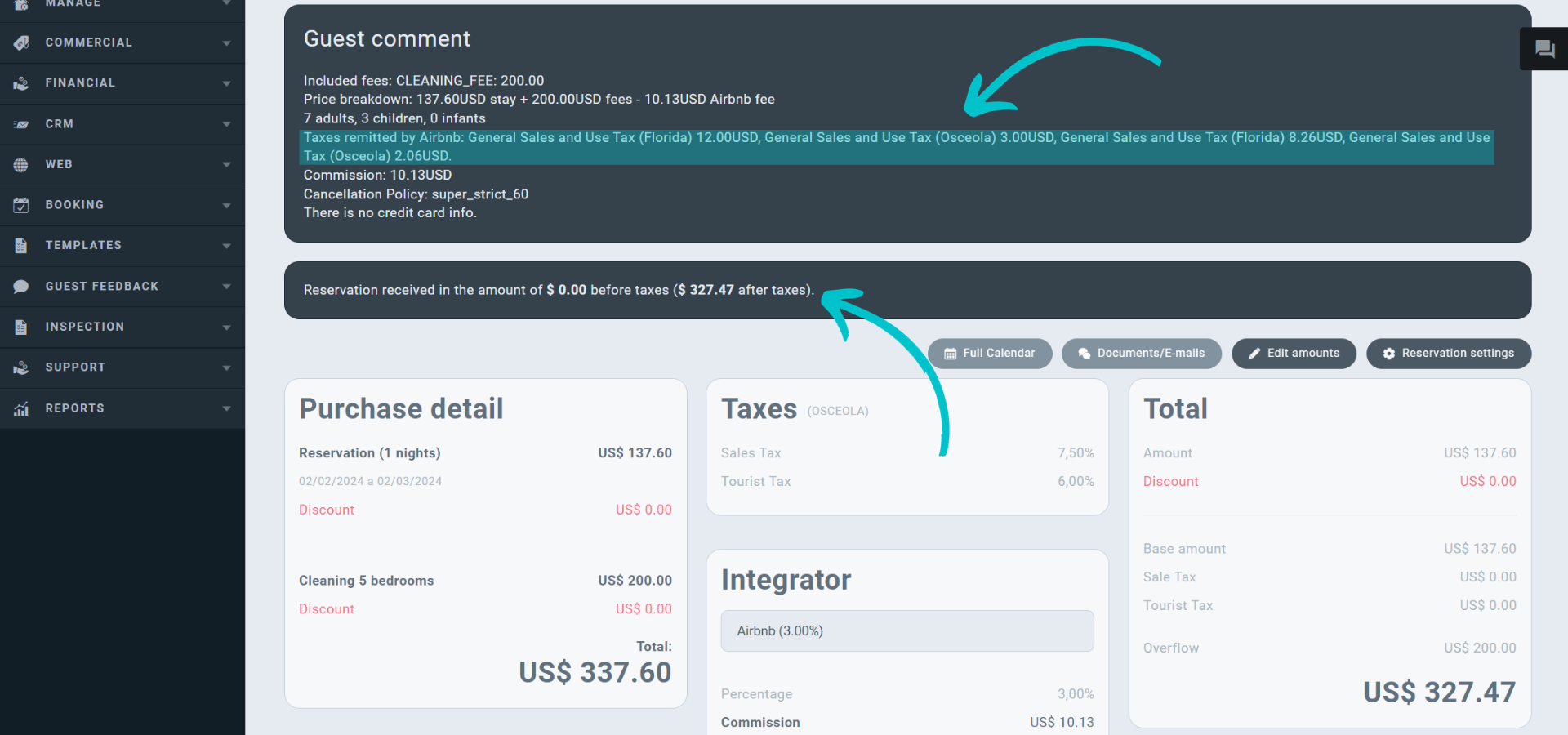
This is what you see on Airbnb:
Notice that the $ 25.32 “Occupancy Taxes” is the total of what is highlighted in the previous image and that it’s NOT included in the Host Payout.
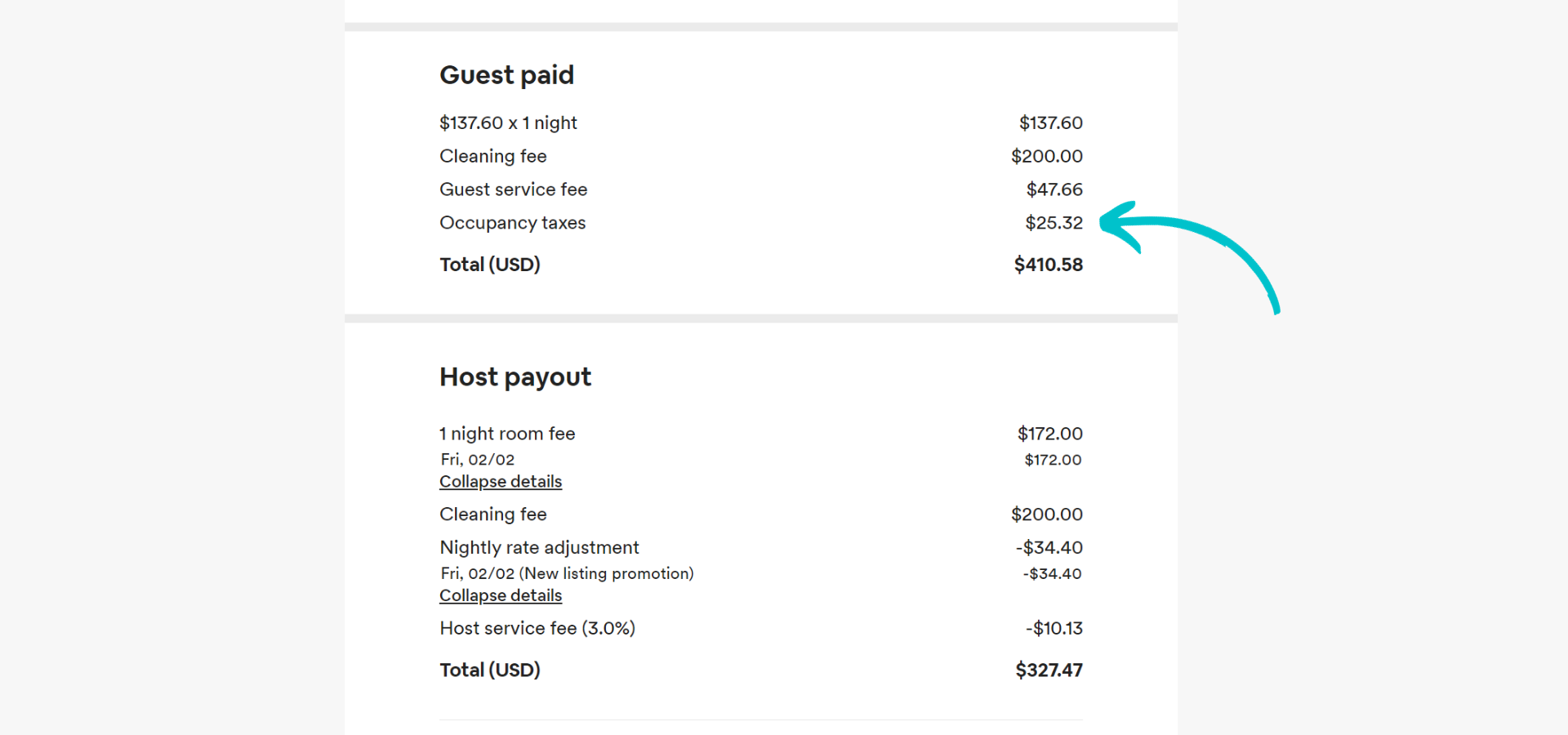
On Airbnb
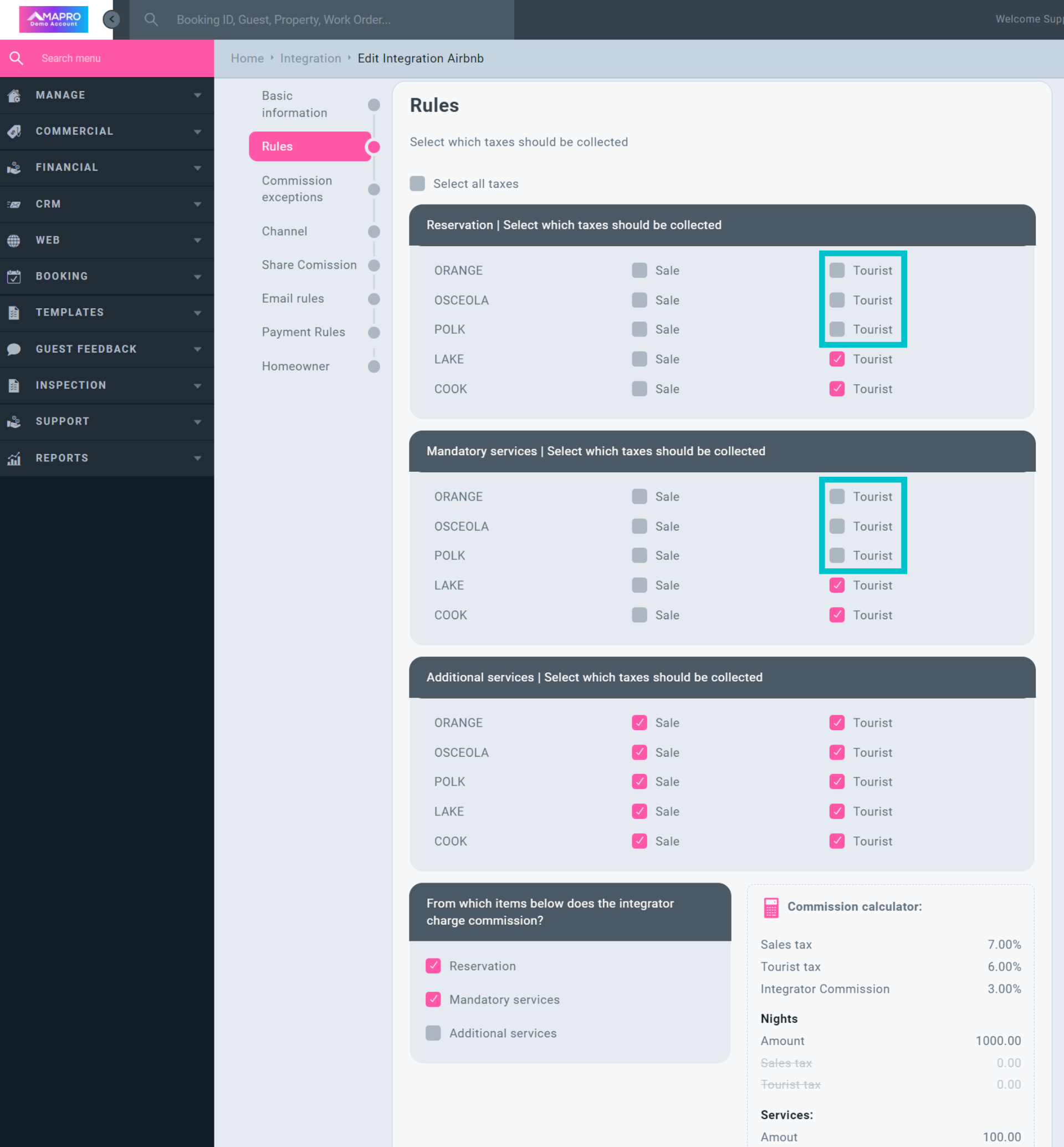
On MAPRO
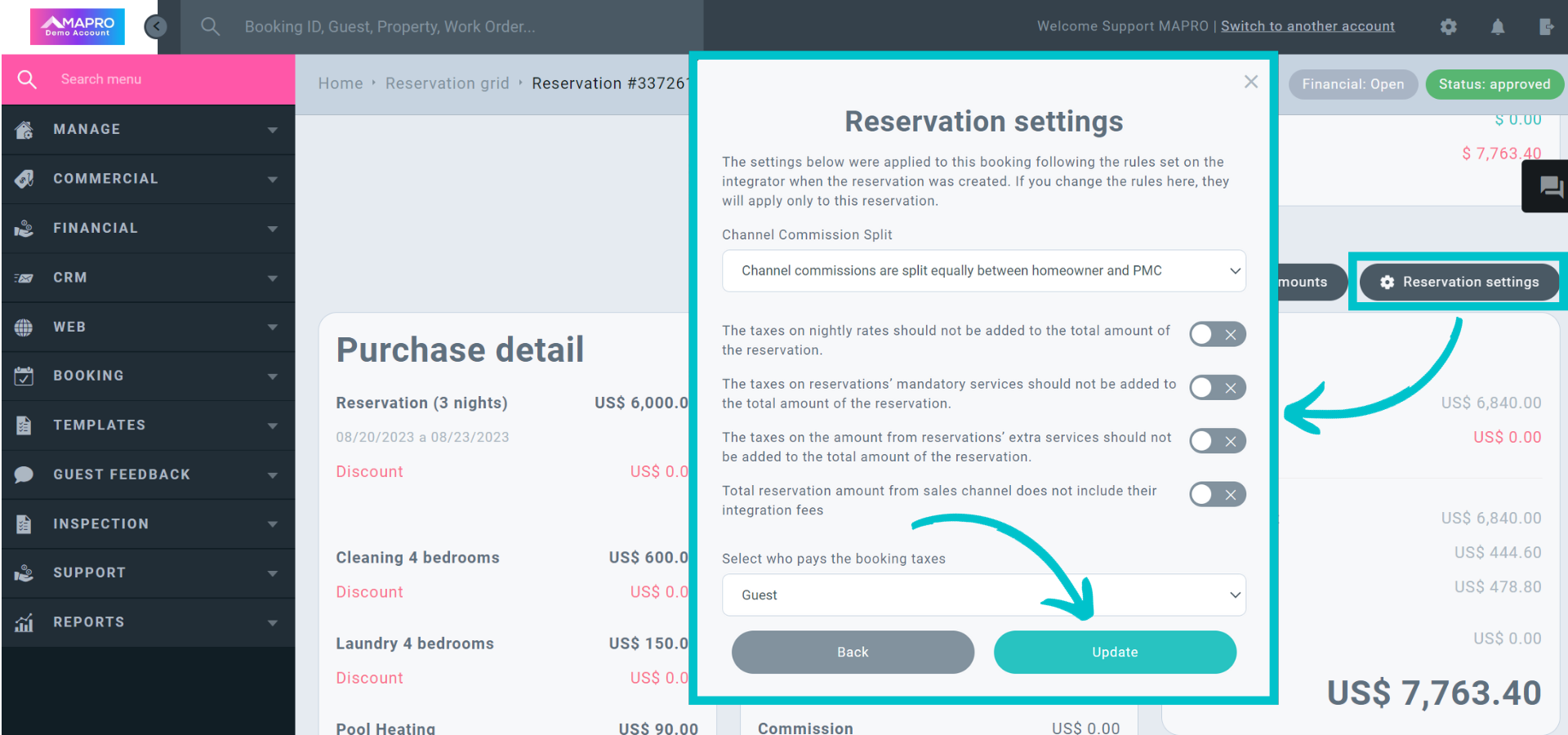
It’s very important that you adjust these settings on MAPRO so you don’t pay “Tourist Tax” twice or deduct it from the homeowner's commission unnecessarily.
If you have questions, please don't hesitate to reach out to our Support Team.



