
loading.. Please Wait
Listings that are constantly updated are usually considered by channels as high-quality, and therefore are more frequently shown to guests.
The Rank Booster tool, when activated, will automatically make small changes to your listings every day so that they are always updated.
To activate the Rank Booster, access MENU > MANAGE > PROPERTIES, click a property to open its register, and then find the “Rank Booster” tab on your left.
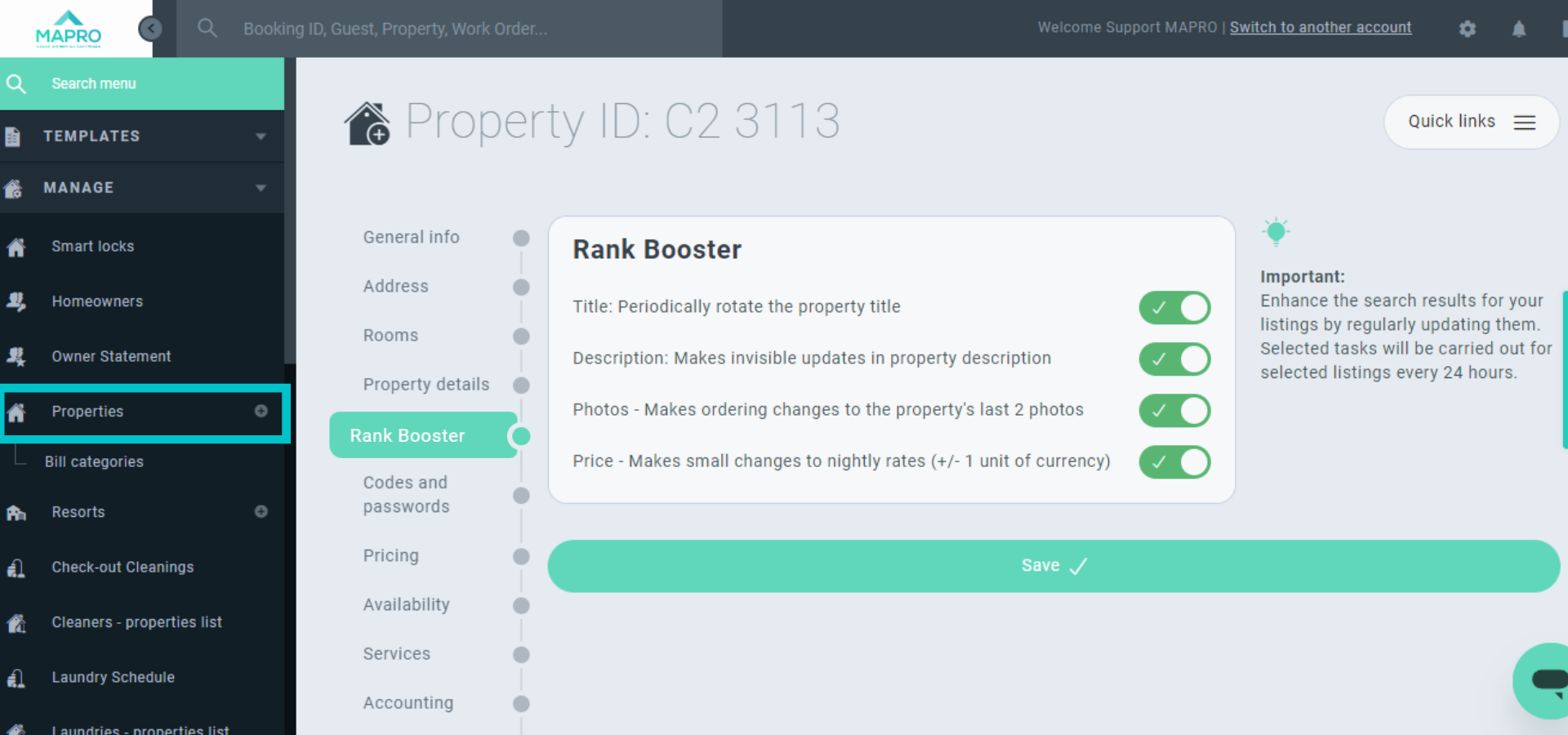
You can choose the options you find interesting:
Enable this option, click “save,” and then refresh the page. MAPRO will show you the first tab of the property register, where you can enter more title options. MAPRO will then show a different title every day, rotating the options you saved.
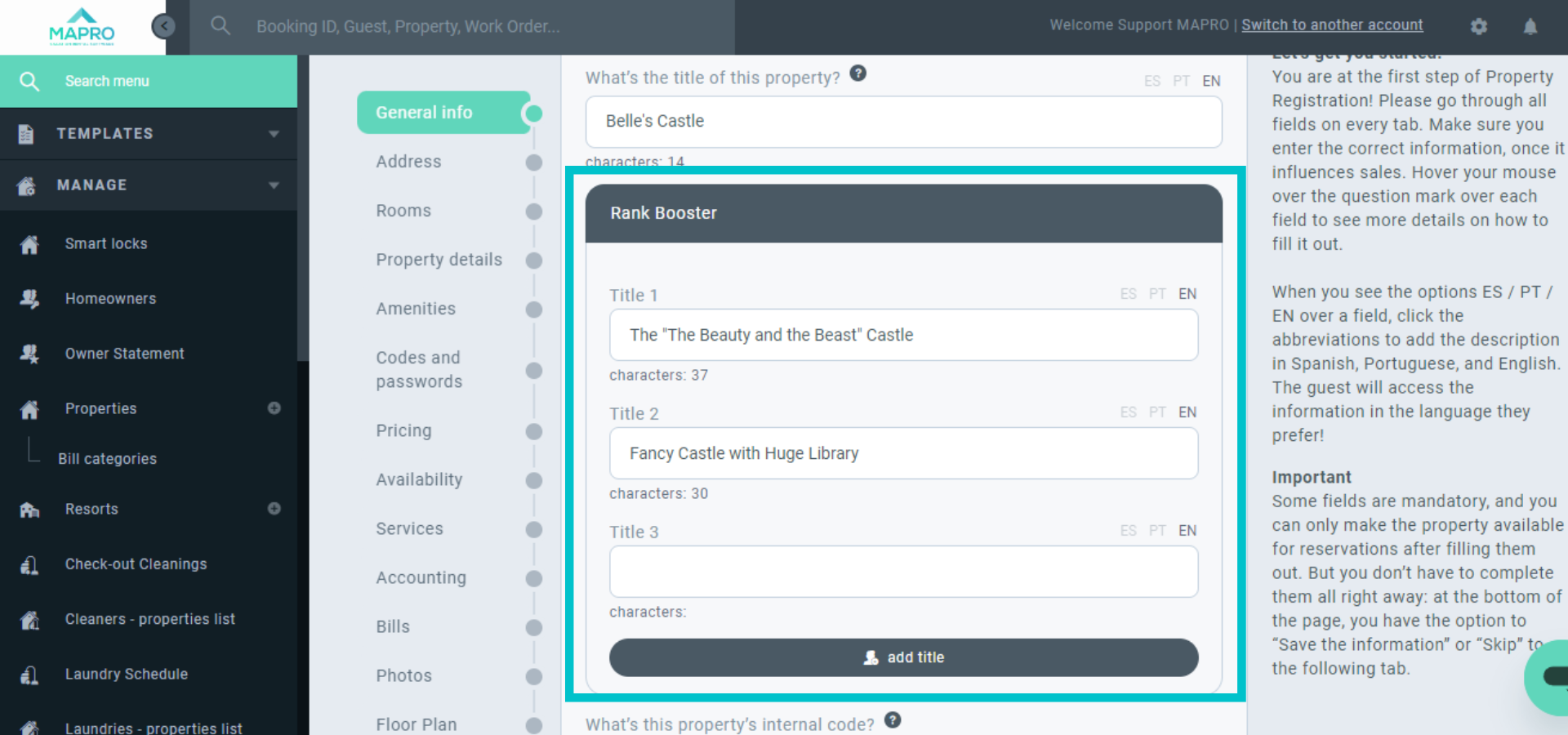
These changes really are invisible to the human eye. MAPRO edits the code, and this is detected only by the software that reads the listing content.
MAPRO inverts the position of the last two photos.
MAPRO makes prices $ 1,00 higher or lower. This rule will NOT be applied when you use a Pricing Management Software like Beyond Pricing.
Important:
Rank Booster rules will be applied to all channels connected to MAPRO via Rentals United.
Your website and system will NOT show any changes.
You need a full-sync connection to Airbnb, once the limited-sync mode does NOT update listing content.



