
loading.. Please Wait
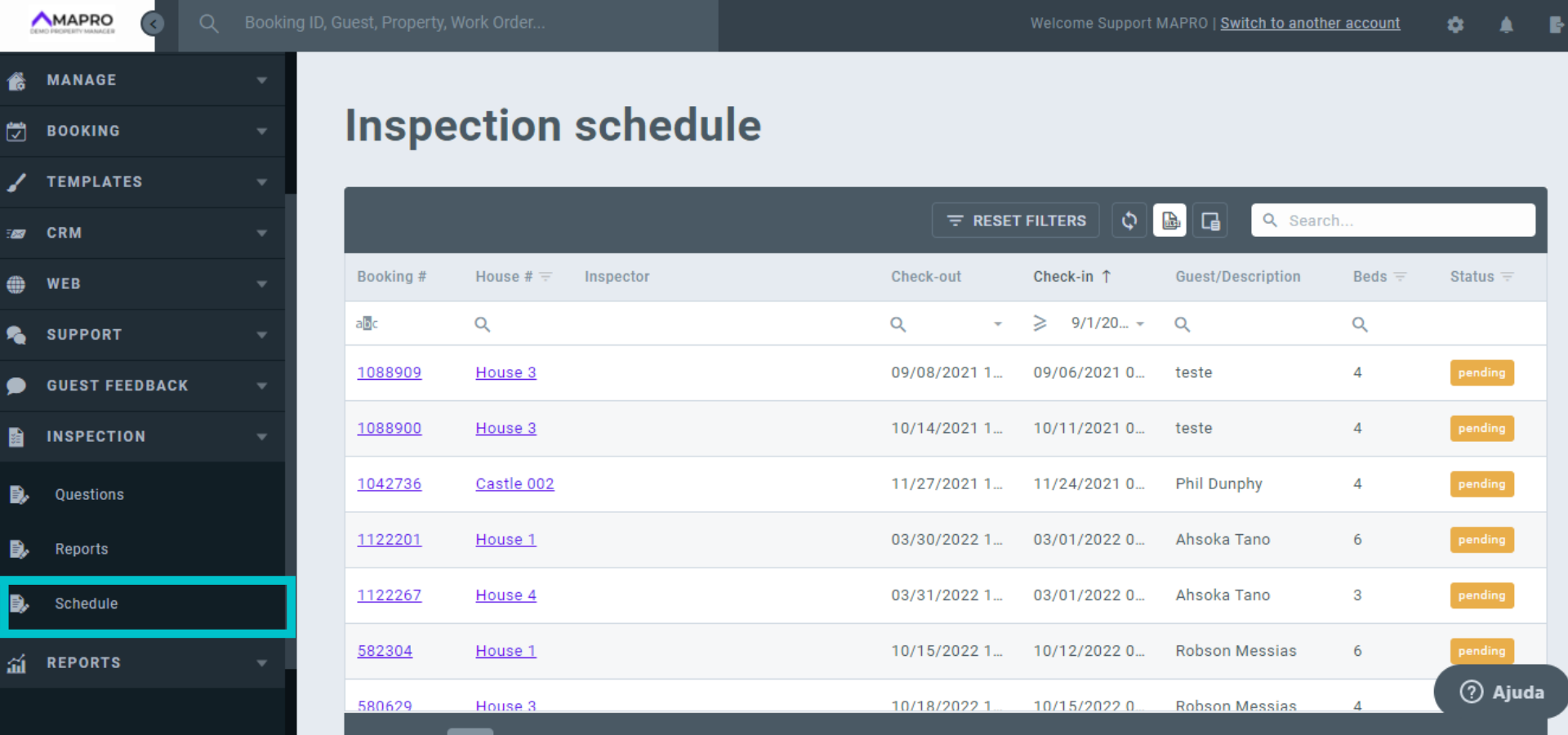
To visualize the inspections, you must go to MENU > INSPECTION > SCHEDULE.
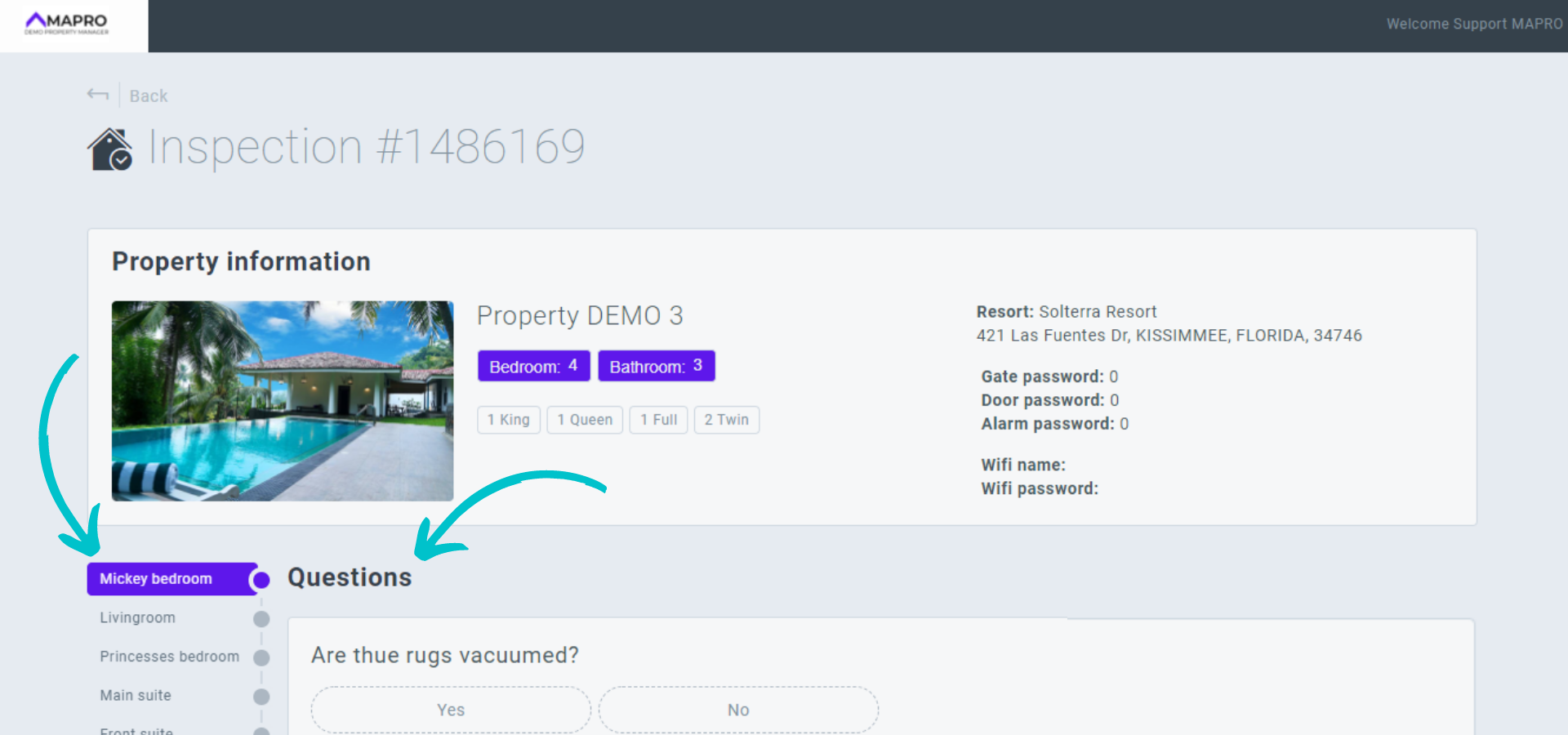
When you click the inspection, the questions on the checklist will appear. The rooms will be shown in different tabs, each containing the questions that were registered for the room. The inquiries are all YES/NO questions.
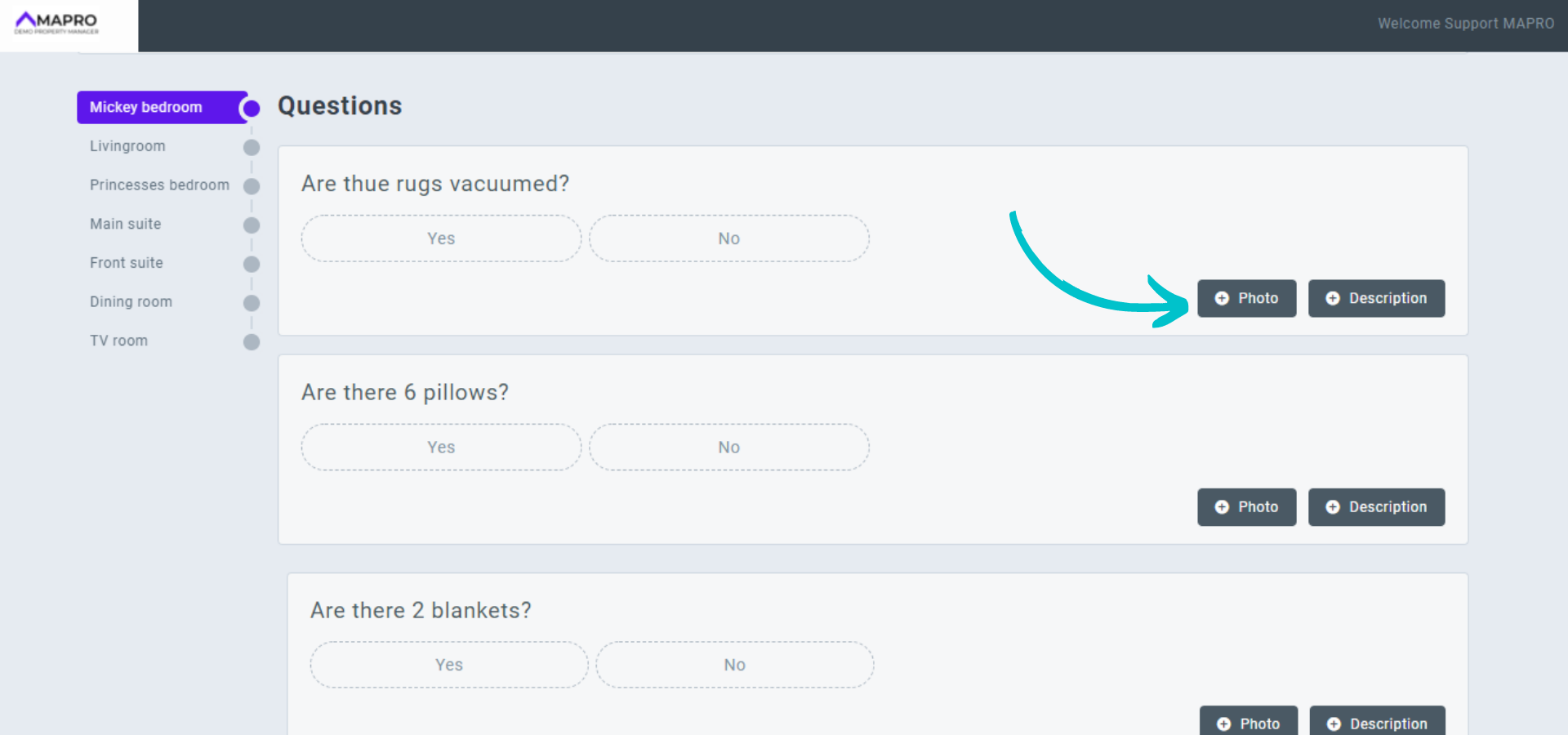
If the answer is NO, meaning there is something wrong with that item, you should describe the problem, so it will be shown in the report. For example, if you answer NO for the question "Are there six pillows?", then you should add a description to say what is wrong, such as "Two pillows are missing." You can also add a photo of the problem.
When you finish answering the questions from all the tabs, click "Save".



