loading.. Please Wait

How to Use Table Filters

  • Last Created On Dec 22, 2025
  • 45

MAPRO organizes various information into tables, and using filters is quite useful when searching.

The images used in the examples below are from the “Reservation Grid,” but all the tables in the system have a very similar operation.


Customization


To customize how the information is displayed in the table, you can drag the columns to the right or left and put them in the order you prefer.

You can also choose which columns are displayed: click the “Column Chooser” button, drag the columns from the list to the grid, or from the grid to the list.
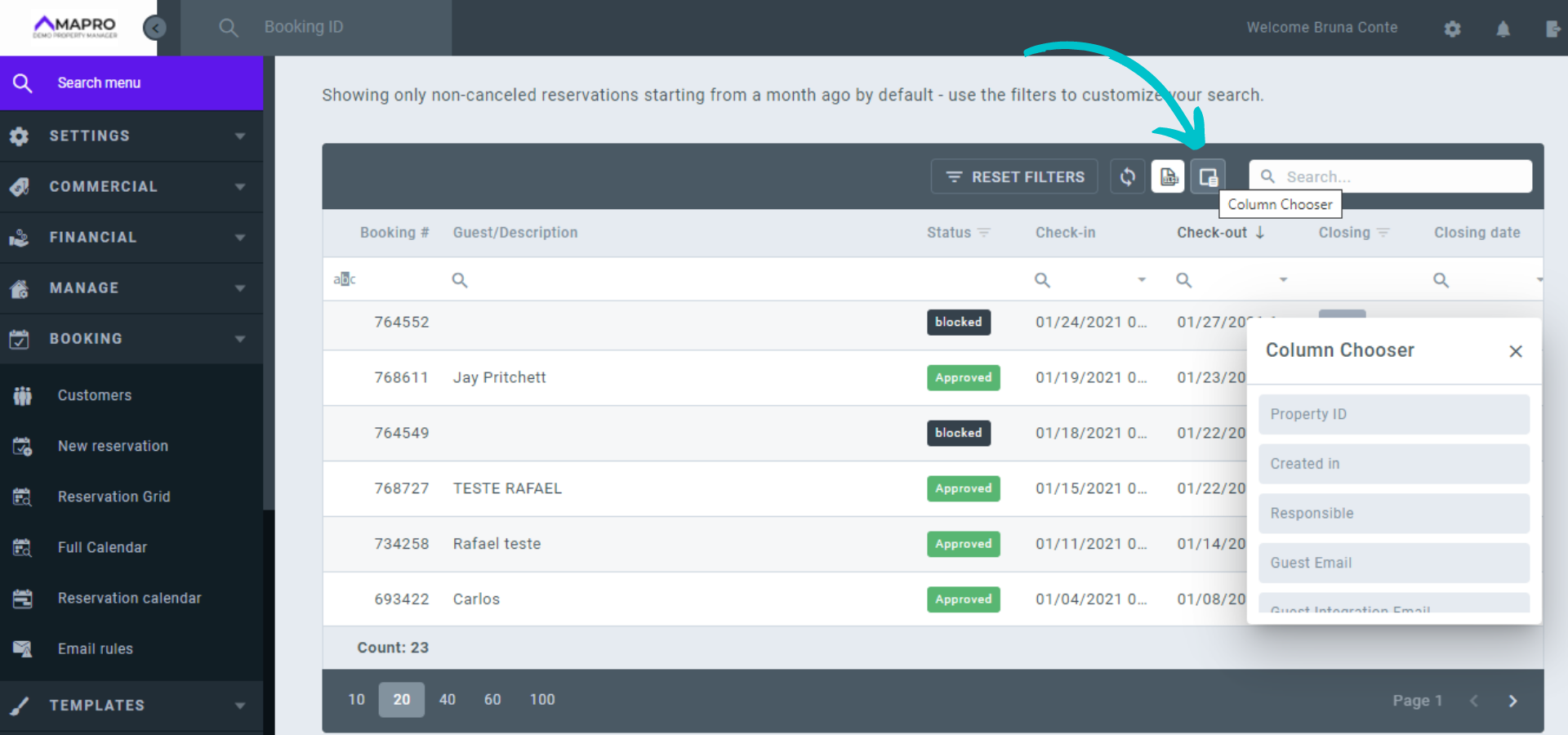
MAPRO_-_grid_filters_en__01_.png


Functions


Identify the functions of the buttons in the table.
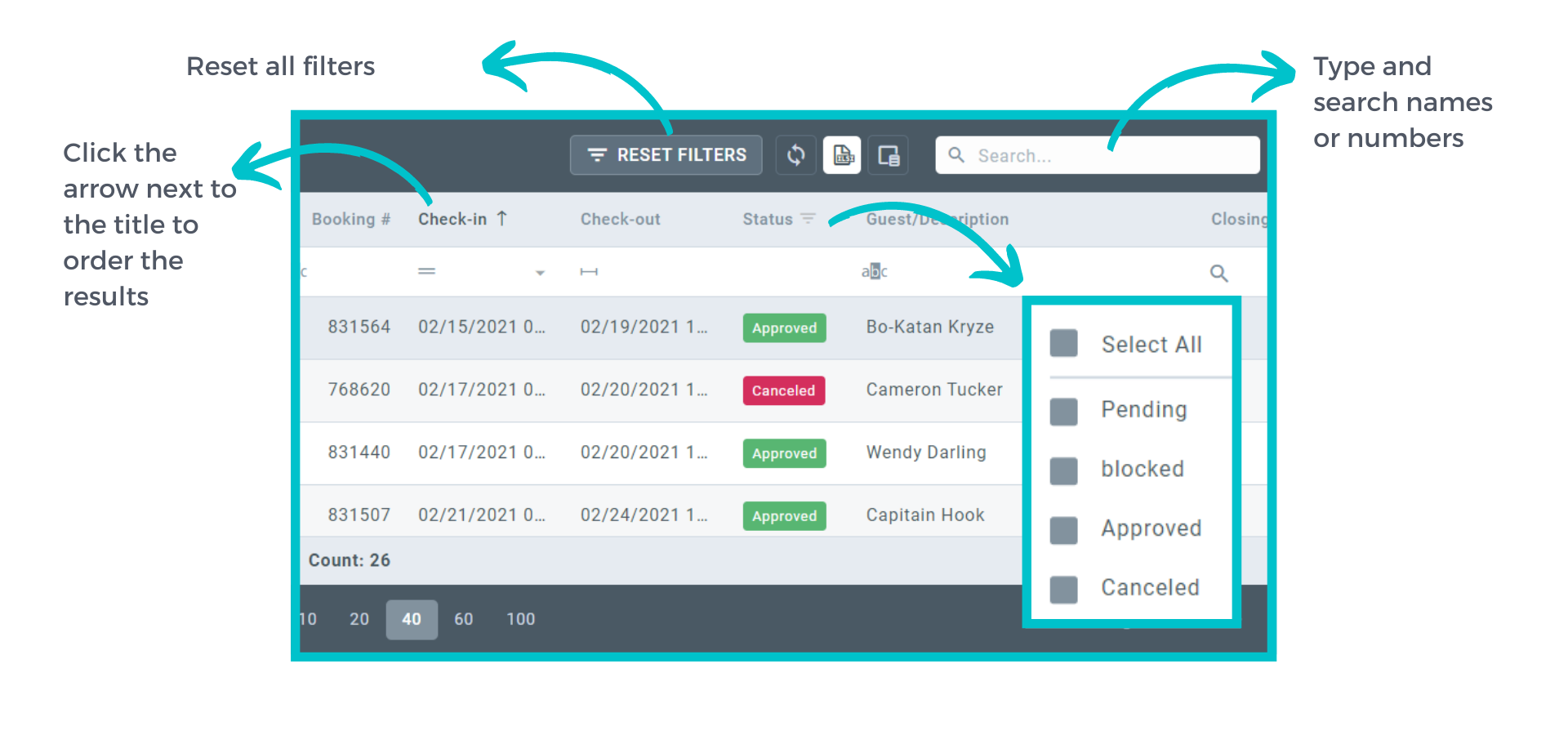
MAPRO_-_grid_filters_en__02_.png


Parameters


When there is the magnifying glass icon below the "column titles," click to open parameter options to filter your search.

Examples of parameters:
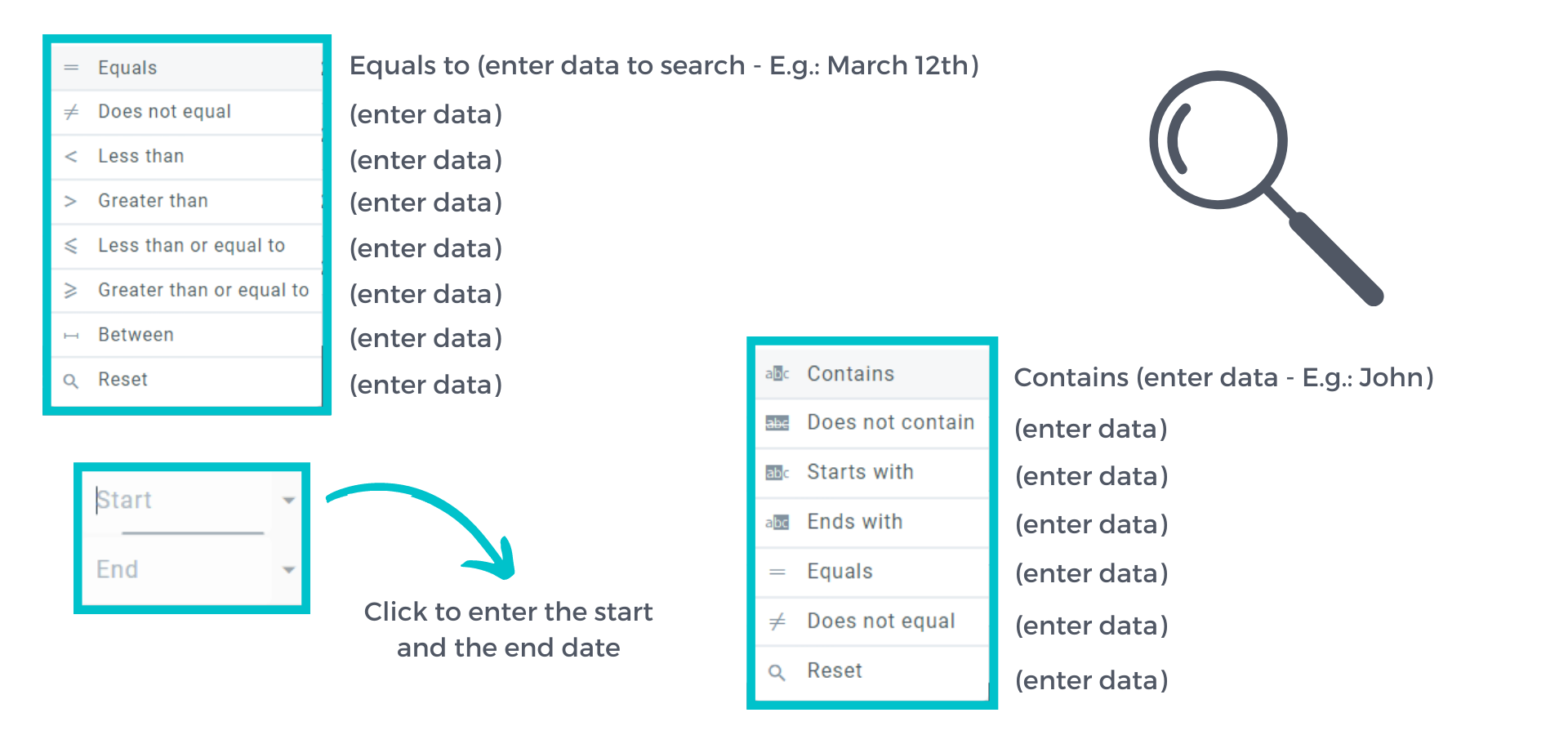
MAPRO_-_grid_filters_en__03_.png


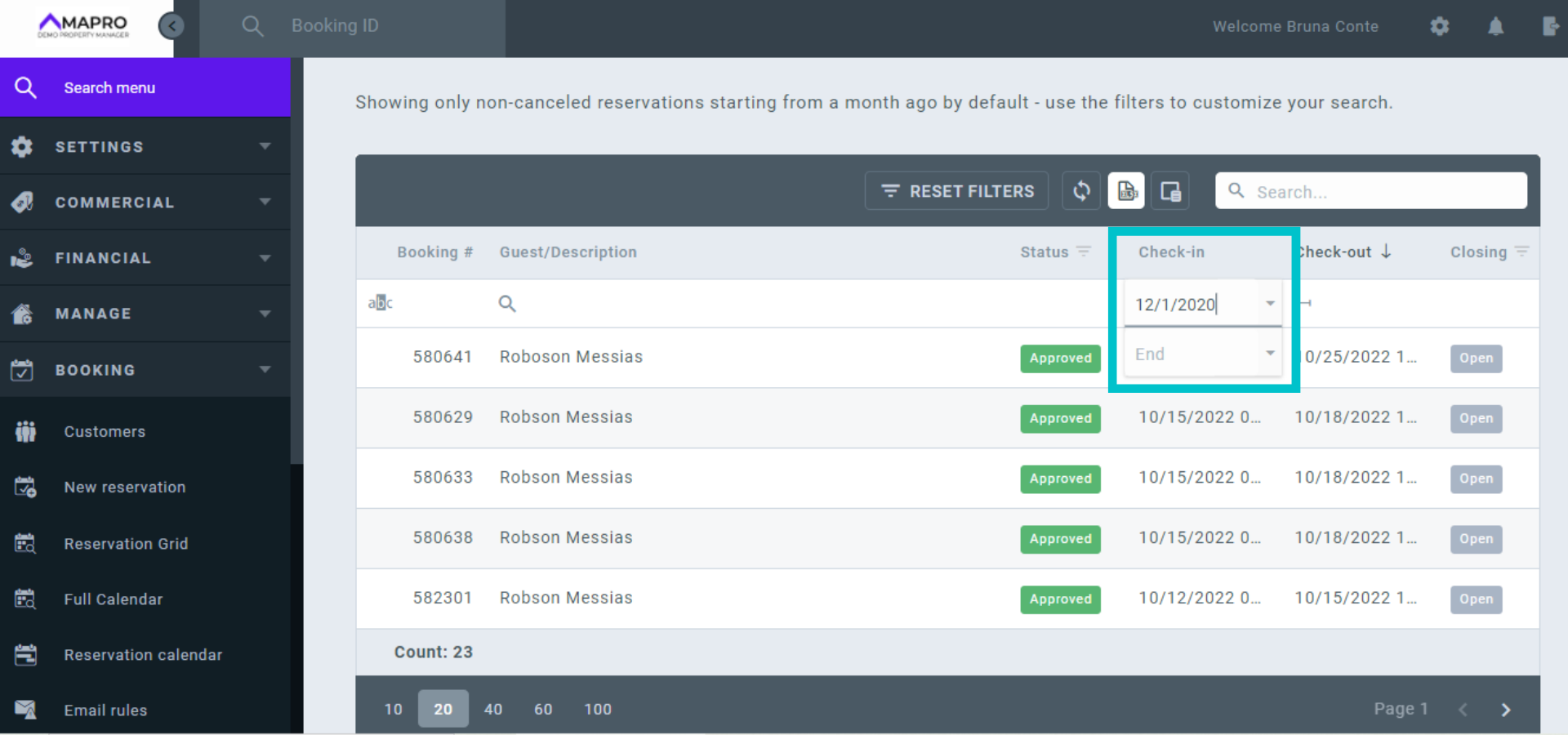
Example of how to filter bookings by check-out date:
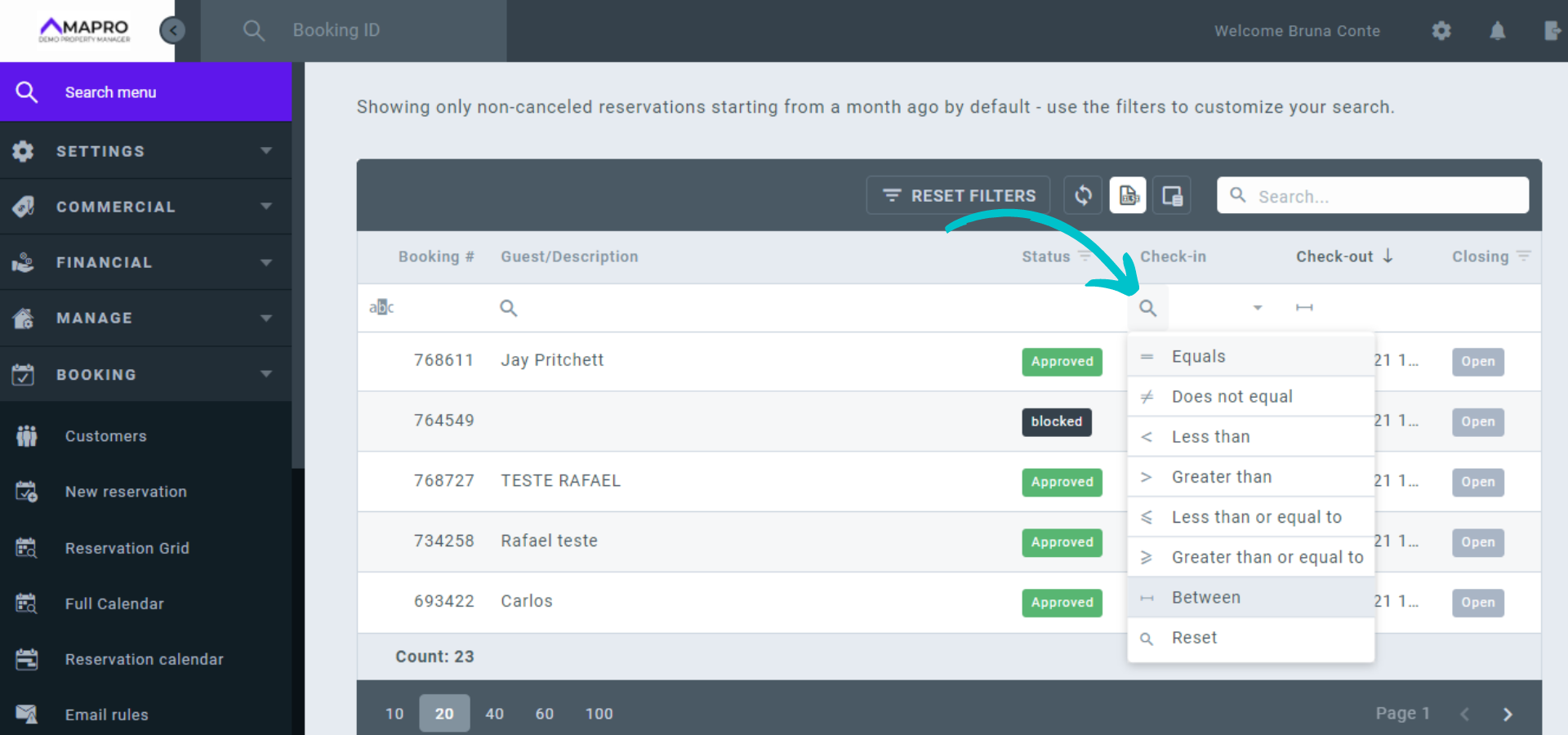
  • Find the column with the check-out dates;
  • Click the magnifying glass to set the parameters - in this case, “between;”

MAPRO_-_grid_filters_en__04_.png


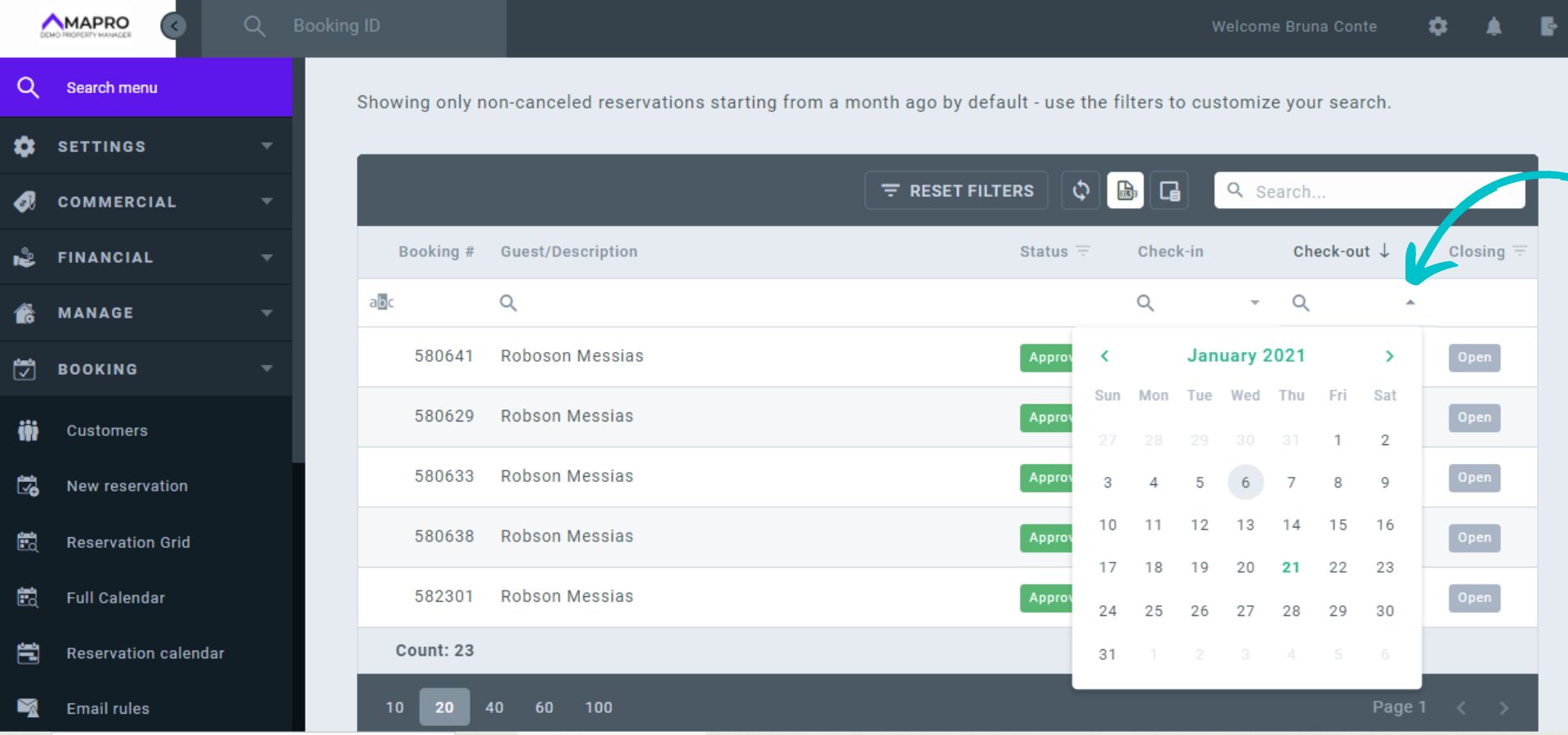
  • Click the arrow to open the calendar and select the dates. In this case, Start = 12/01/20 and End = 12/31/20. The results will be all bookings with check-out between (parameter between) December 01st and 31st.

MAPRO_-_grid_filters_en__05_.png


You can also click on the arrow and choose the date in the calendar.
MAPRO_-_grid_filters_en__06_.png

Views: 45

Recent Articles

  • How to Save the Guest's E-mail Address i...
    44
  • How to Register an External iCal in MAPR...
    40
  • How to Migrate Payments from One Reserva...
    48
  • How to Find the iCal of a Property Regis...
    43
  • How to Set Early Check-in and Late Check...
    55

Popular Articles

  • How to Upload the Airbnb Payout Spreadsh...
    164
  • How to Process Payments of Non-recurring...
    84
  • How to Cancel VRBO Reservations
    79
  • How to Configure your Airbnb Listing to...
    75
  • How to Set Early Check-in and Late Check...
    55