loading.. Please Wait

How to Register a Homeowner

  • Last Created On Dec 22, 2025
  • 36

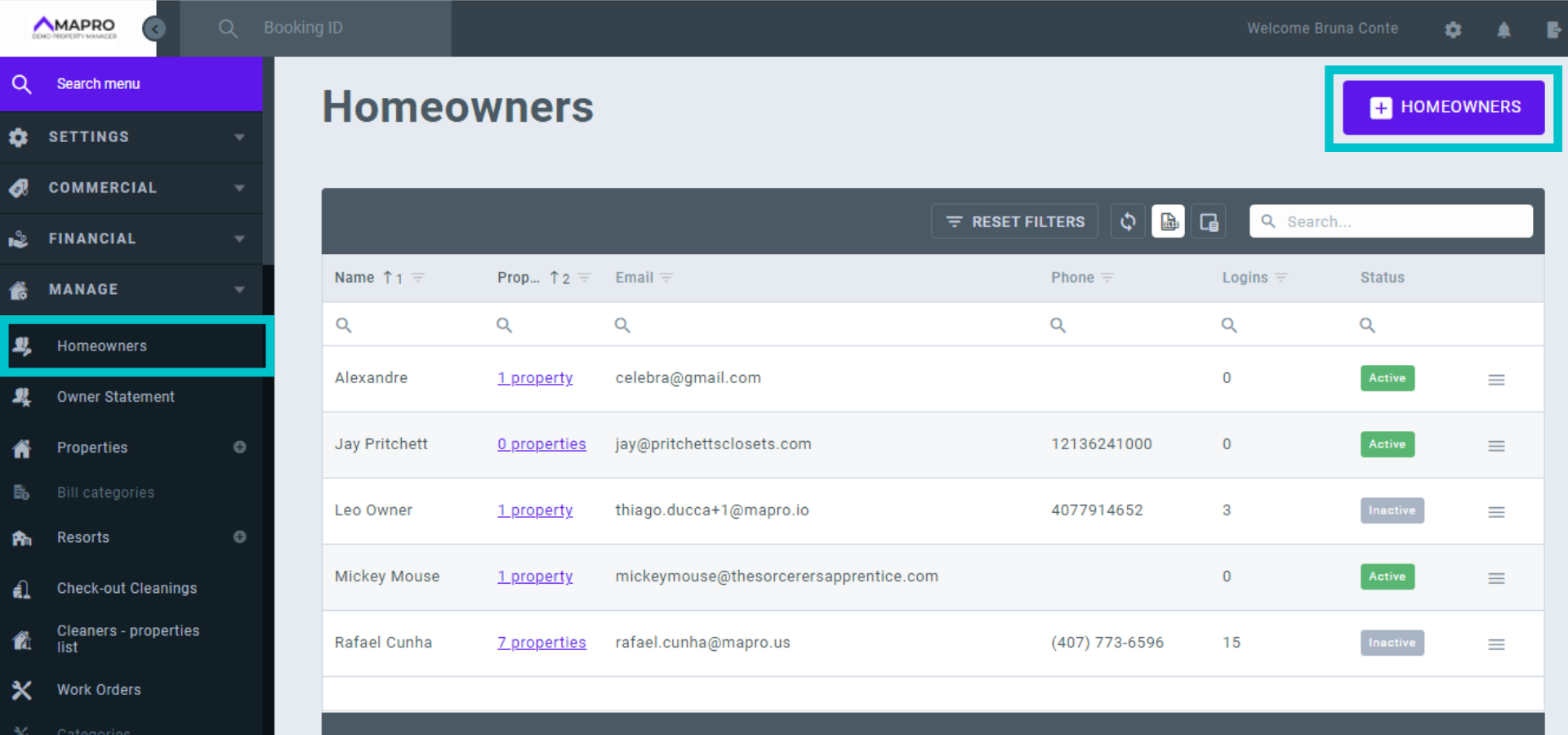
To register a homeowner, go to MENU > MANAGE > HOMEOWNERS, and click on "Add homeowner."
MAPRO_-_onboarding_en__1_.png


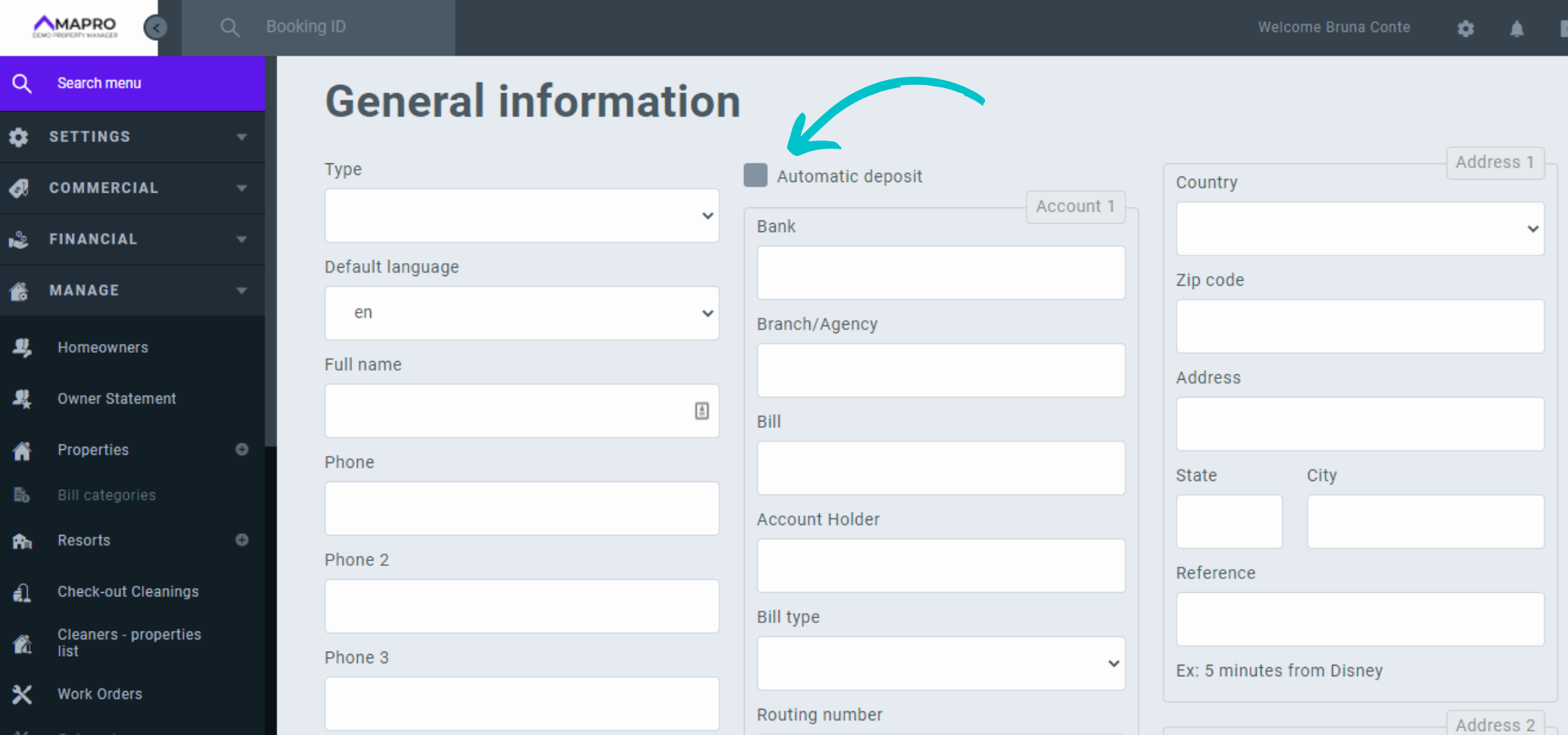
Fill out the page with information about the homeowner. In the "Default language" field, select the language in which the homeowner prefers to access the system and notifications. The check box for "Automatic deposit" is a reminder to the manager, MAPRO does not make any payments.
MAPRO_-_onboarding_en__2_.png


Important: Make sure all the information is correct to avoid any problems with reservations or notifications. Save all changes before closing the page!

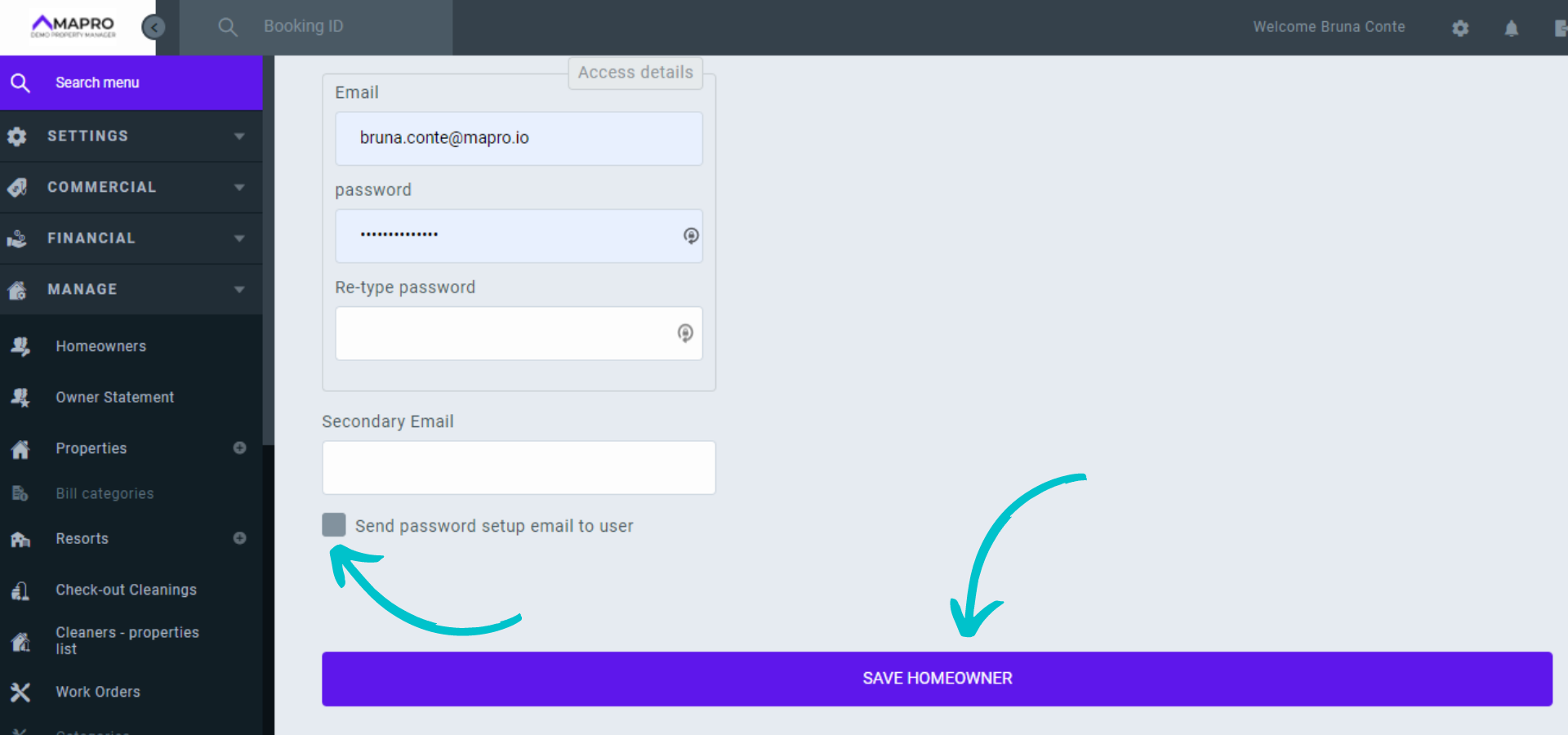
Check the box at the bottom of the page to send the homeowner an email with instructions to set their own password, and then click on "Save."

MAPRO_-_onboarding_en__3_.png

Views: 36

Recent Articles

  • How to Save the Guest's E-mail Address i...
    43
  • How to Register an External iCal in MAPR...
    39
  • How to Migrate Payments from One Reserva...
    47
  • How to Find the iCal of a Property Regis...
    43
  • How to Set Early Check-in and Late Check...
    54

Popular Articles

  • How to Upload the Airbnb Payout Spreadsh...
    163
  • How to Process Payments of Non-recurring...
    83
  • How to Cancel VRBO Reservations
    79
  • How to Configure your Airbnb Listing to...
    75
  • How to Register Charges ▶️
    55
