
loading.. Please Wait
To register the County where your properties are located, access MENU > FINANCIAL > TAX.
Click “Add” on the right, or scroll down to access the fields at the bottom of the page.
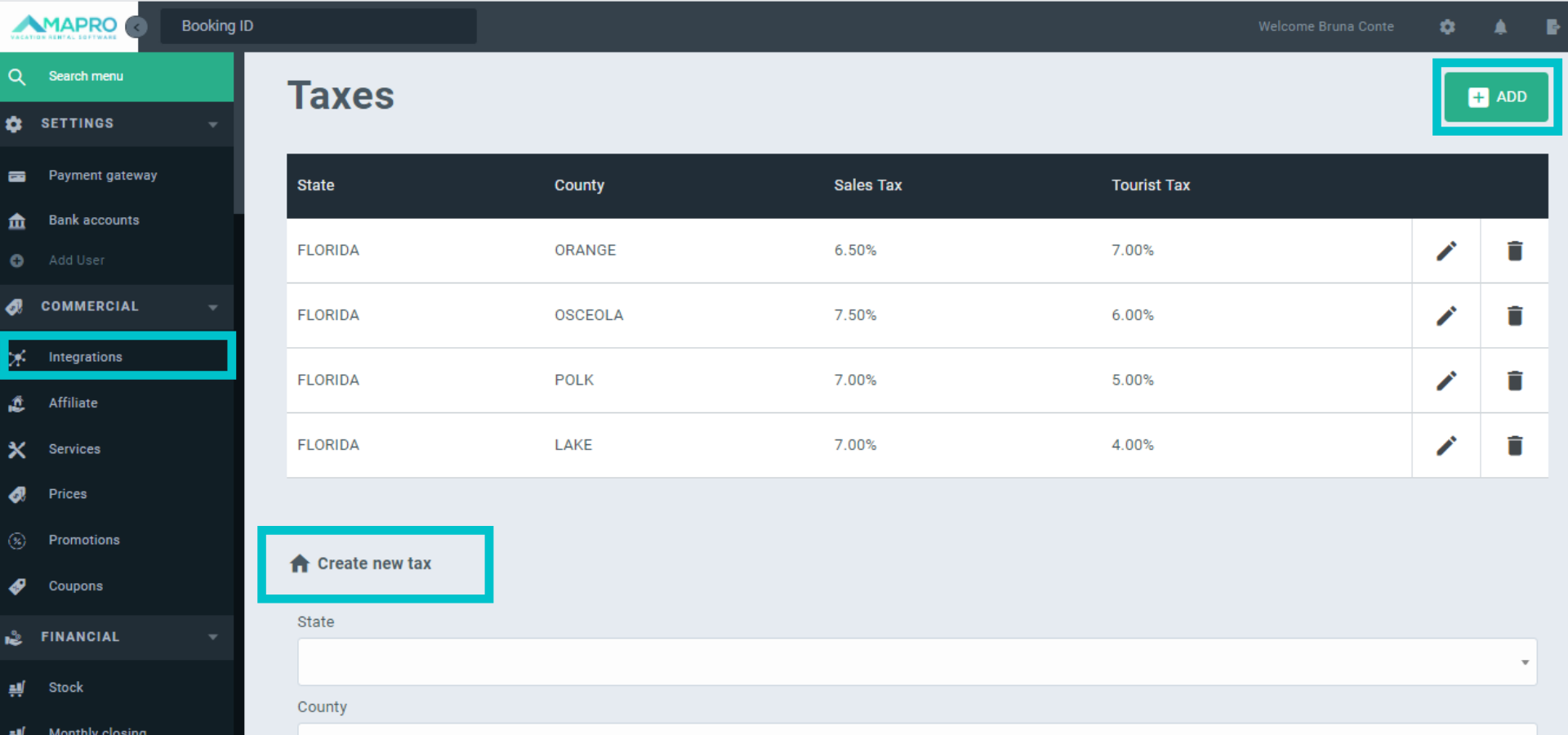
Select State and County, enter the Sales and Tourist tax percentages, and then click on “Save”.
Important: Please ensure the County information is correct, once MAPRO uses this data to calculate all reservations fees.
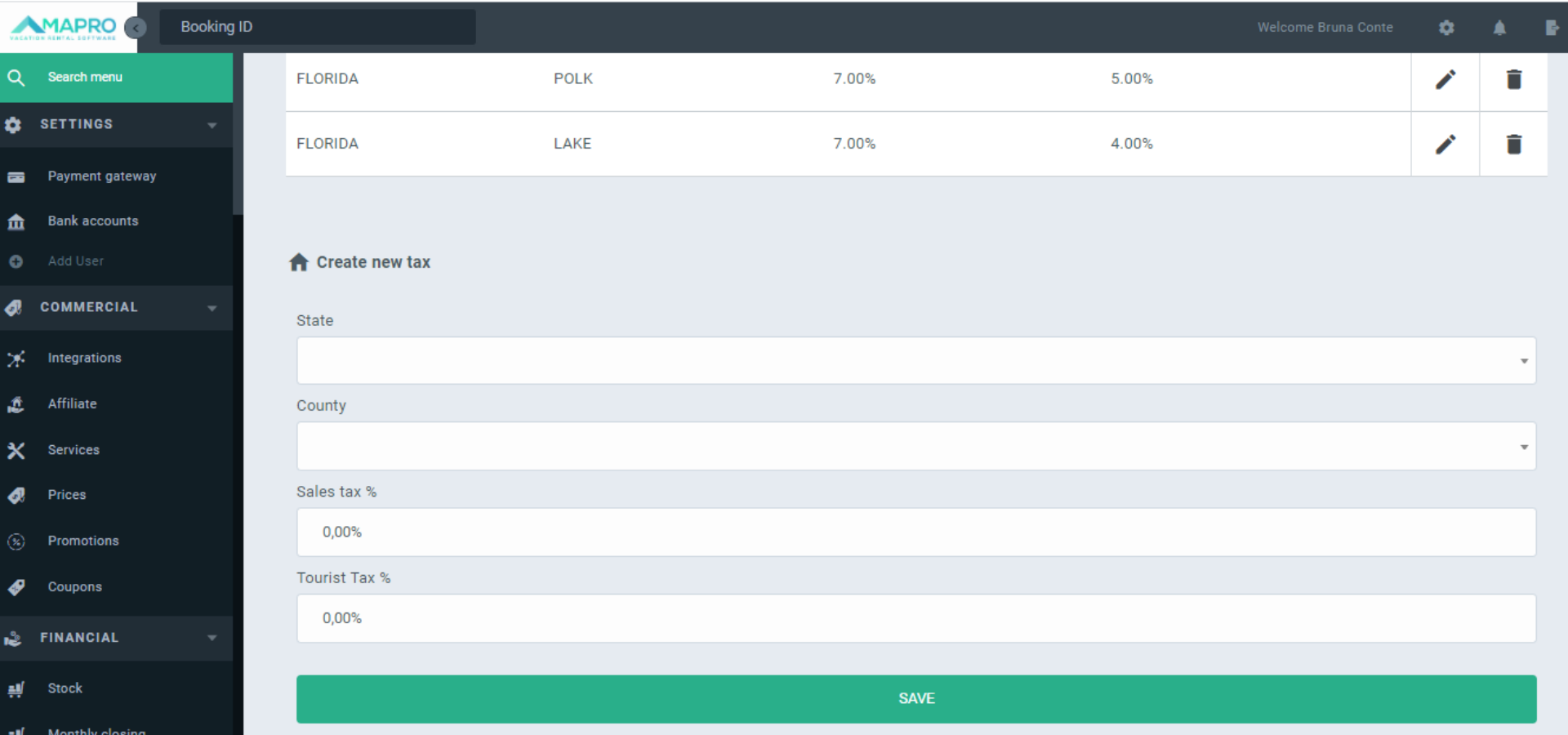
After creating a new County, it's necessary to adjust ALL integrators at MENU > COMMERCIAL > INTEGRATORS.
The adjustment is individual, so you have to open every active integrator.
If you do NOT want an integrator to calculate taxes in the new county, just open the integrator and save it.
If you want the integrator to calculate taxes in the new county, open the integrator, click the "Rules" tab, check the boxes, and hit "Save".
Note that these settings inform MAPRO how to calculate bookings; they do NOT interfere with tax collection rules in sales channels: you must set directly in their platforms whether or not they must collect taxes from the guest.



