loading.. Please Wait

How to Edit Prices on Global Rates Calendar

  • Last Created On Dec 22, 2025
  • 26

To edit prices and/or minimum stays, go to MENU > COMMERCIAL > GLOBAL RATES CALENDAR. There you will find a list of your properties and the days of the months. To edit the prices, select a period by clicking on the day and dragging the mouse until the end of the period you wish to edit. After selecting the days, click “edit rates”.
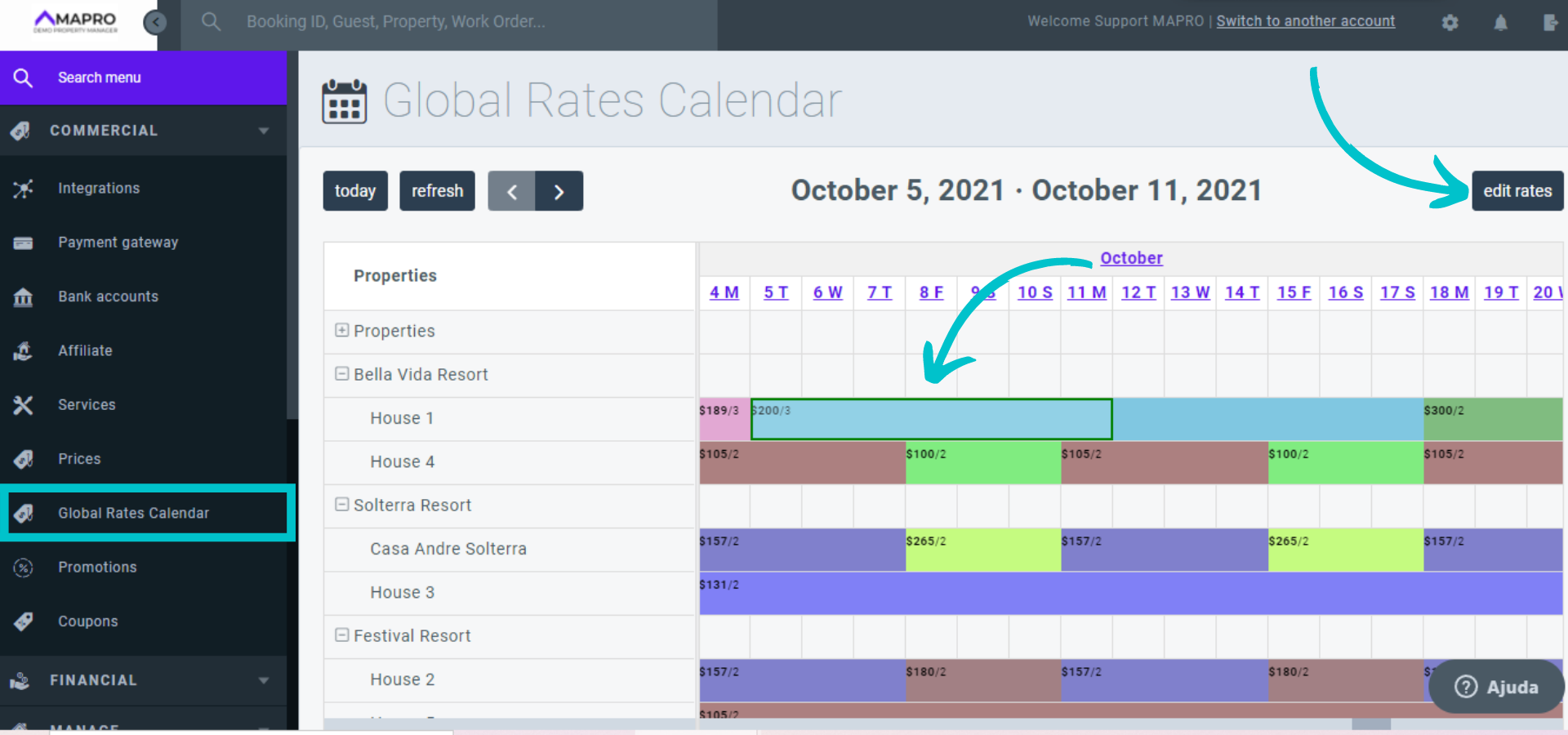
1.png


Insert the rate and the minimum stay you want to register for this period and click “save”.
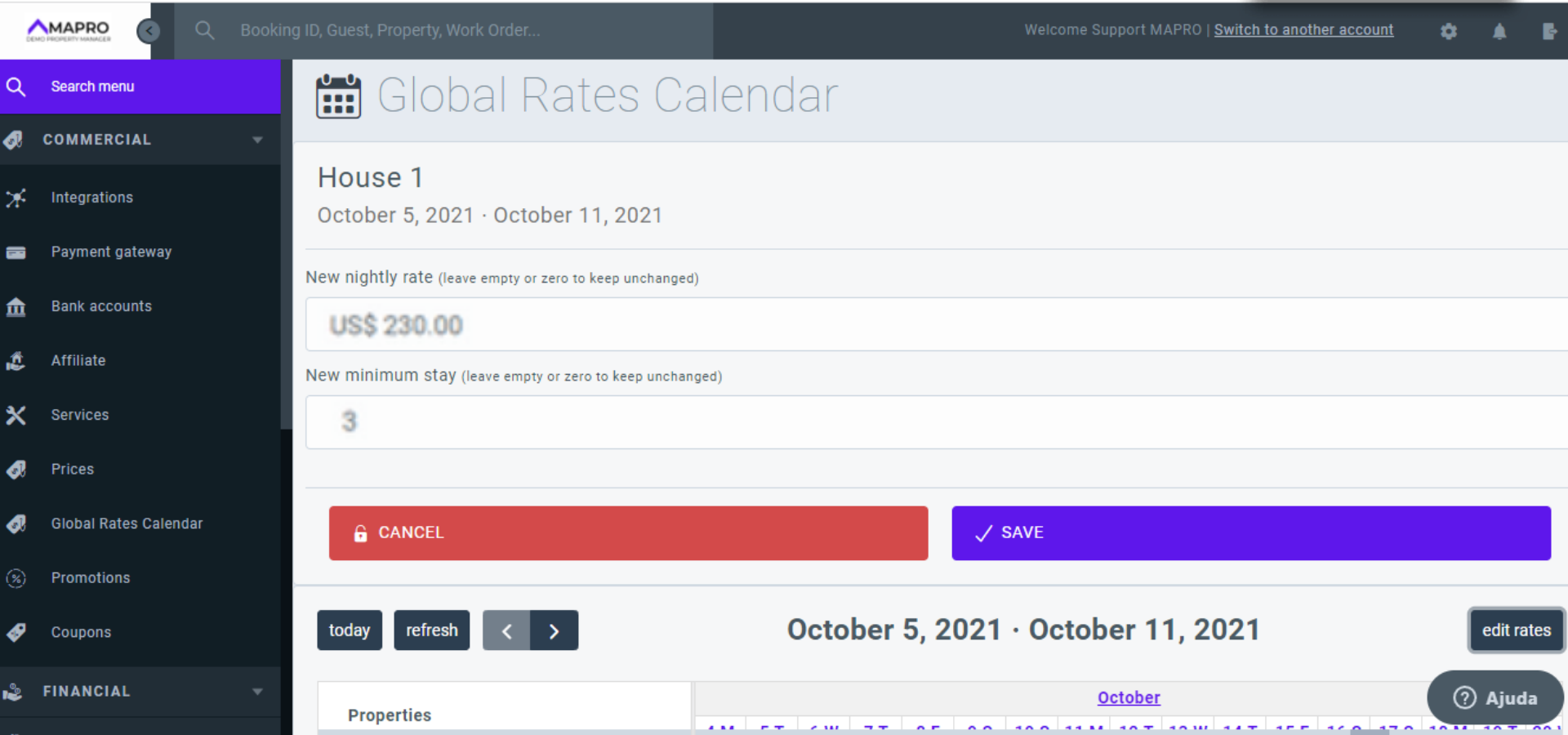
2.png


Views: 26

Recent Articles

  • How to Save the Guest's E-mail Address i...
    43
  • How to Register an External iCal in MAPR...
    39
  • How to Migrate Payments from One Reserva...
    47
  • How to Find the iCal of a Property Regis...
    41
  • How to Set Early Check-in and Late Check...
    53

Popular Articles

  • How to Upload the Airbnb Payout Spreadsh...
    163
  • How to Process Payments of Non-recurring...
    83
  • How to Cancel VRBO Reservations
    79
  • How to Configure your Airbnb Listing to...
    73
  • How to Register Charges ▶️
    55

