
loading.. Please Wait
Affiliates are the commercial partners of your manager. Through MAPRO, they can access all the information they need to sell your properties: they can see the properties list, check availability and prices, make reservations, and block dates.
To create an affiliate in MAPRO, you should first create an Integrator. The integrator allows the information exchange and identification of your affiliate as the source of the reservations and date blocks.
To create an integrator, go to MENU > COMMERCIAL > INTEGRATIONS, and then click on “Add Integration.”
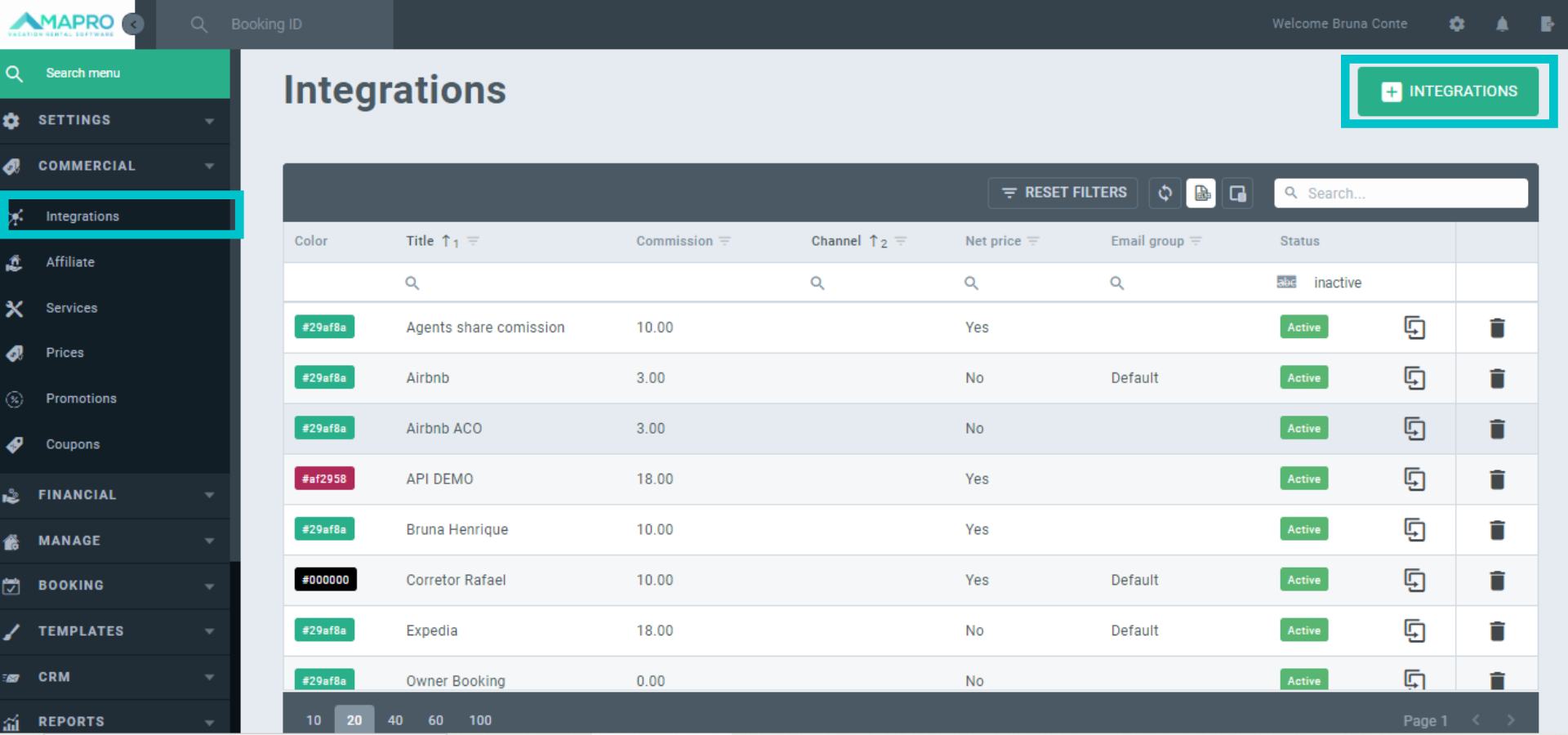
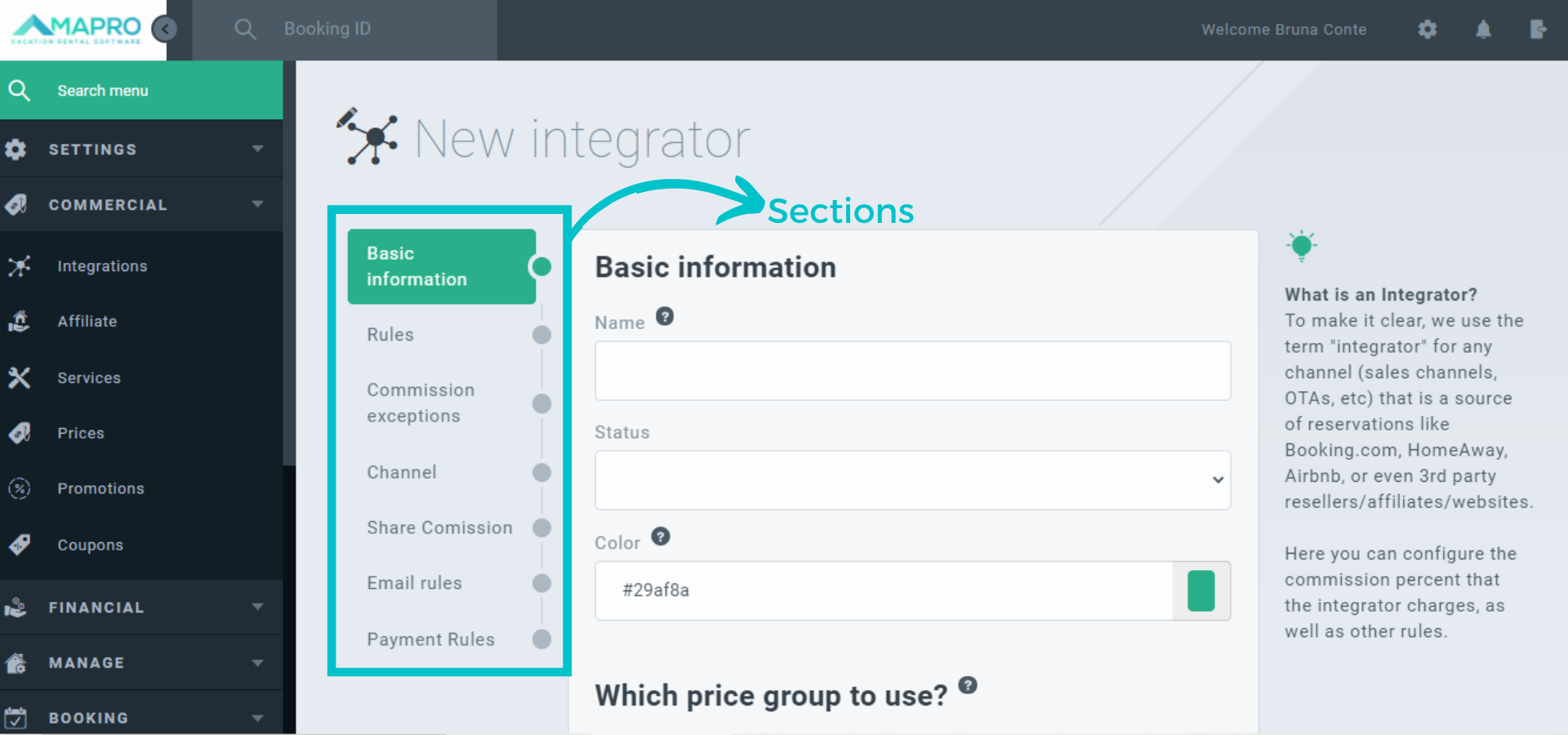
Please fill out all sections, and hover the mouse over the question mark icons next to each field to see tips about it. Choose a name that is easy to remember, once it will be in all reports (Ex. Dream Agency).
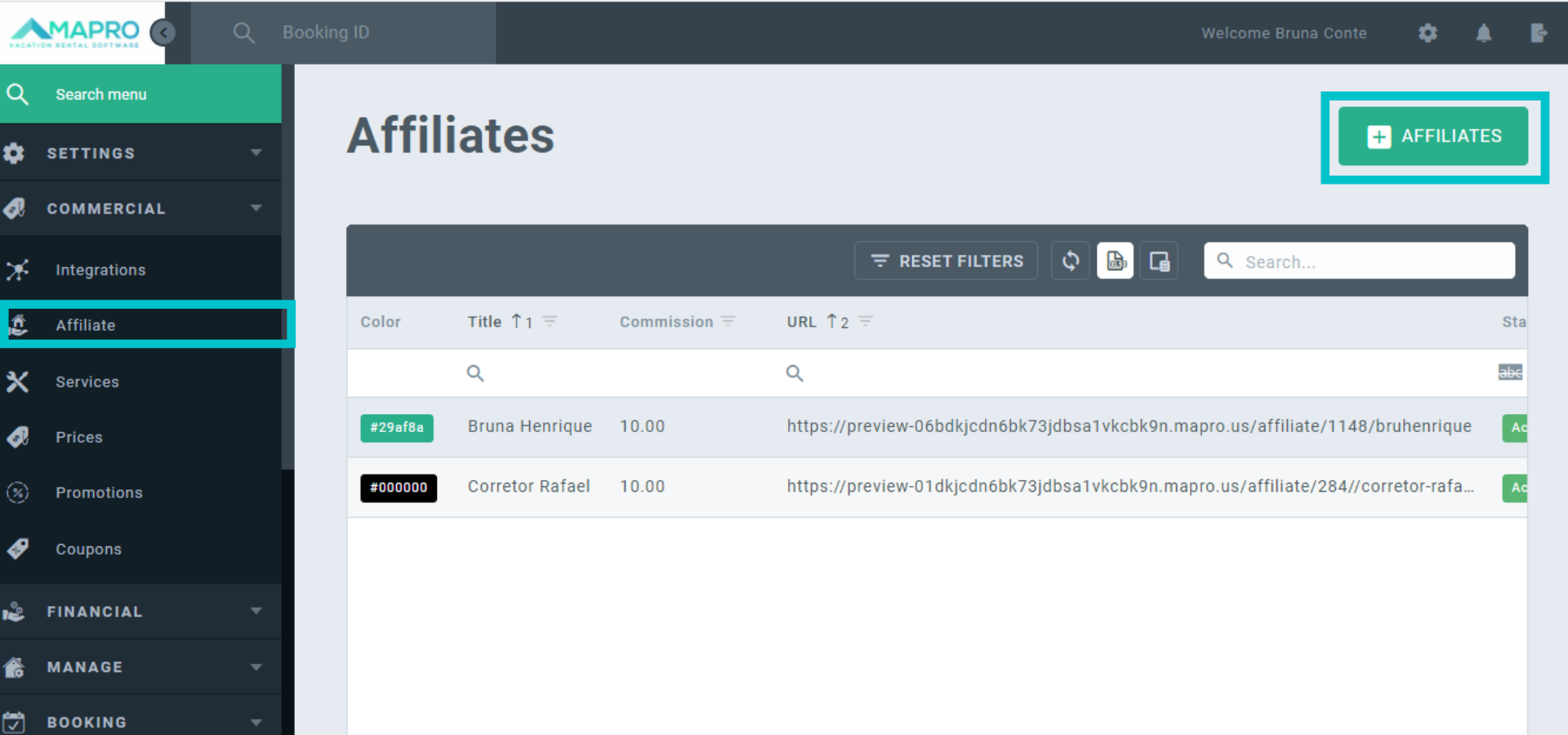
When the integrator is created, go to MENU > COMMERCIAL > AFFILIATES, and click on “Add Affiliate” in the upper right corner.
When filling out the information about the new affiliate, please observe the following:
To see your affiliate’s URL, go to COMMERCIAL > AFFILIATES, and check the URL column in the grid. This is the URL (website) your affiliate must use to sell your properties.



