loading.. Please Wait

How to Register Questions for the Guest Review

  • Last Created On Dec 22, 2025
  • 40

To register questions to be sent for the guests to make a review of their stay, go to MENU > GUEST FEEDBACK > QUESTIONS, and click “Add questions.” 
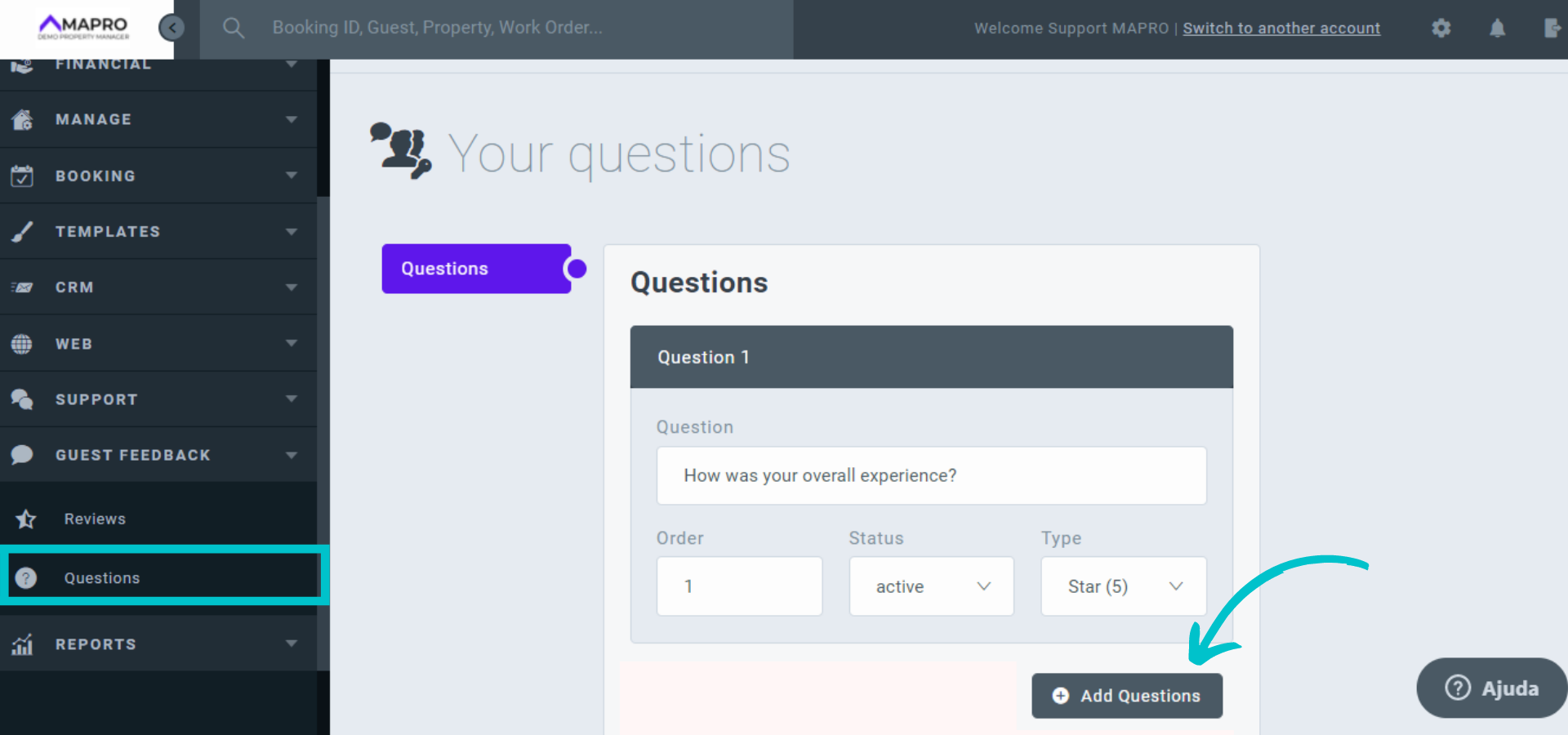
2.png


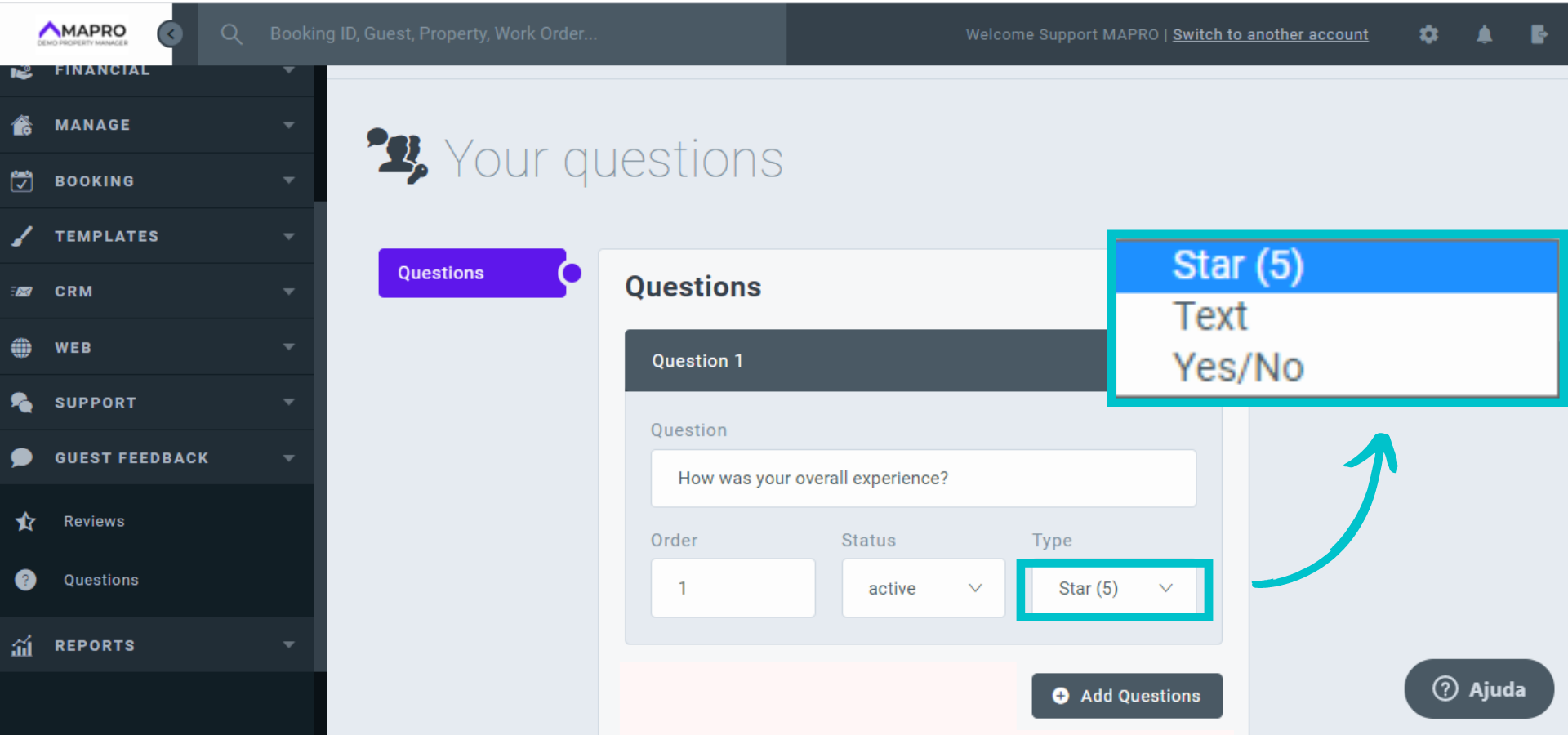
Complete the fields as follows:

  • Question:  Type the question you want to ask.  Example: How was your overall experience?
  • Order: Put the number according to the order you want the question to appear in the questionnaire.
  • Status: choose “Active” if you want the question to appear in the questionnaire and “Inactive” if not.
  • Type: select the type of answer you want the question to have.
  1. “Star (5)”  - the guest rates from one to five stars
  2. Yes/No – the guest selects the option
  3. Text – the guest writes a free answer 

3.png


When you are done editing the questions, click “Save.”


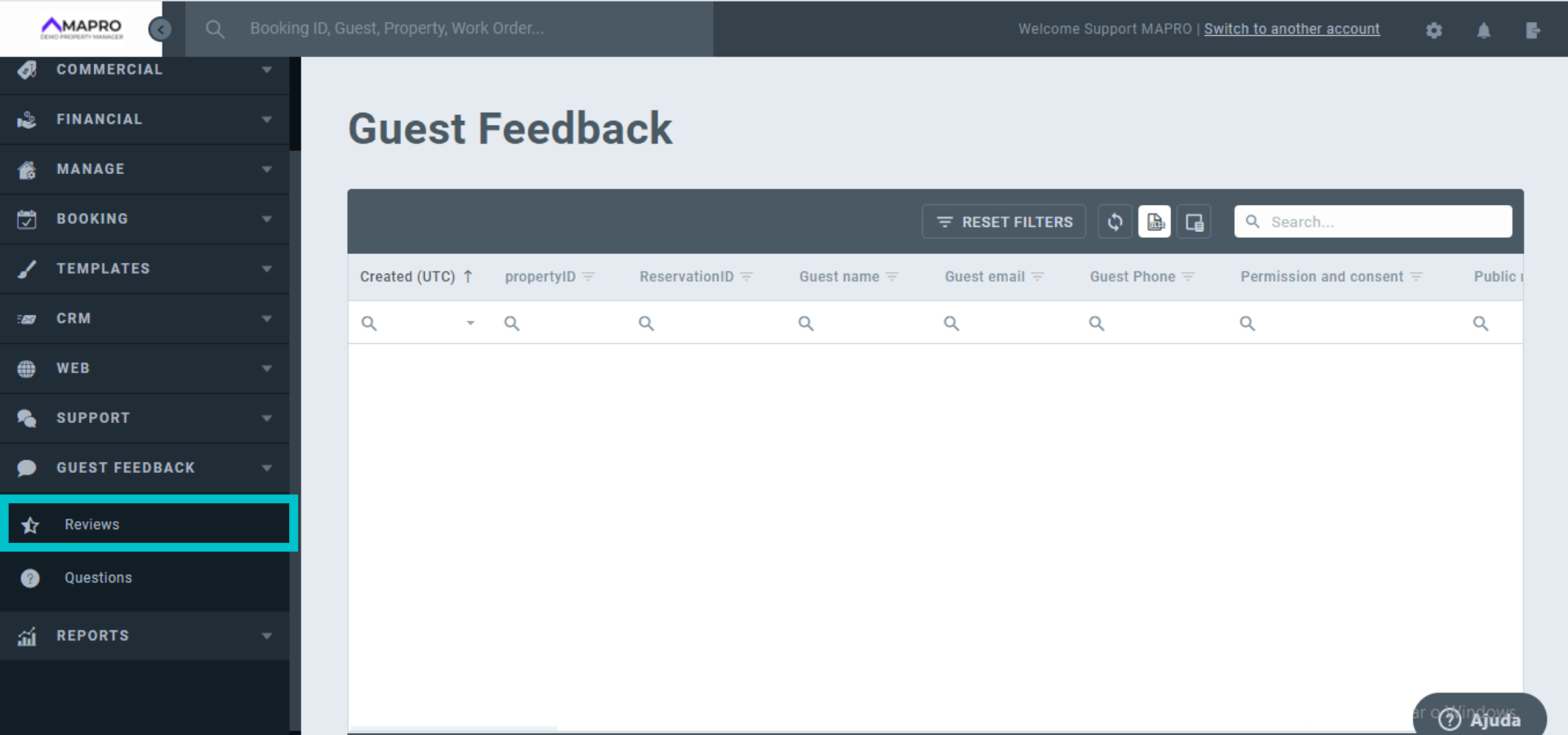
To view the guests' reviews, go to MENU > GUEST FEEDBACK > REVIEWS.
4.png

Views: 40

Recent Articles

  • How to Save the Guest's E-mail Address i...
    43
  • How to Register an External iCal in MAPR...
    37
  • How to Migrate Payments from One Reserva...
    46
  • How to Find the iCal of a Property Regis...
    40
  • How to Set Early Check-in and Late Check...
    53

Popular Articles

  • How to Upload the Airbnb Payout Spreadsh...
    161
  • How to Process Payments of Non-recurring...
    83
  • How to Cancel VRBO Reservations
    78
  • How to Configure your Airbnb Listing to...
    73
  • Short-Term Rental Agreement
    55