
loading.. Please Wait
There are three options to migrate payments from one reservation to another: you can transfer all payments made, one individual payment, or part of the total amount.
Open the reservation, scroll down to “Payment”, and then choose one of the following:
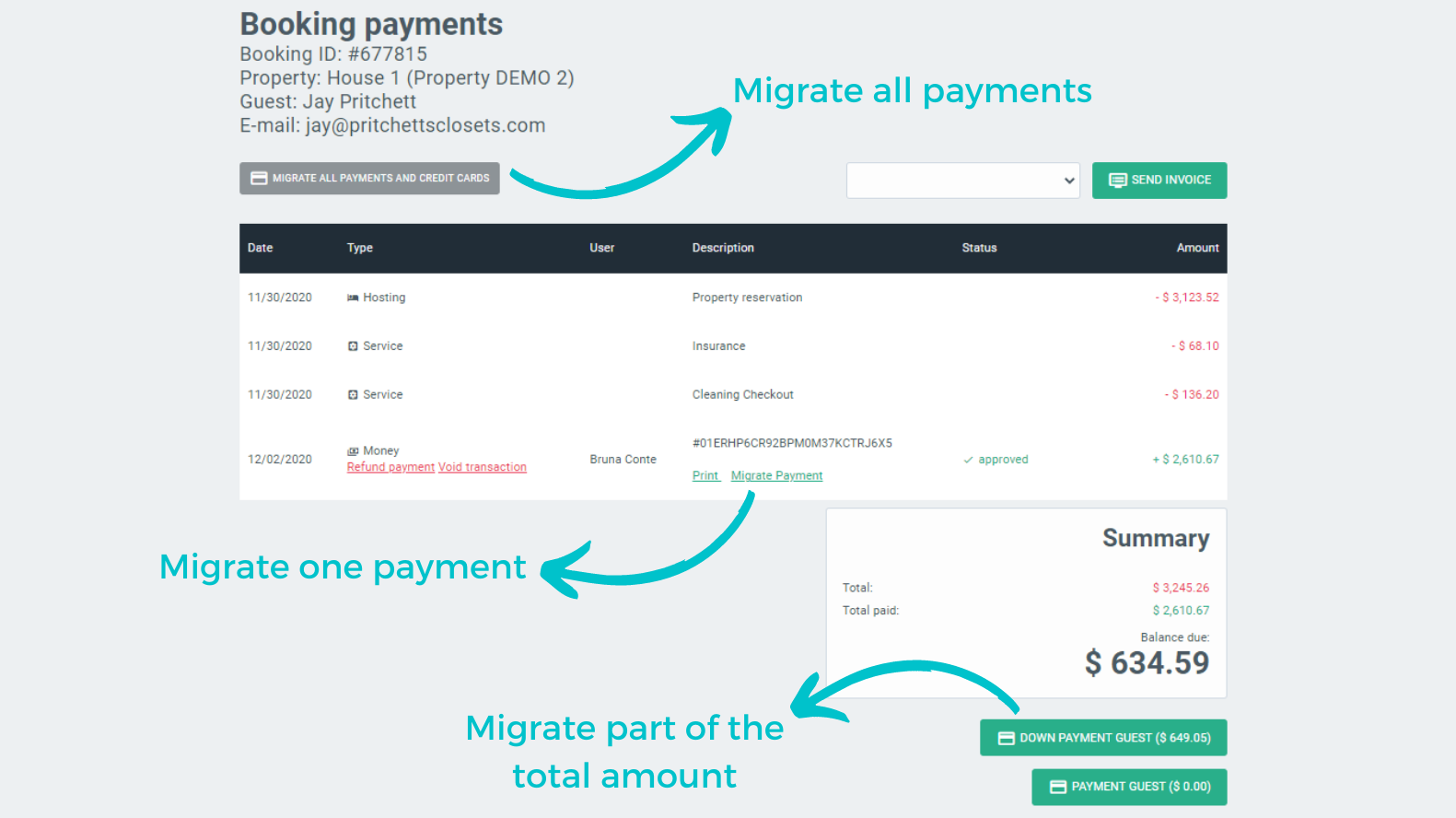
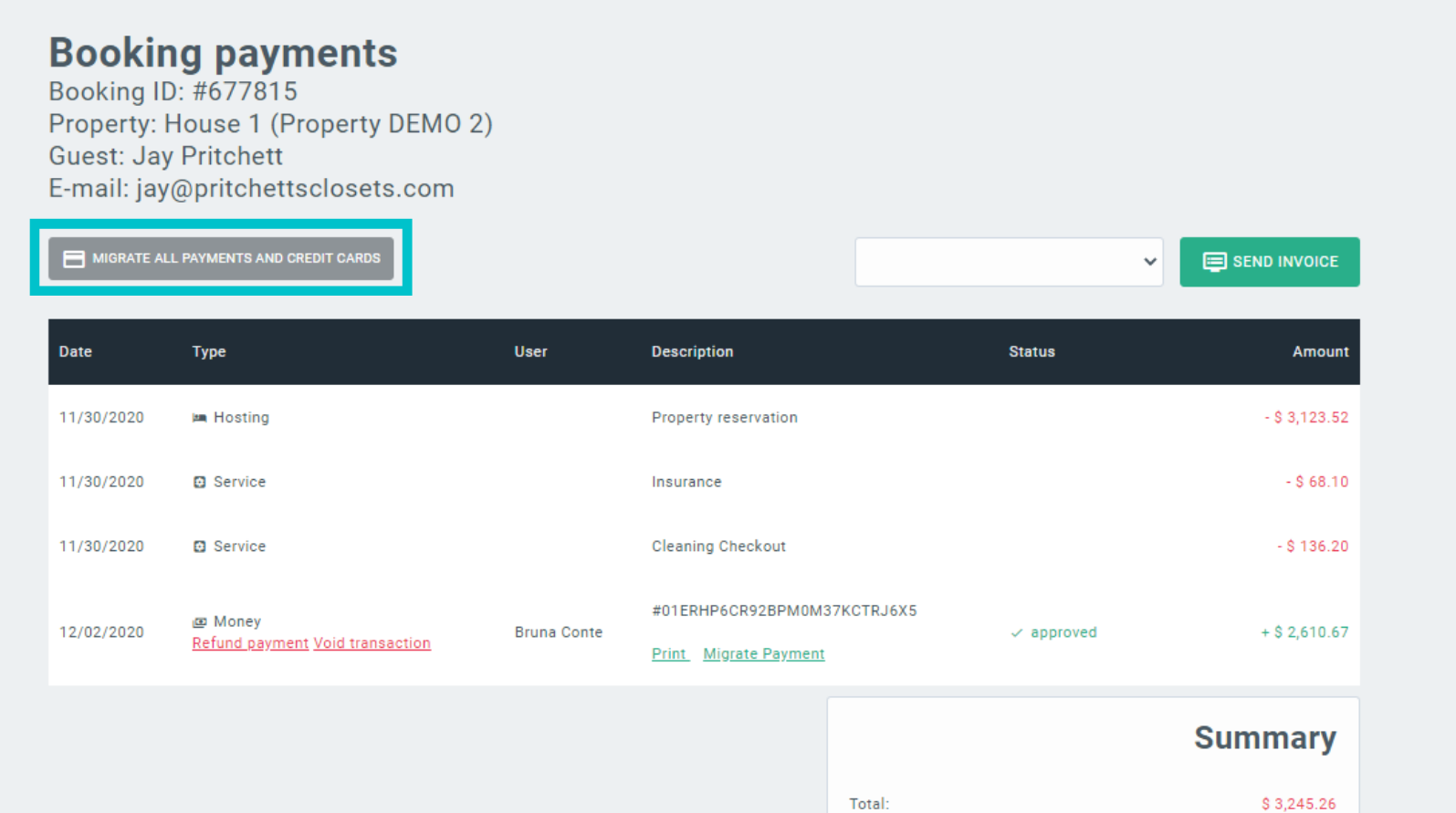
To migrate all payments made and registered credit cards, click on the “Migrate all payments and credit cards” button on the left, above the reservation statement.
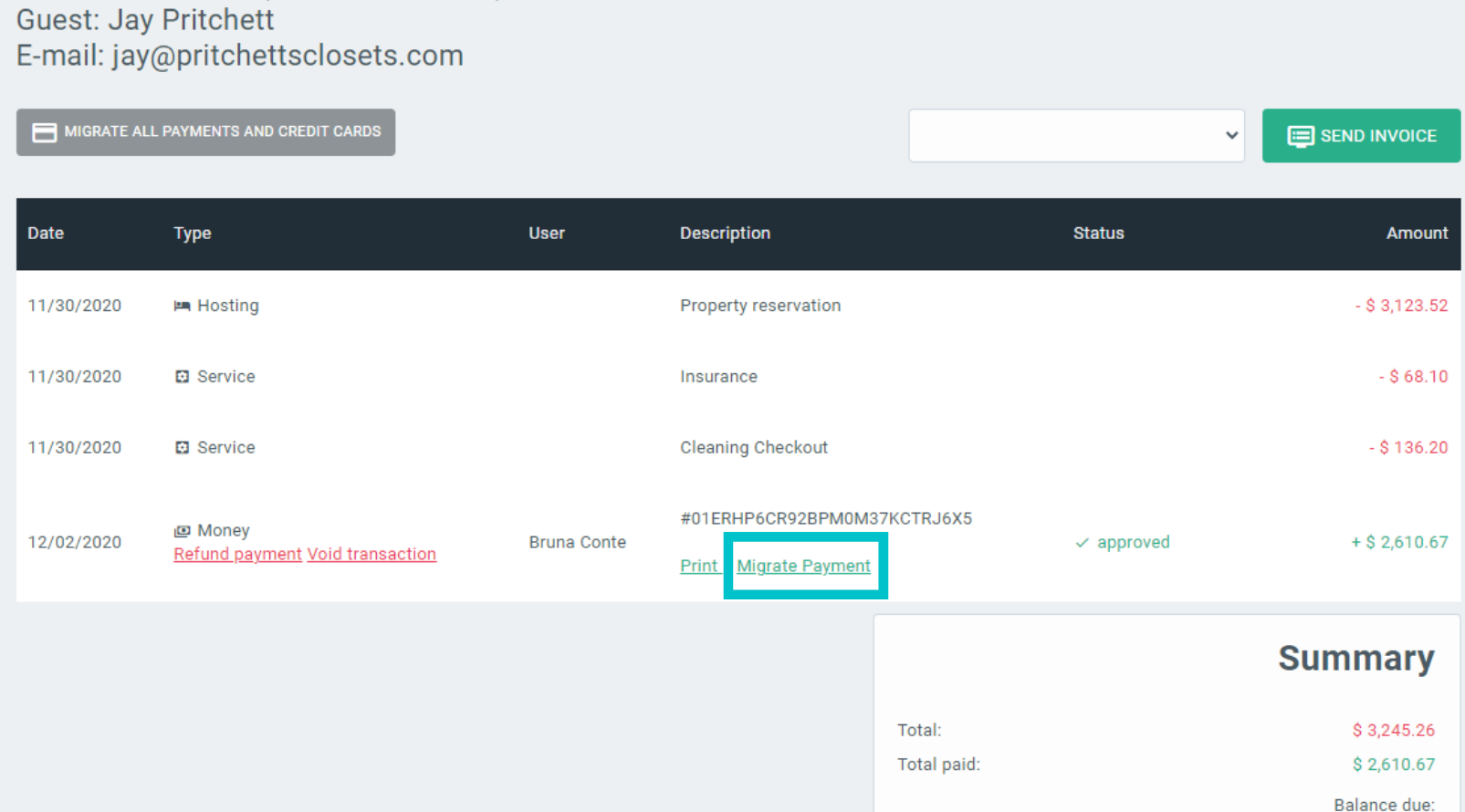
To migrate only one payment, find the button “Migrate Payment” below the payment description on the statement. It is possible to transfer one full payment, not parts of it.
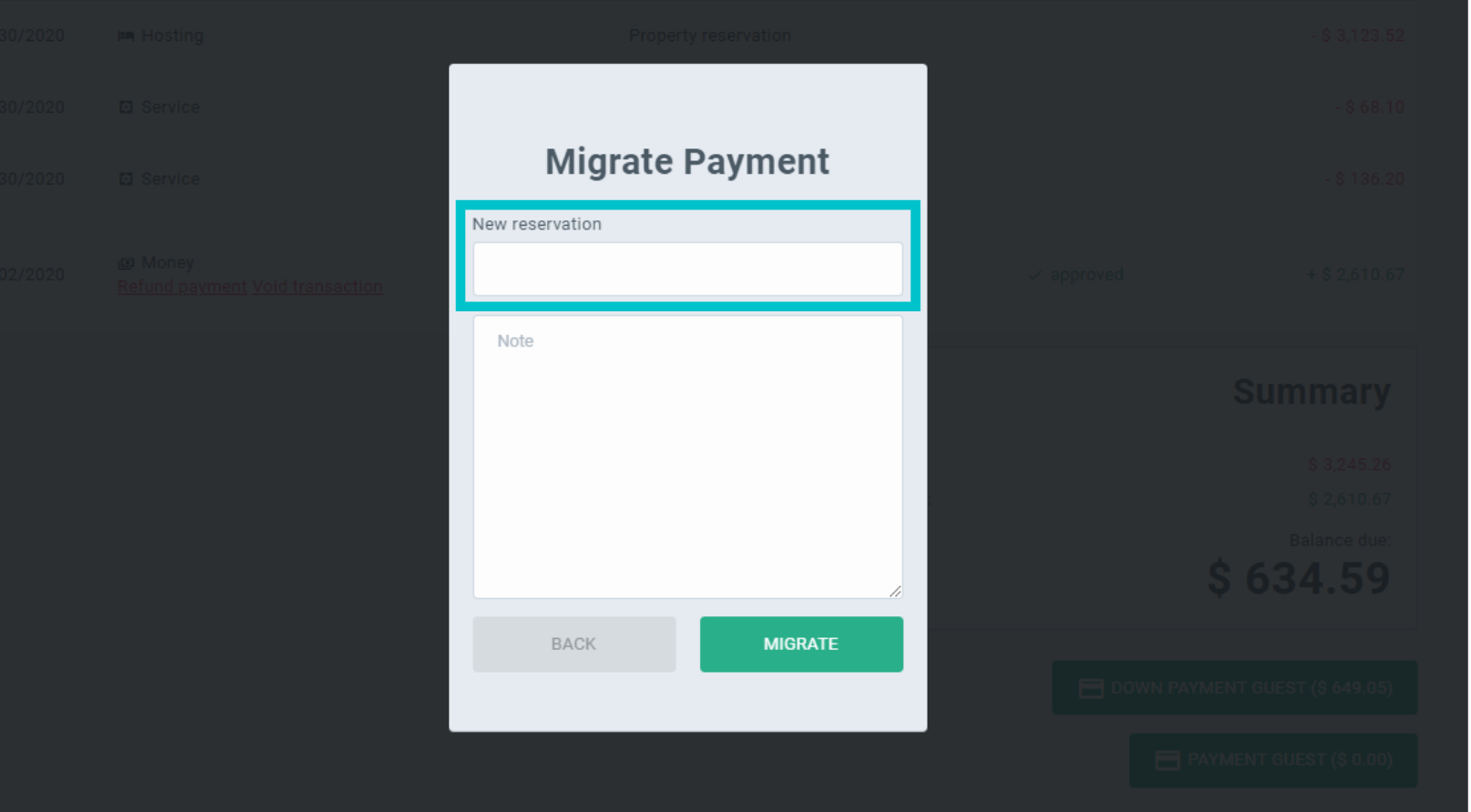
Enter the reservation number to which you are transferring the payment, and click on “Migrate”.
To migrate part of the total amount of the reservation, click on “Payment Integration”, and then on “Journal Entry”. You will be able to type the amount to be transferred to another reservation.
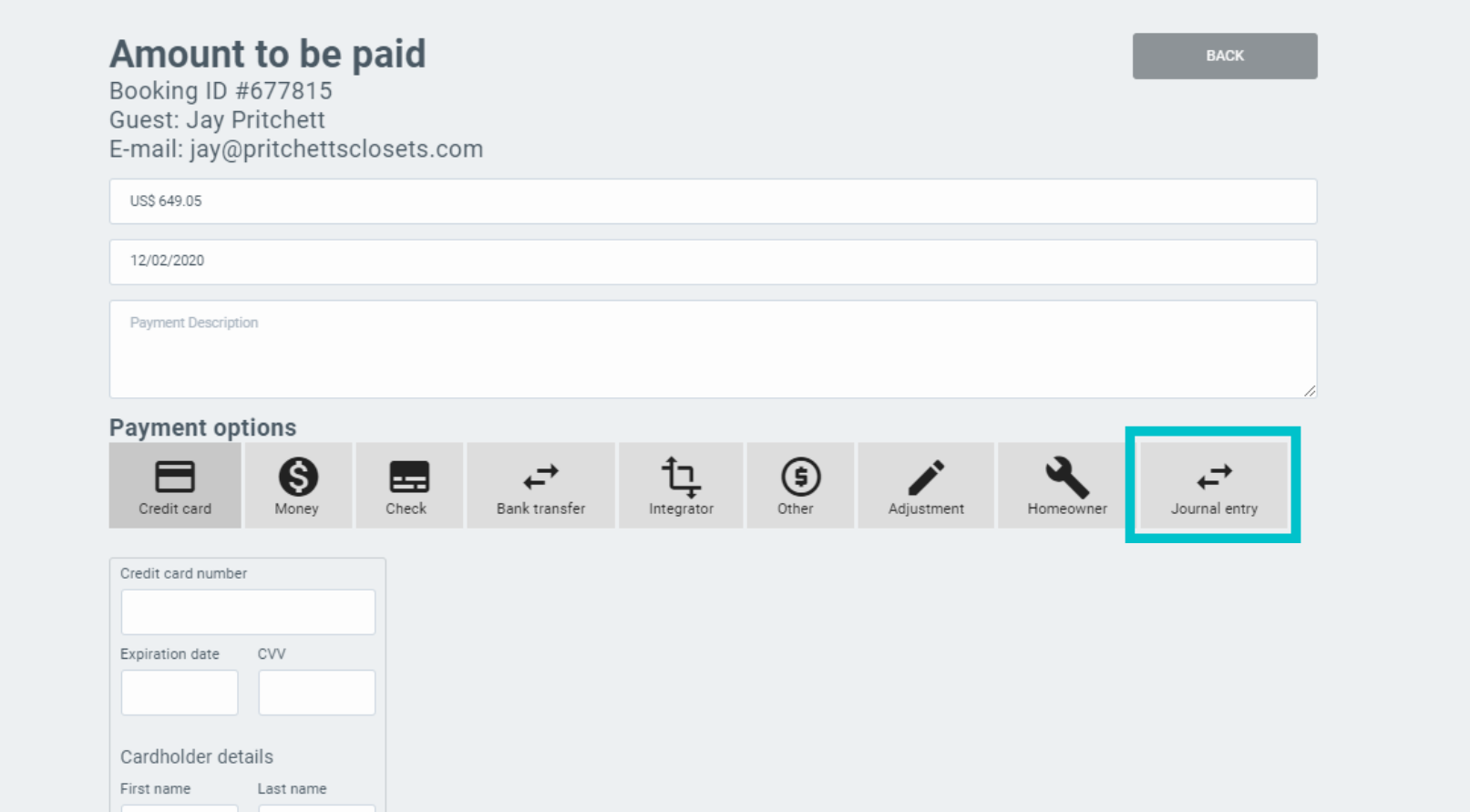
Obs: The button "Payment Integration" might have a slightly different name - it depends on how the reservation's integrator is set.



