
loading.. Please Wait
The iCal is a calendar that is connected to other calendars, avoiding problems like double booking a property for the same day through different channels.
Important: all properties registered at MAPRO are already connected to all distribution channels through the property manager. We import and export iCals when, for example, it is necessary to connect the MAPRO calendar to the homeowner’s own Airbnb account.
To share the iCal of a property registered at MAPRO with a channel like Airbnb or Booking.com, access MENU > MANAGE > PROPERTIES.
Find in the table the column “iCal Export” and click with the right button of the mouse on the iCal address corresponding to the property you wish to connect. When you click, a submenu opens up: click “Copy,” and then click again with the right button on the field you are registering the iCal (e.g., Airbnb) and choose “Paste.”
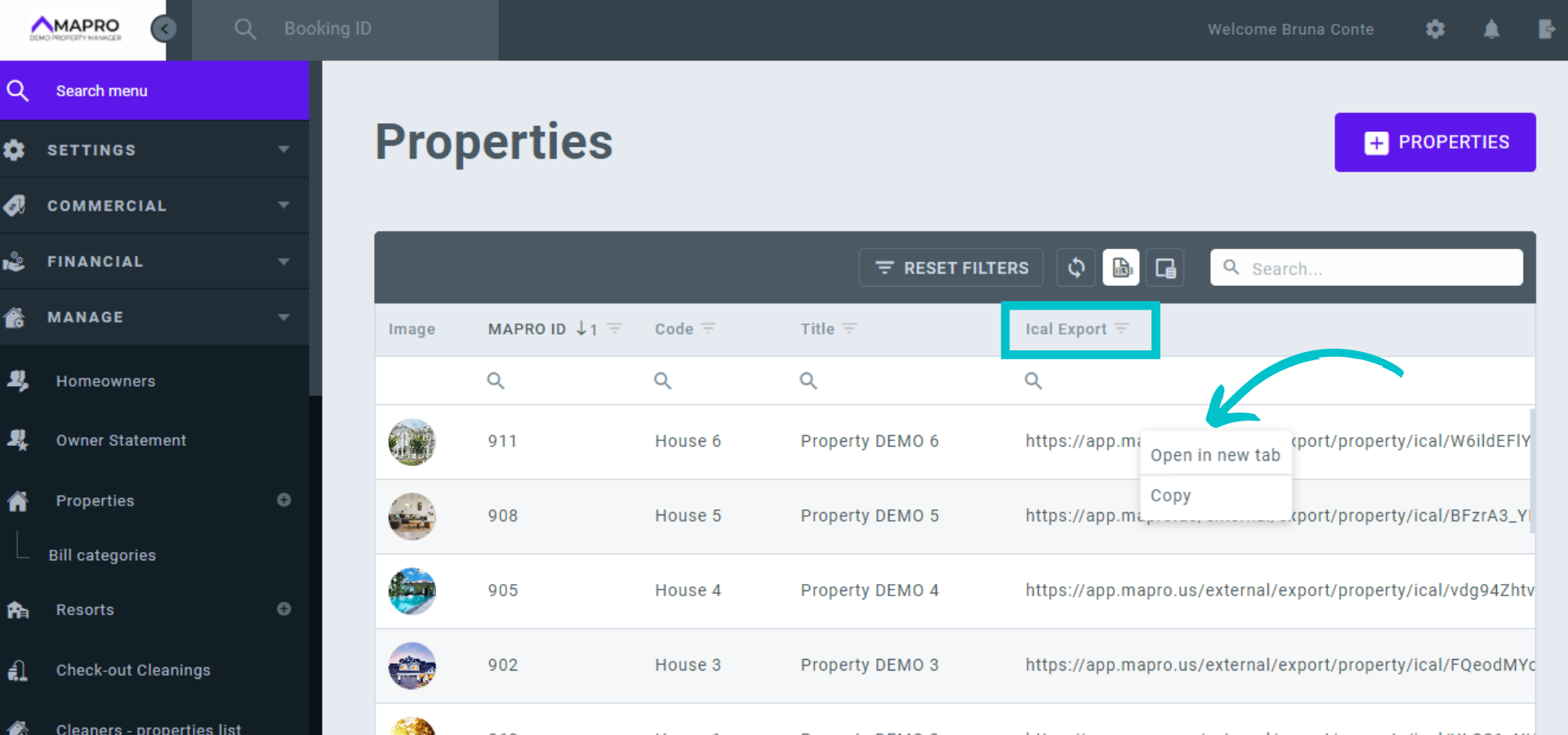
This is what an iCal address looks like:
https://app.mapro.us/external/export/property/ical/BFzrA3_YBKmTzyUNsTVCzJUaEg-F_25T-fle93ZaZ_XLsQDD7_WR8PupiZ8UWKfuNl91suZ_Ia1rSXfXuV6nh0-6XDN4PA32_dBfJjcys0CxvWp3m0jWbHm-V6EEvqKK0BtH
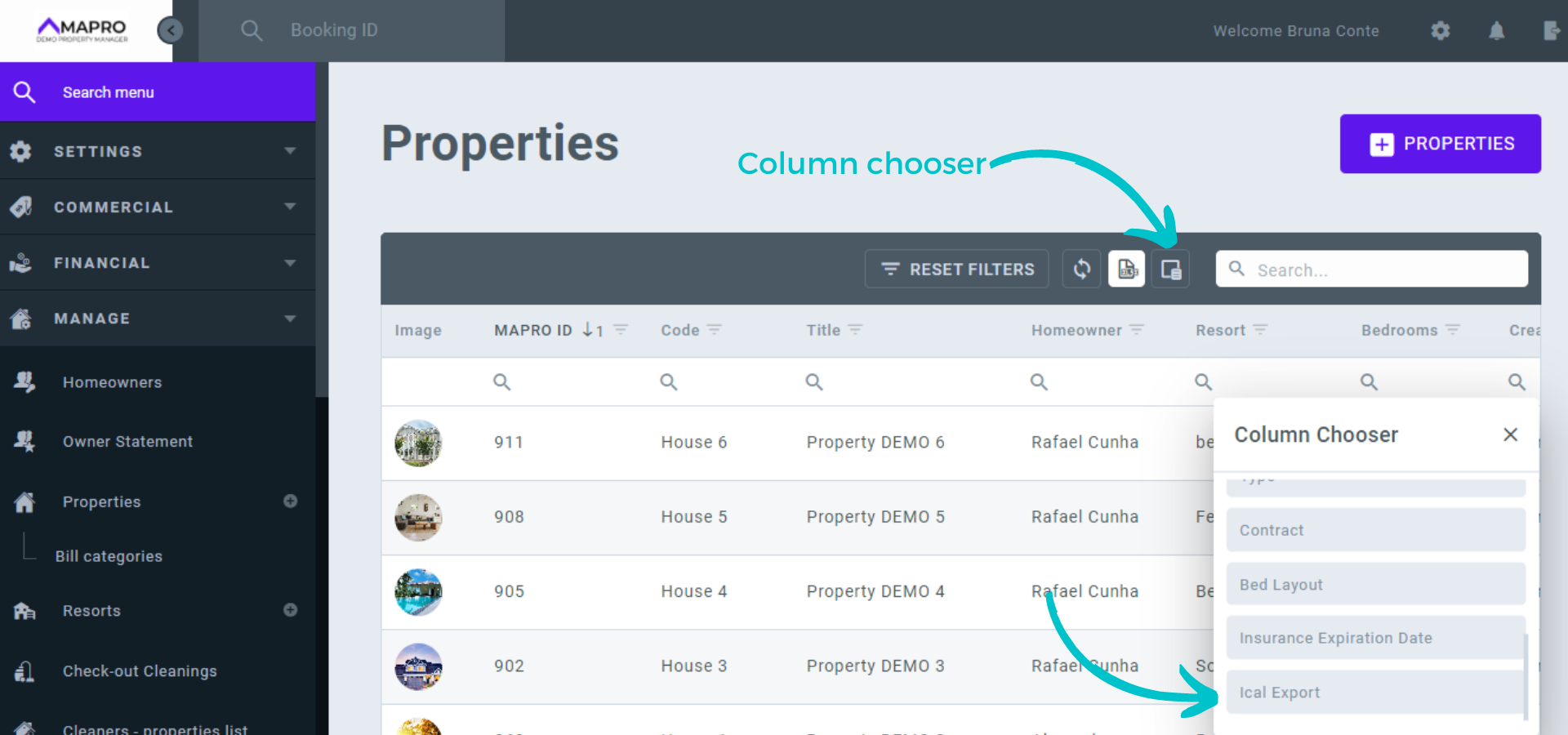
If the “iCal Export” column is not on your table, click the “Column Chooser” button and drag the title to your table.
Learn more:



