
loading.. Please Wait
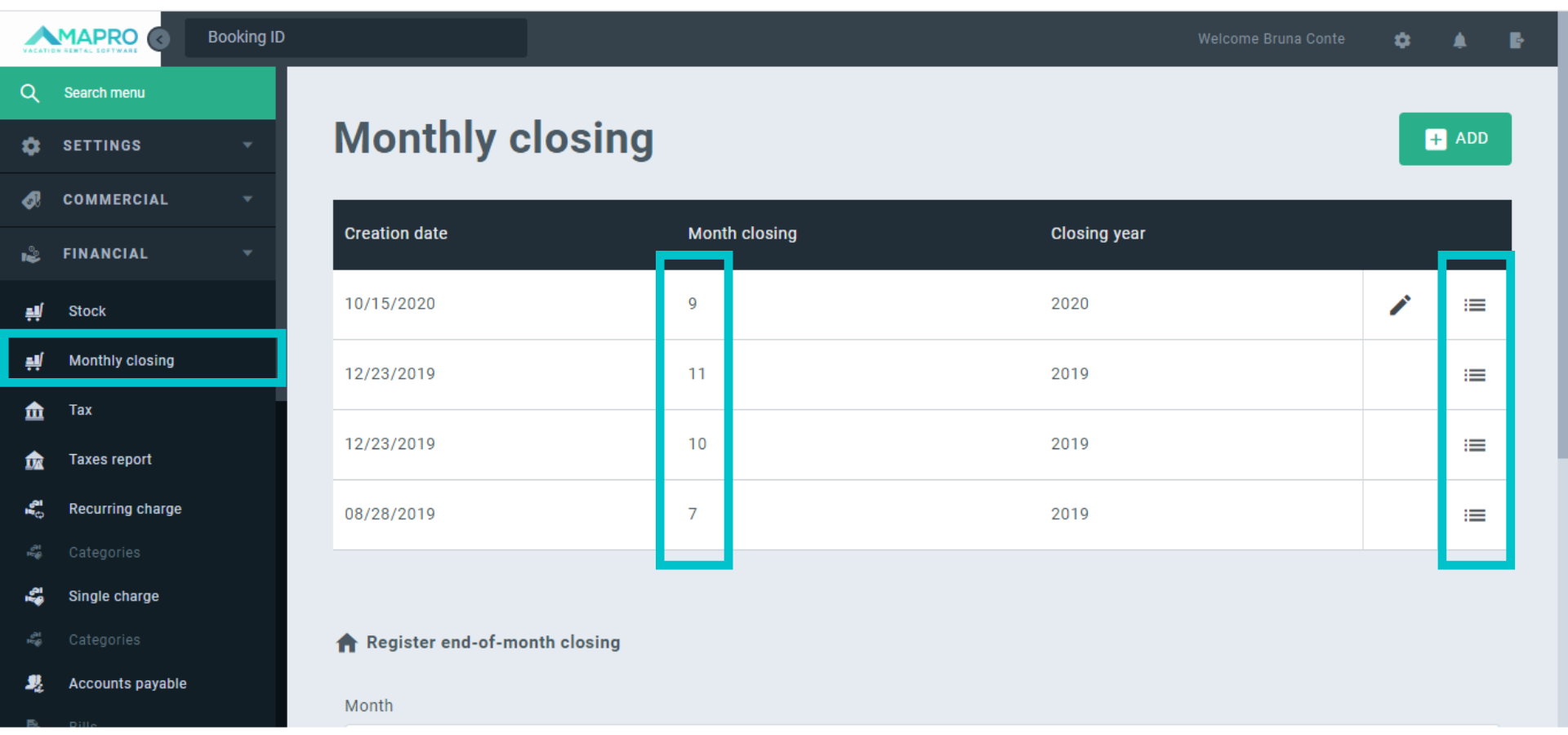
To make changes in the statement of a month that has already been closed, access MENU > FINANCIAL > MONTHLY CLOSING.
On this screen, find the month to be changed, and then click on “details” on the right.
Choose the property you want to make changes at and click “Open Property”.
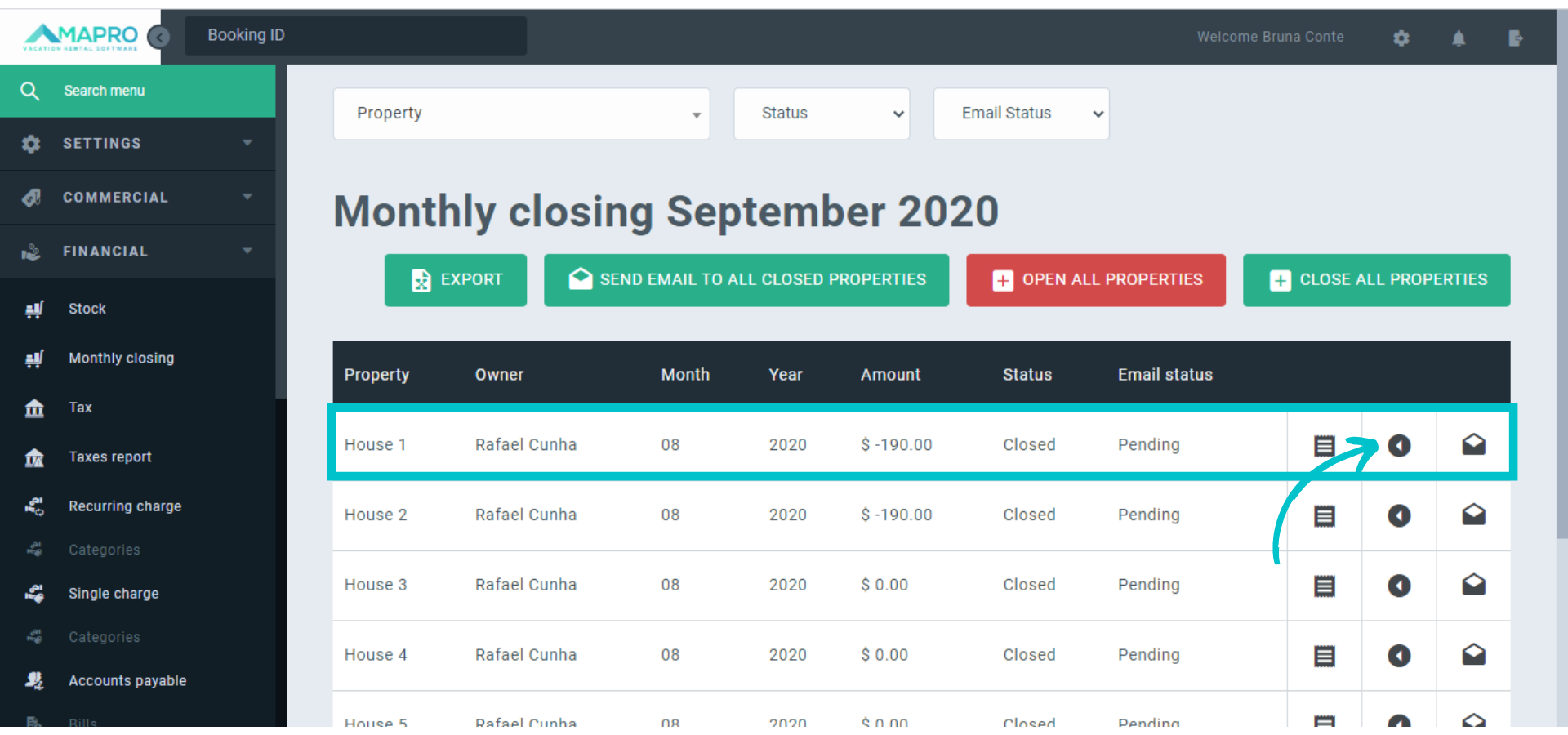
Once you have opened the property, make the necessary adjustments, and close the month again. If there are any closed months subsequent to the adjusted month, it is necessary to open each one of them so the system can process the changes and adjust the amounts up to the current month, and then close them again.
Example:
The property “House 1” has closed statements from January to September, and the October balance, which is the current month, is U$ 1000.00. To add a debt of U$ 200.00 to the July balance, and correct the current balance in October to U$ 800.00, it is necessary to:
It is not necessary to make any changes to the current month because it is not closed yet. MAPRO will correct the amount to U$ 800.00.



