
loading.. Please Wait
When you have a cleaning company connected to a property, this company automatically receives a cleaning work order every time there is a checkout (register at MENU > MANAGE > PROPERTIES > SERVICES).
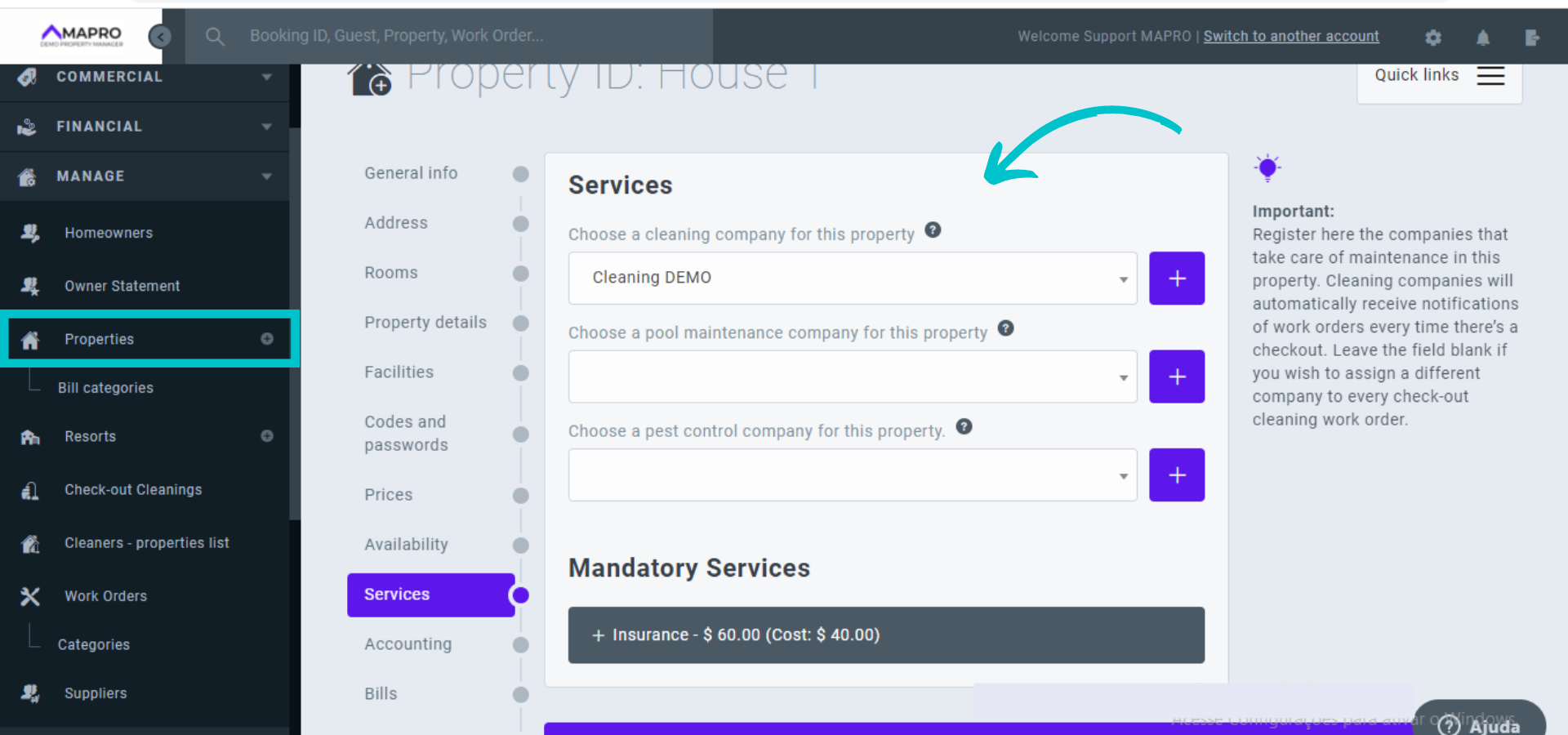
If you ever decide to change the cleaner, the first step is to make sure the new supplier is registered in the system: Learn more about registering cleaning companies.
After that, you can change cleaners simply by selecting another company in the field and this will immediately generate work orders for the new cleaner after every checkout.
To substitute the company after a certain date (for example, in 30 days), go to MENU > MANAGE > CLEANERS - PROPERTIES LIST. On this screen, you will find all cleaners in your system and the houses each company is responsible for cleaning. Click the eye icon to see the details.
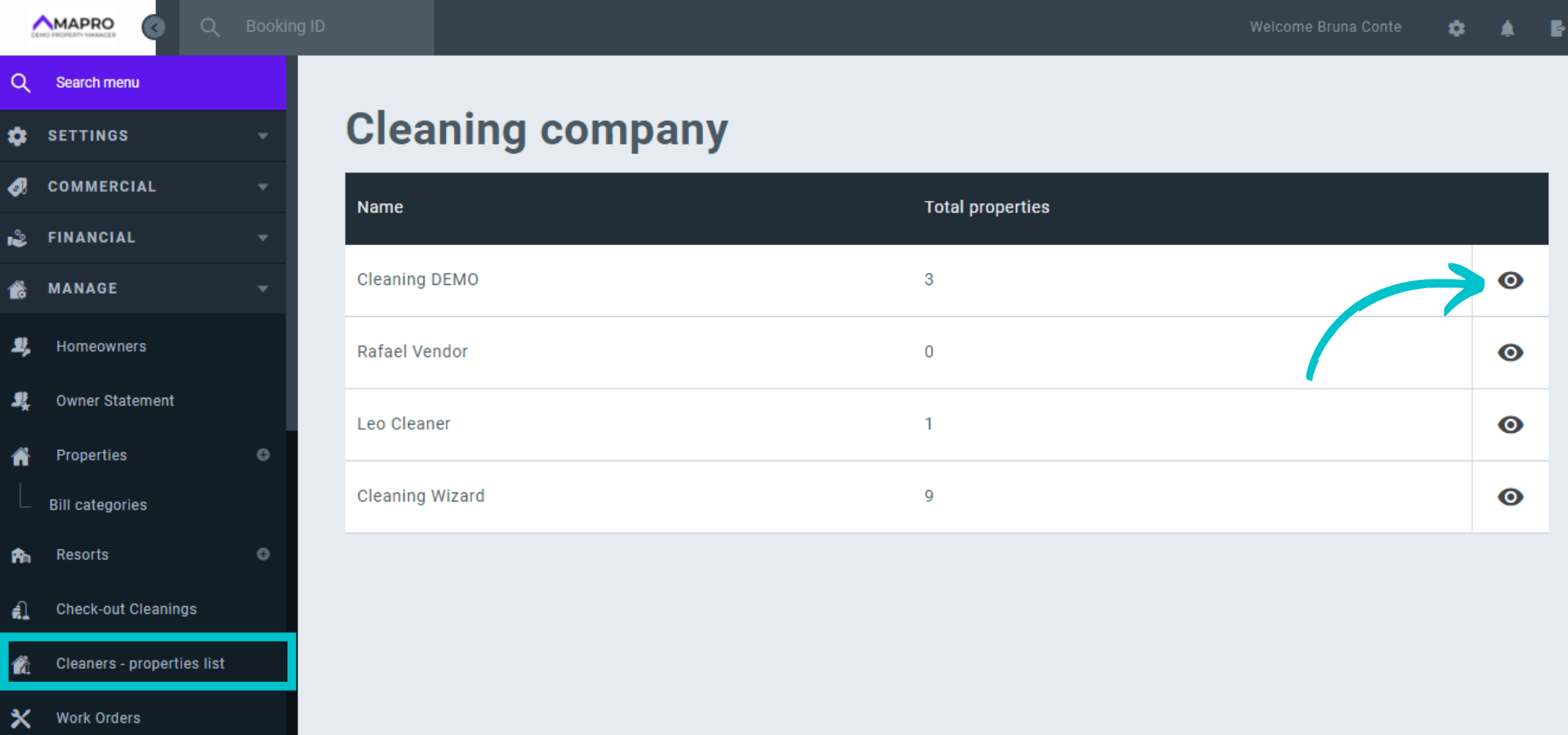
At the top of the page, you can see all properties assigned to that cleaner. Scroll down to find the section to "Add new houses," and use the filters to select the properties you want to reassign.
If you do NOT want to reschedule all cleanings immediately, insert the date in the "Start at the check-in date" field. MAPRO will then create or reschedule all check-out cleanings to the company you are editing after the date you choose.
In the image below, we are assigning "House 1" to "Cleaning Wizard" on May 31st. All reservations checked in before May 31st will generate check-out cleaning orders to the current company - "Cleaning Demo." All reservations checked in on June 1st and after will generate check-out cleaning orders to "Cleaning Wizard."
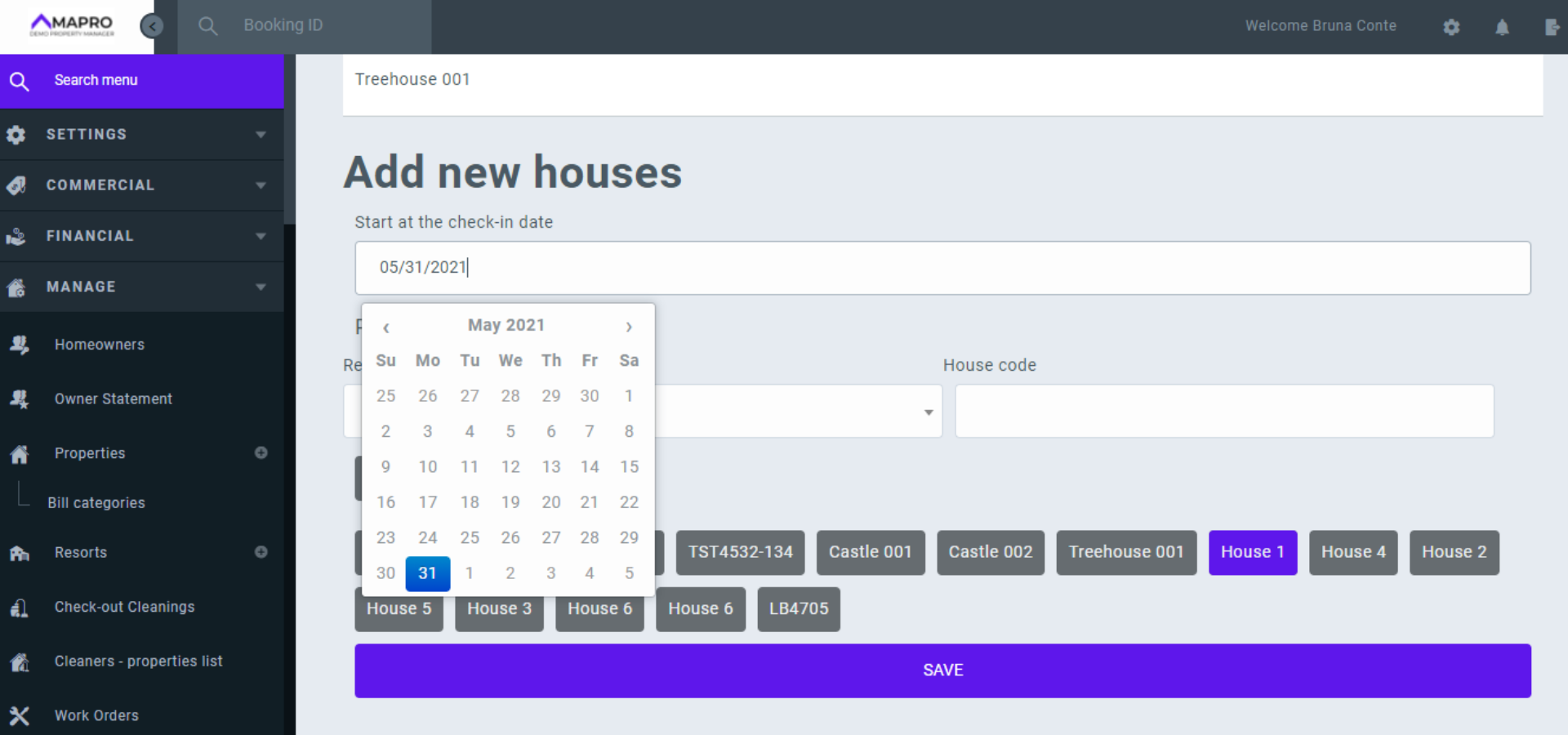
Save the changes at the bottom of the page.



