
loading.. Please Wait
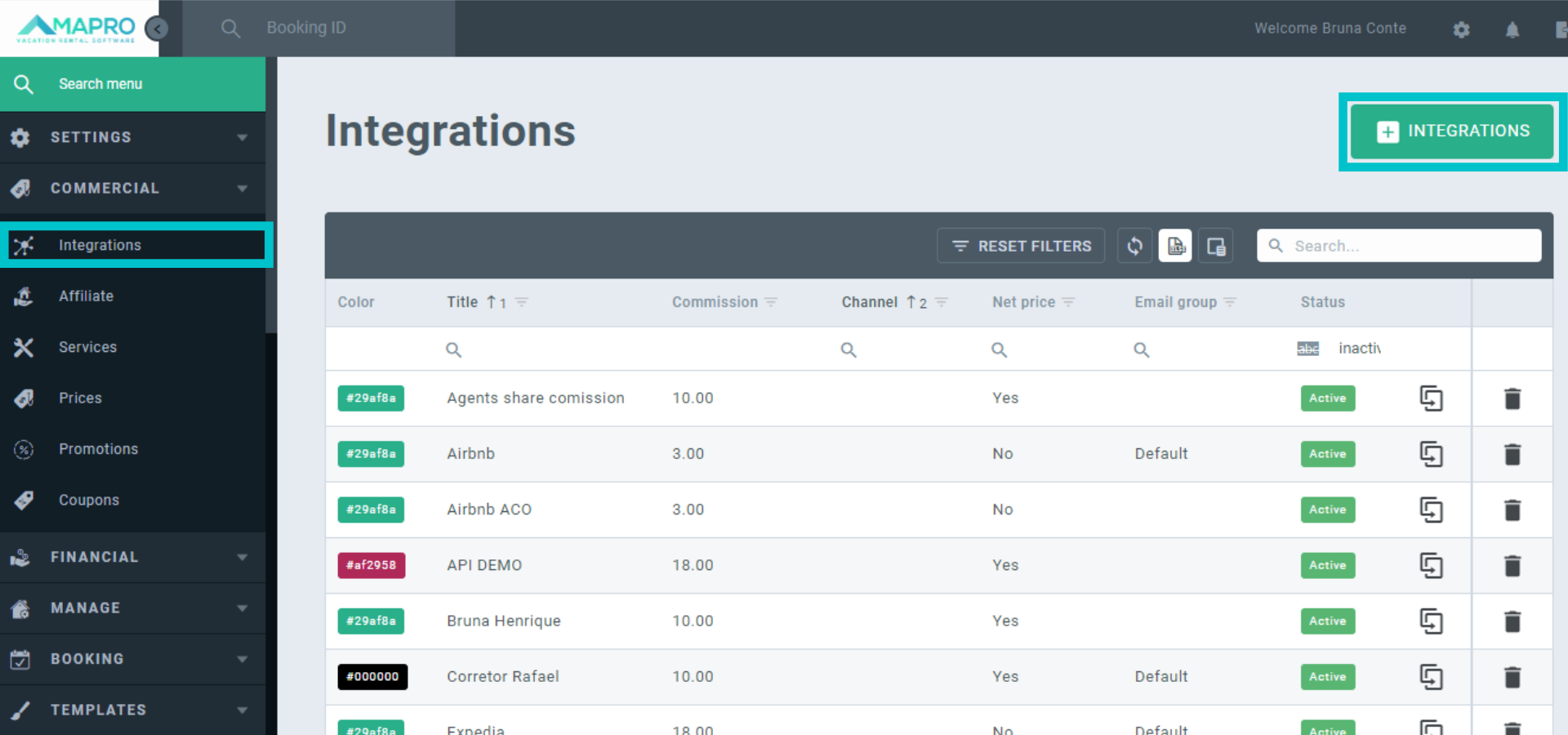
To create an integrator, go to MENU > COMMERCIAL > INTEGRATIONS, and then click on “Add integration.”
Complete all sections, hovering your mouse over the question mark icon to see tips on how to fill out all fields. Choose a name that is easy to remember, once it will be in all reports (eg.: Dream House).
Important: ensure all information added to the integrator is correct, this is essential to accurate calculations on reservations.
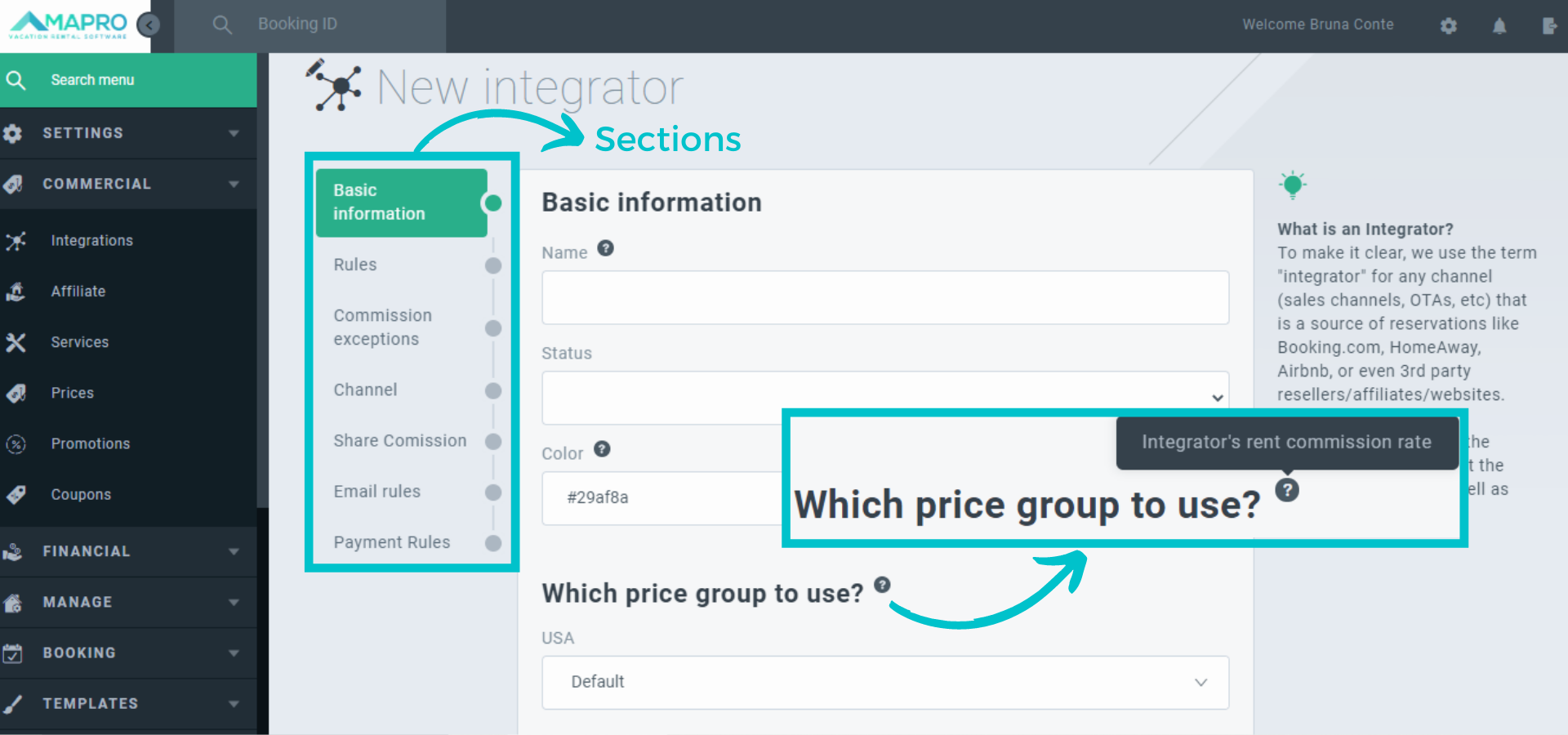
When completing the sections, you will define charging rules, commissions, exceptions, taxes, rules to send the e-mail notifications, and more. On the right side of the screen, you find more information about each section and how to complete it.
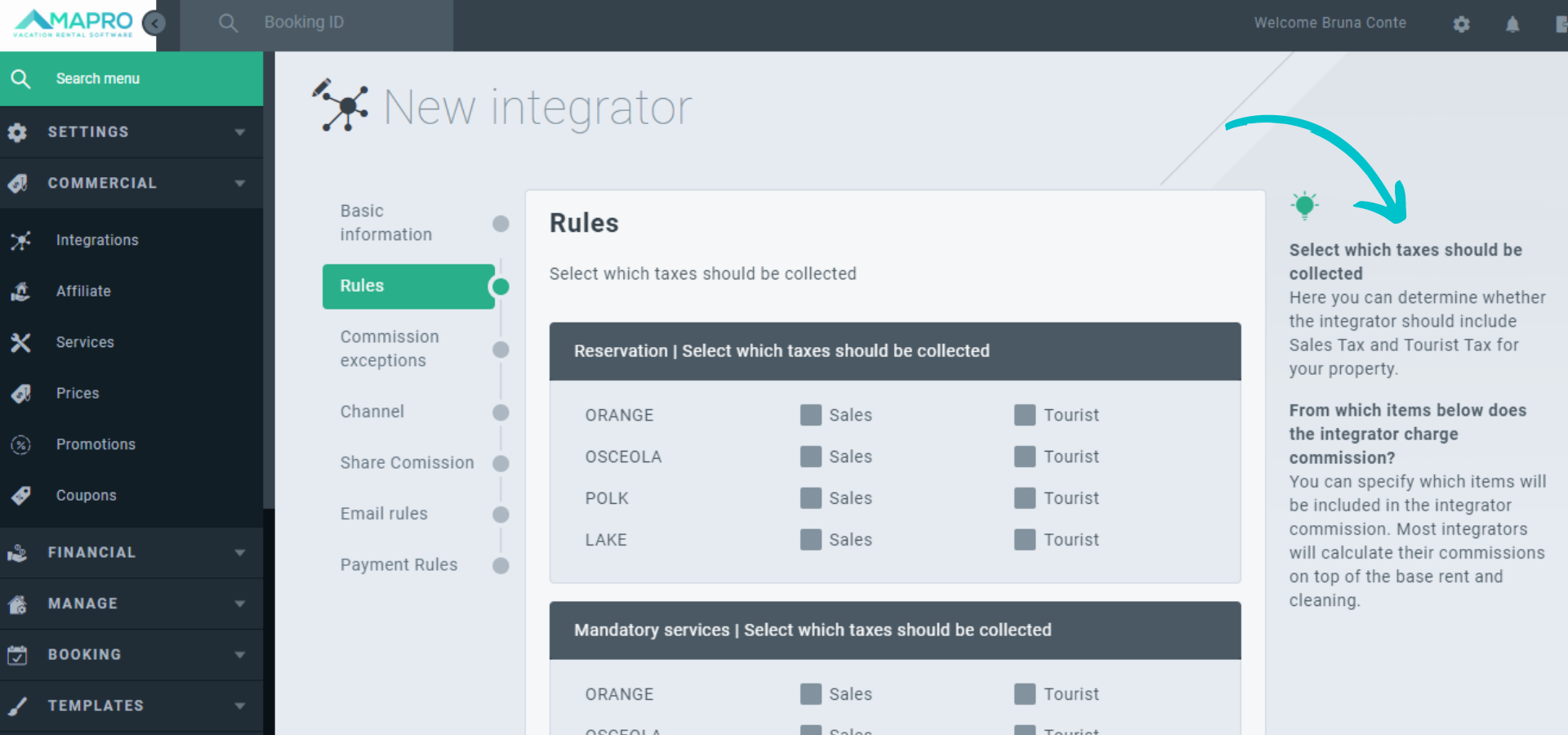
When all sections are complete, click on “save” to finalize, and then your integrator is created.



