loading.. Please Wait
If you offer your guests Generali insurances (damage protection and/or travel), you must activate the policy before the check in.
The insurance will be automatically included in the reservation as a service, and the guest will be charged for it, but if you do not activate the policy, eventualities will not be covered.
To activate the policy, open the reservation and scroll down to the "Services" section. You will see the "Generali Damage Insurance" service with two options: "Send opt-in email" or "Opt-in manually."
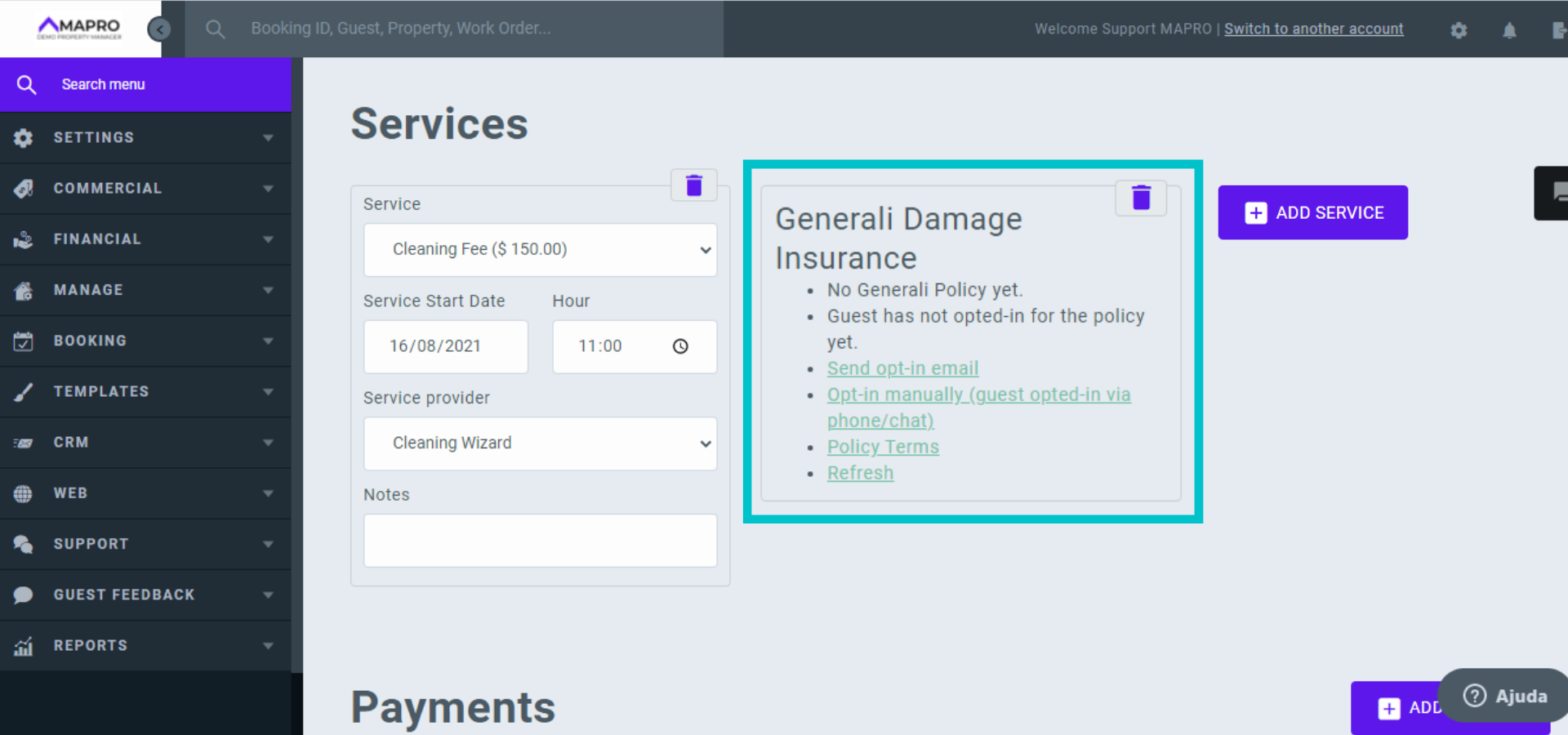
Once the guest must always know exactly what they are hiring, the best option is to send the opt-in email, so the person can access all the insurance details and then confirm they agree with the service. Just click this option, and MAPRO sends the message.
In case the guest is for any reason unable to access their email, you can contact them and ensure they are aware of the insurance details, and then opt-in manually by clicking this option in the reservation.
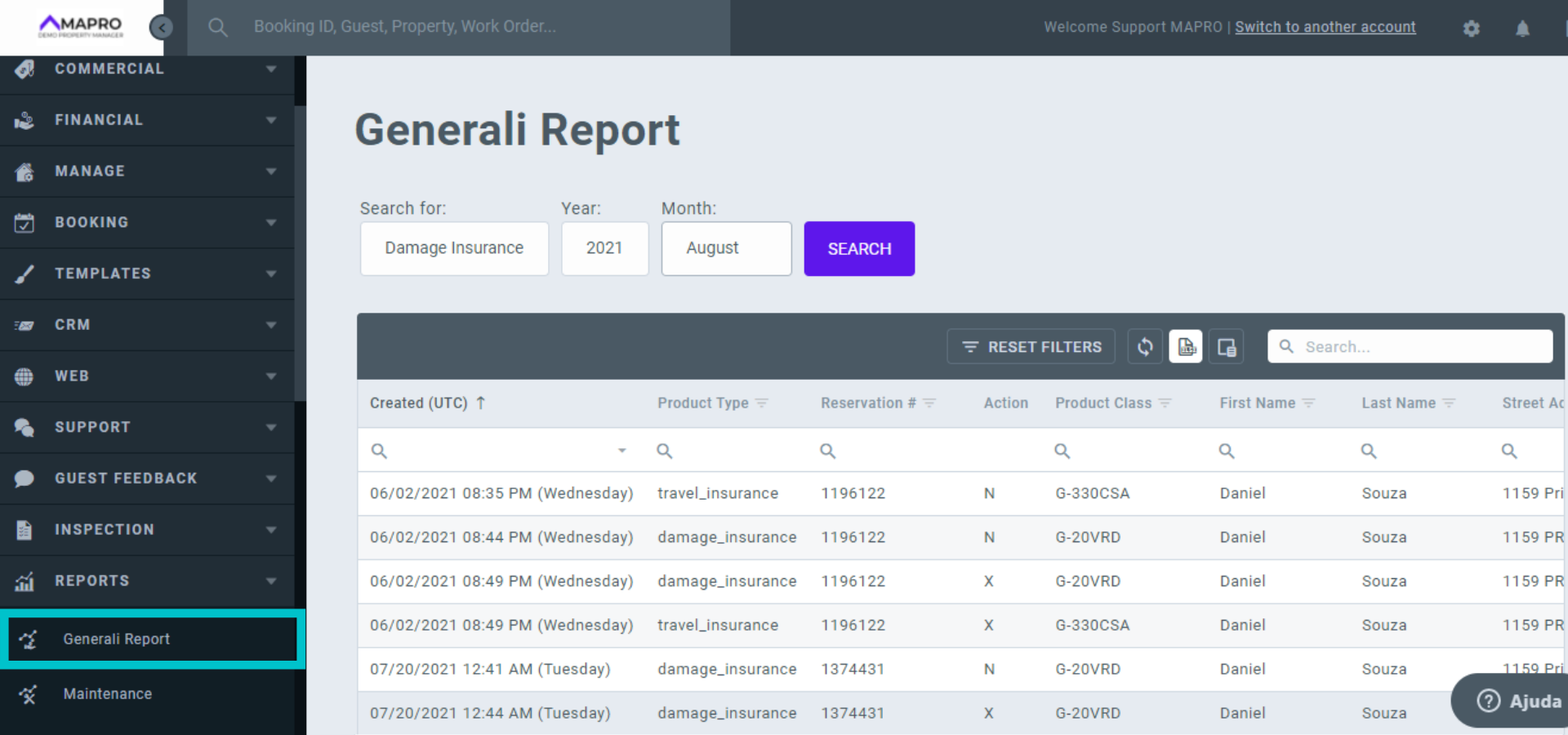
To check which reservations have active policies, access MENU > REPORTS > GENERALI REPORTS.
Find under "Action" the status of each policy: N = new / U = updated / X = canceled