
loading.. Please Wait
To cancel reservations, you need to find them in the system and open the record to edit them.
If you have the Reservation ID, type the number in the “Booking ID” field on the upper toolbar and press “Enter.”
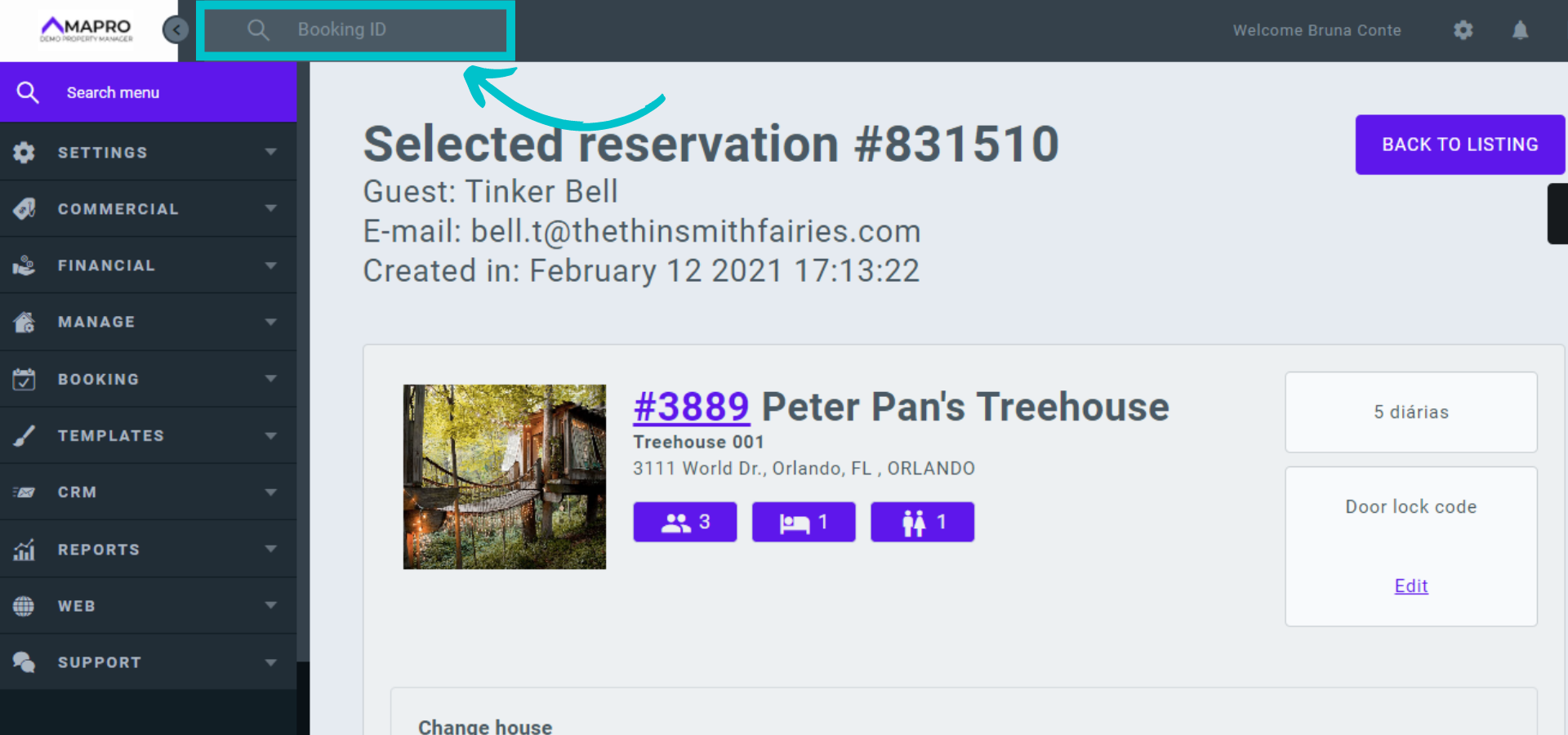
If you do NOT have the Booking ID, find the reservation from the Reservation Grid, Property Calendar, or Reservation Calendar.
1- Reservation grid: go to MENU > BOOKING> RESERVATION GRID to view reservations and blocks and click on the reservation line to open and edit it.
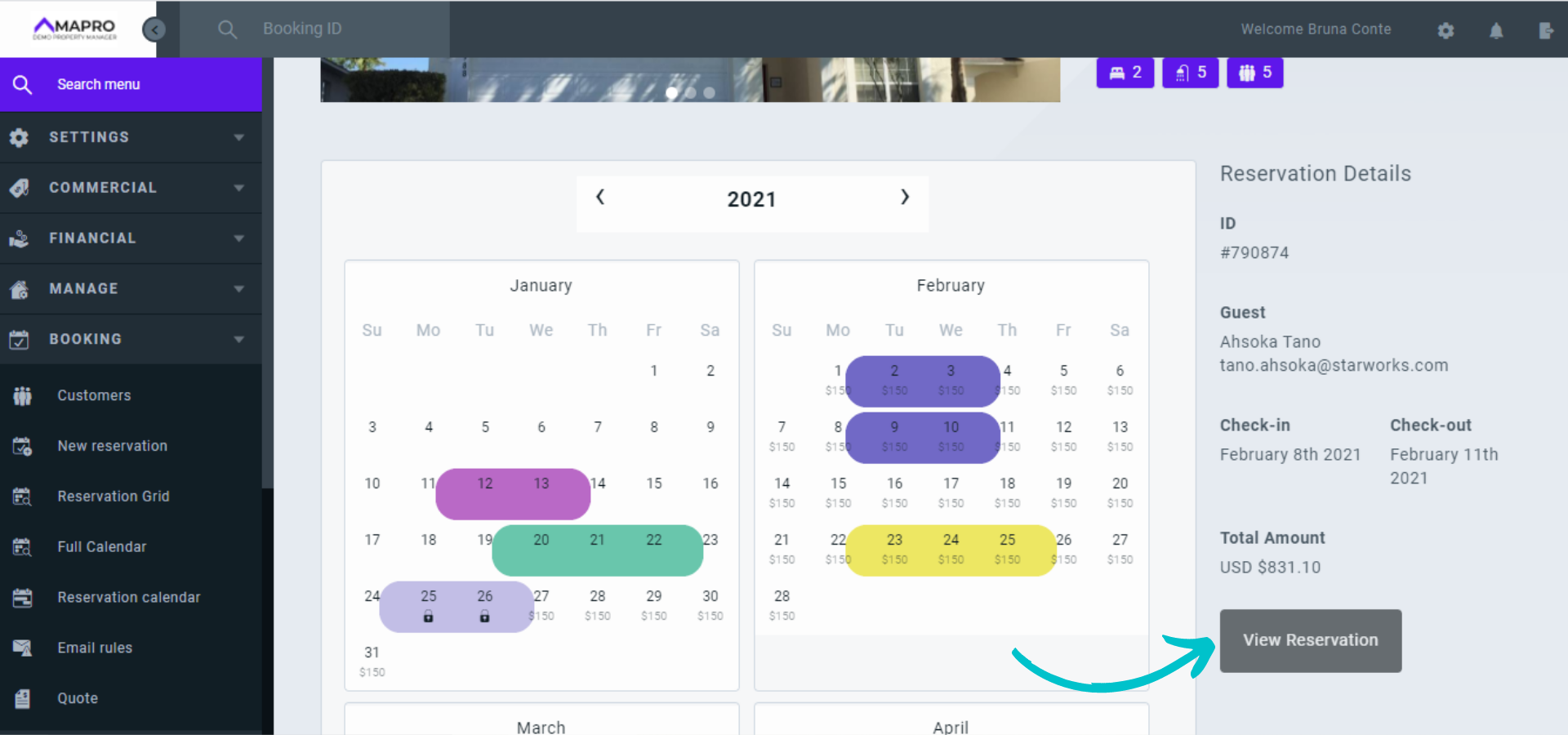
2- Property calendar: go to MENU > BOOKING > FULL CALENDAR and select the property on the right. On the calendar, reservations are marked with the color of the integrator that created the reservation, and dates marked in gray are blocked. Click on the reservation to see the details on the right, and click "View reservation" to open and edit it.
3- Reservations calendar: go to MENU > BOOKING > RESERVATIONS CALENDAR to open a screen with all bookings, by property, for the next three months. Reservations and blocks appear in the table with the color of the integrator that created them. Click the reservation to open and edit it.
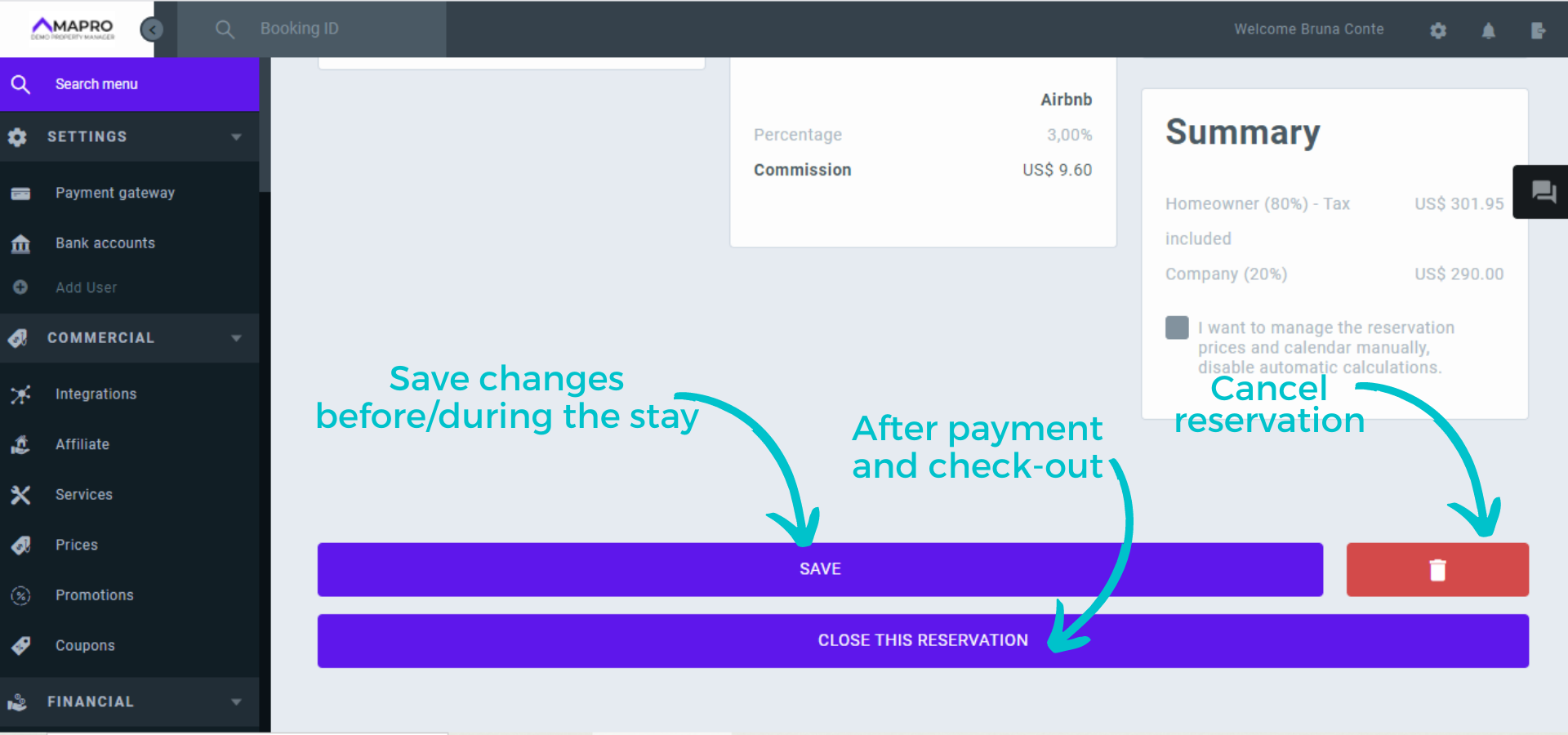
When you open the reservation, scroll down and click the red button to cancel it.
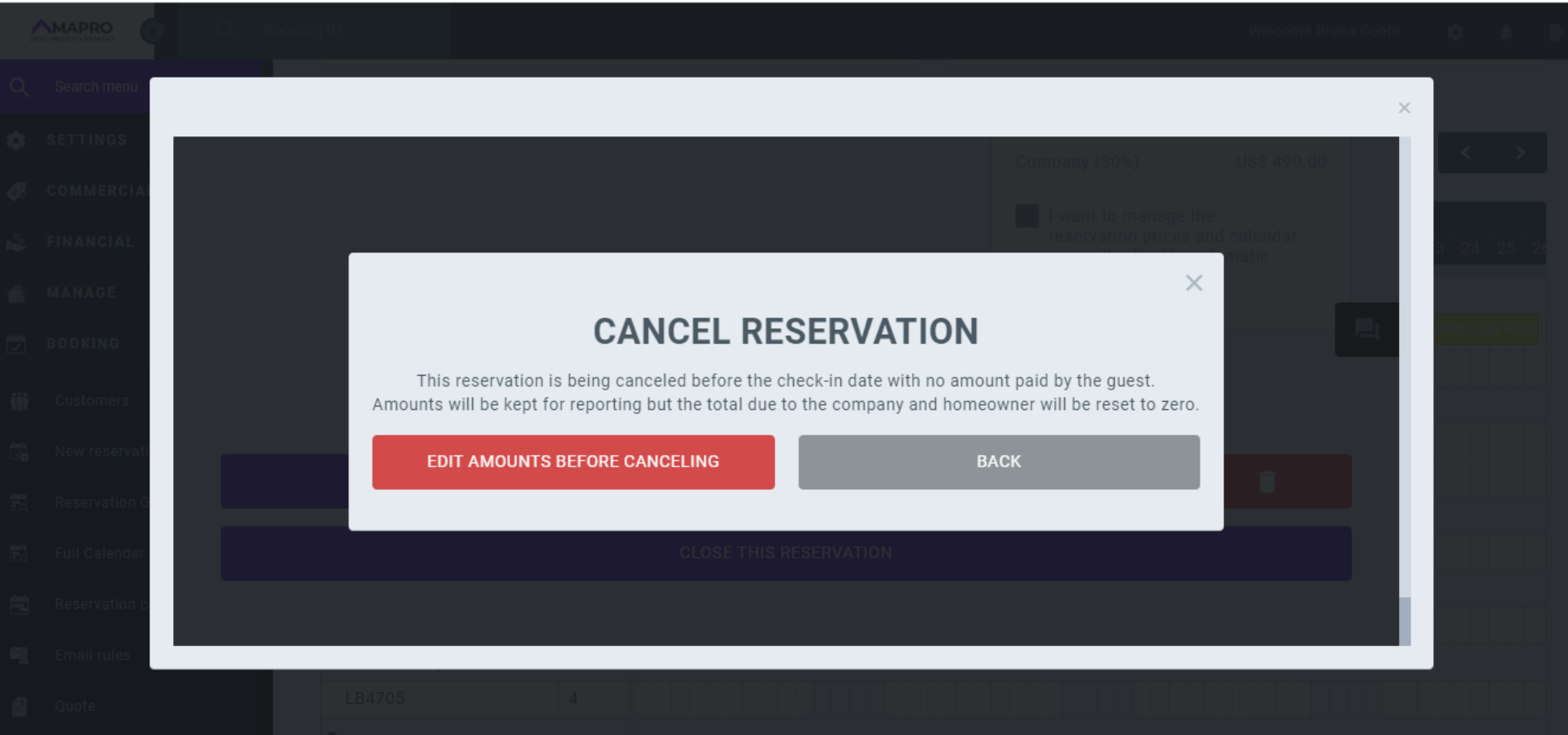
When you select the cancellation option, the system will open a notification informing you about the guest’s possible payments and how this amount will be allocated. Click "Edit values before canceling."
In the payments area, check the amounts that were or should be charged from the guest, how much is for the property manager, and how much goes to the owner. Click on “Edit values,” and then set in "Summary" what goes to the owner and what goes to the property manager.
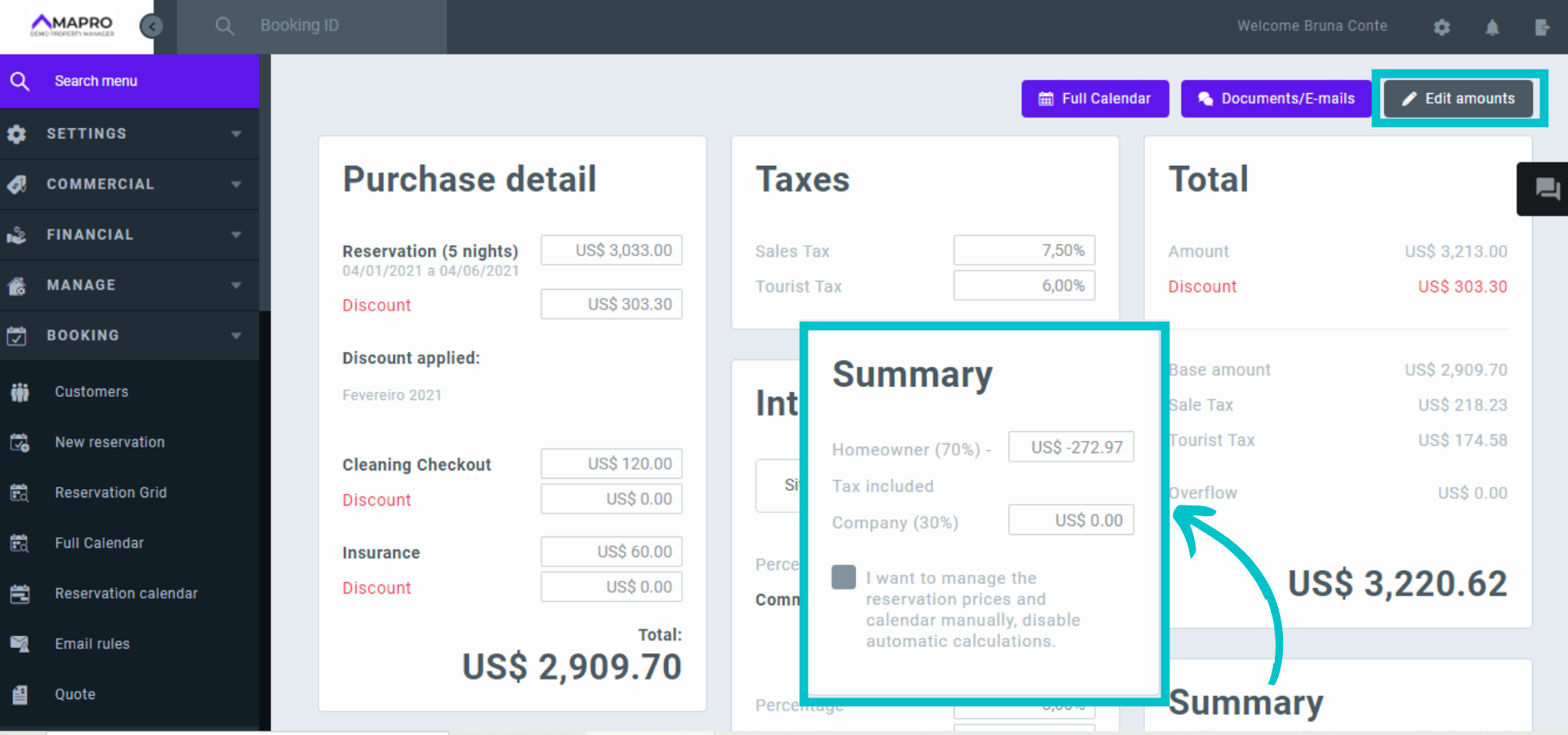
Select the type of cancellation ("Guest" or "Company“), and then click "Save and cancel.”
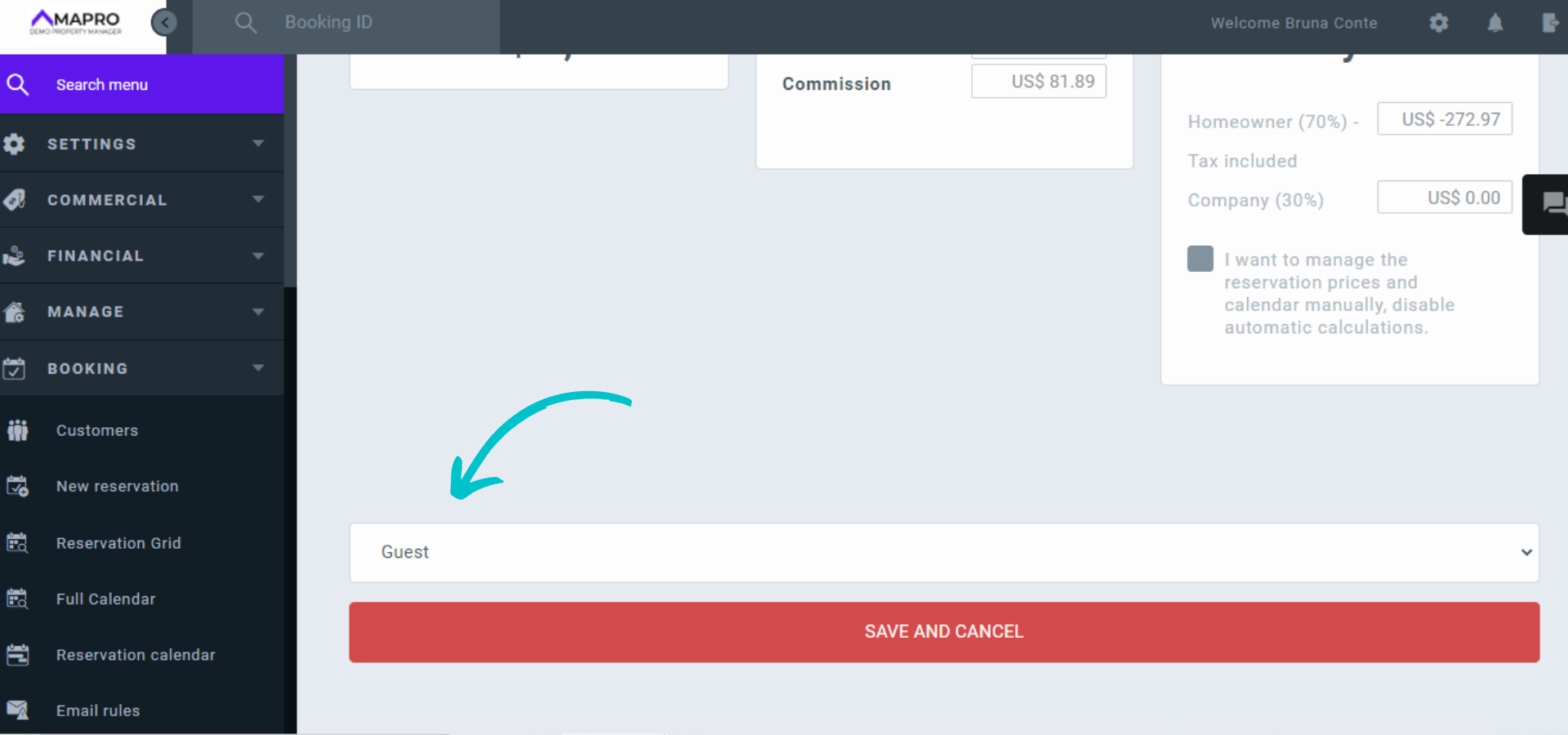
After cancellation, the reservation will be available for financial closing.
Learn more about how to close the financial records of a reservation.



